

Support our independent tech coverage. Chrome Unboxed is written by real people, for real people—not search algorithms. Join Chrome Unboxed Plus for just $2 a month to get an ad-free experience, access to our private Discord, and more. Learn more about membership here.
START FREE TRIAL (MONTHLY)START FREE TRIAL (ANNUAL)
The Google Workspace team continually pushes to make work life a little easier for employees and admins alike, and their latest Feature Drop for March 2025 is another example of how AI can continue adding value across a wide range of software offerings.
This latest drop brings some powerful new tools to the Workspace suite, focusing on improved meetings, streamlined video creation, and enhanced communication across languages. Let’s take a look at all the details.
Smarter meetings with Google Meet
Google Meet is getting a significant boost in the productivity department, with a focus on capturing and acting on key discussion points. Gemini’s “take notes for me” feature has already proven to be a hit, and now it’s getting even better. Meet will now automatically identify and organize “Suggested next steps” within your meeting notes. Action items and follow-ups are neatly arranged in the meeting notes Doc, delivered straight to your Gmail inbox. This enhancement ensures that nothing slips through the cracks and keeps projects moving forward efficiently.
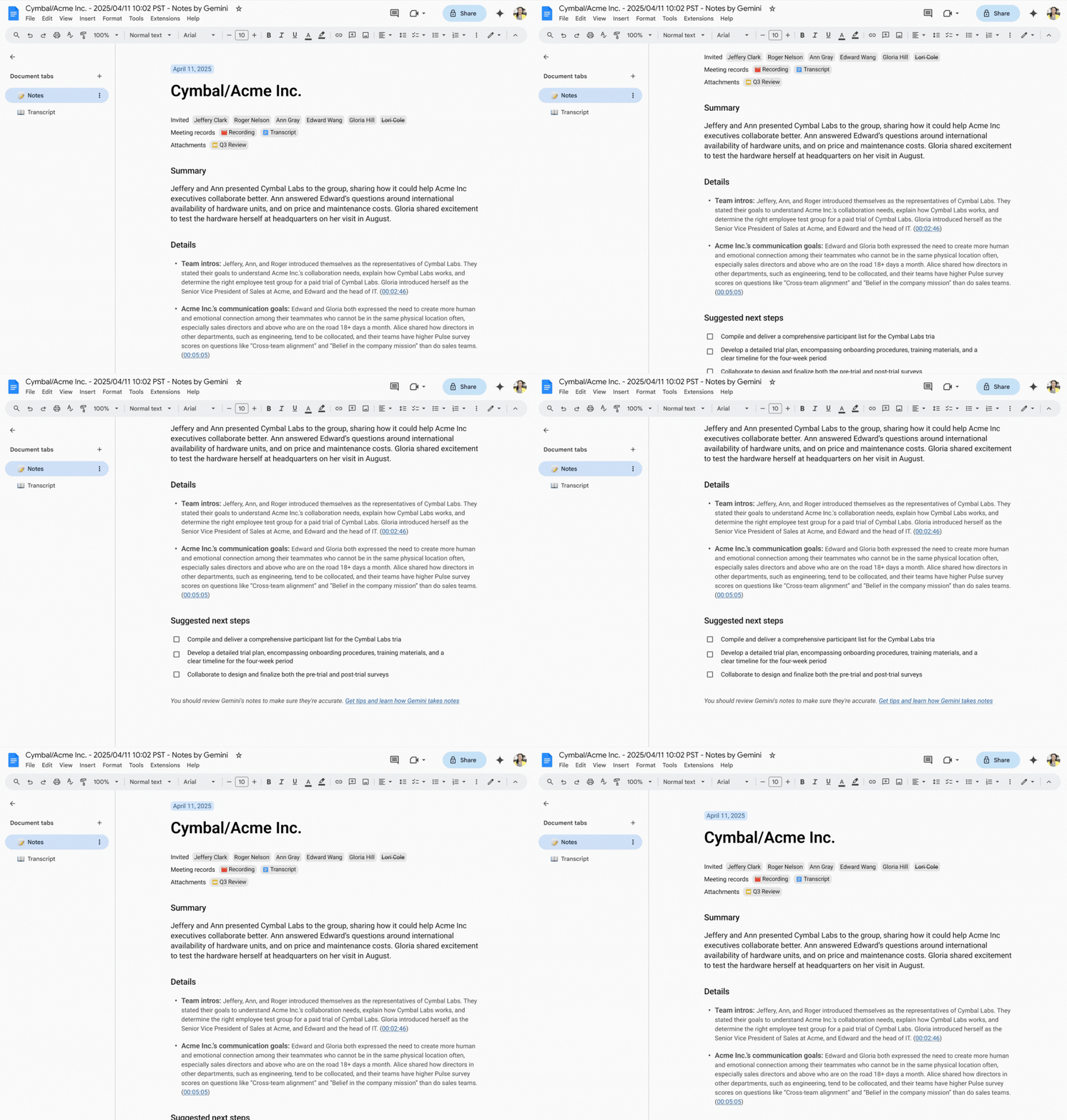
For those who need every detail, Meet now gives you the option to include the full transcript along with the notes summary doc. These notes will even link directly to the relevant sections of the transcript, providing valuable context and even verbatim quotes.
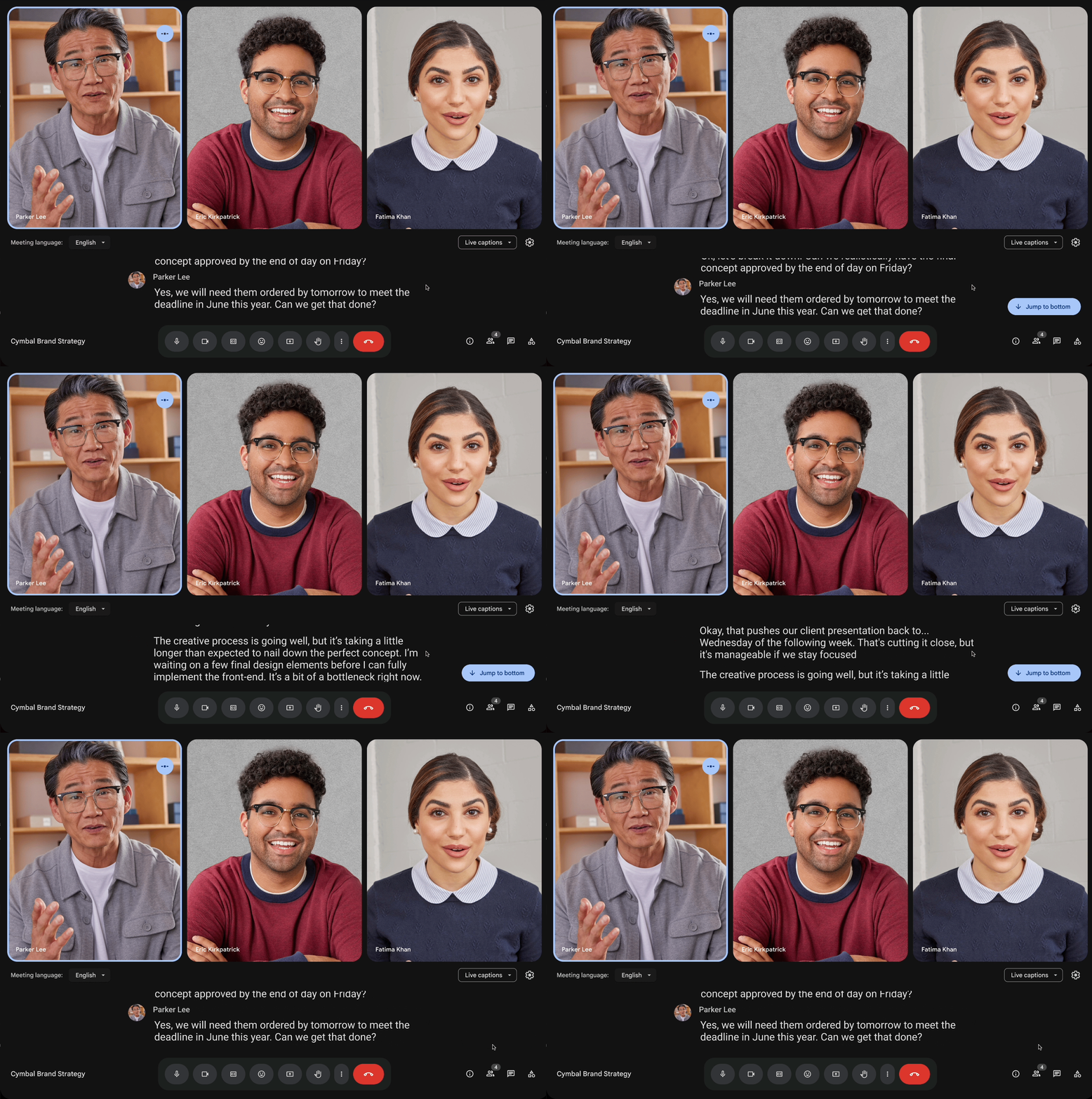
Finally, Google is addressing the need for clarity in meetings with enhanced captioning. While real-time and translated captions have been a boon for accessibility and bridging language barriers, the fleeting nature of captions could sometimes lead to missed information. Now, Meet offers caption history, allowing you to scroll back and review captions at your own pace. This ensures that everyone can stay on the same page, regardless of their listening speed or language proficiency.
Effortless video creation with Google Vids and Gemini
Creating videos is becoming increasingly important, and Google Vids is designed to make the process as seamless as possible with the help of AI. Gemini’s “Help me create” feature lets you generate a fully editable first draft of your video from a single prompt and content from your Google Drive. Vids then assembles your video with suggested scenes, stock media, text, scripts, and even background music.
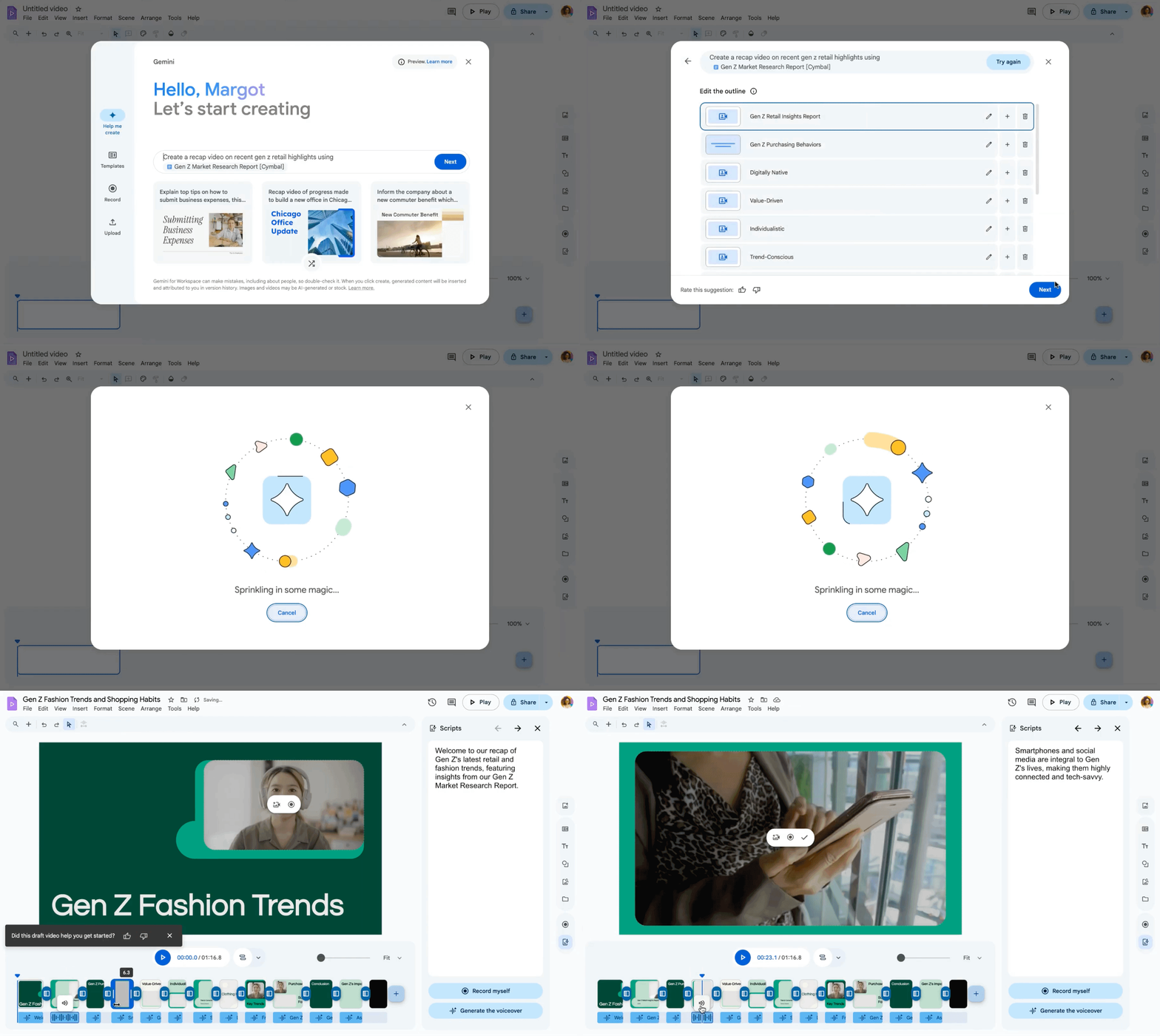
And with this Feature Drop, Google is adding automatic AI voiceovers. The “Help me create” feature can now generate AI voiceovers that align perfectly with each scene, based on your suggested scripts. This eliminates the need for time-consuming recording sessions, allowing you to quickly give your video a professional-sounding voice. With a variety of voiceover options to choose from, you can easily match the tone and style of your video.
Removing language barriers in Google Chat
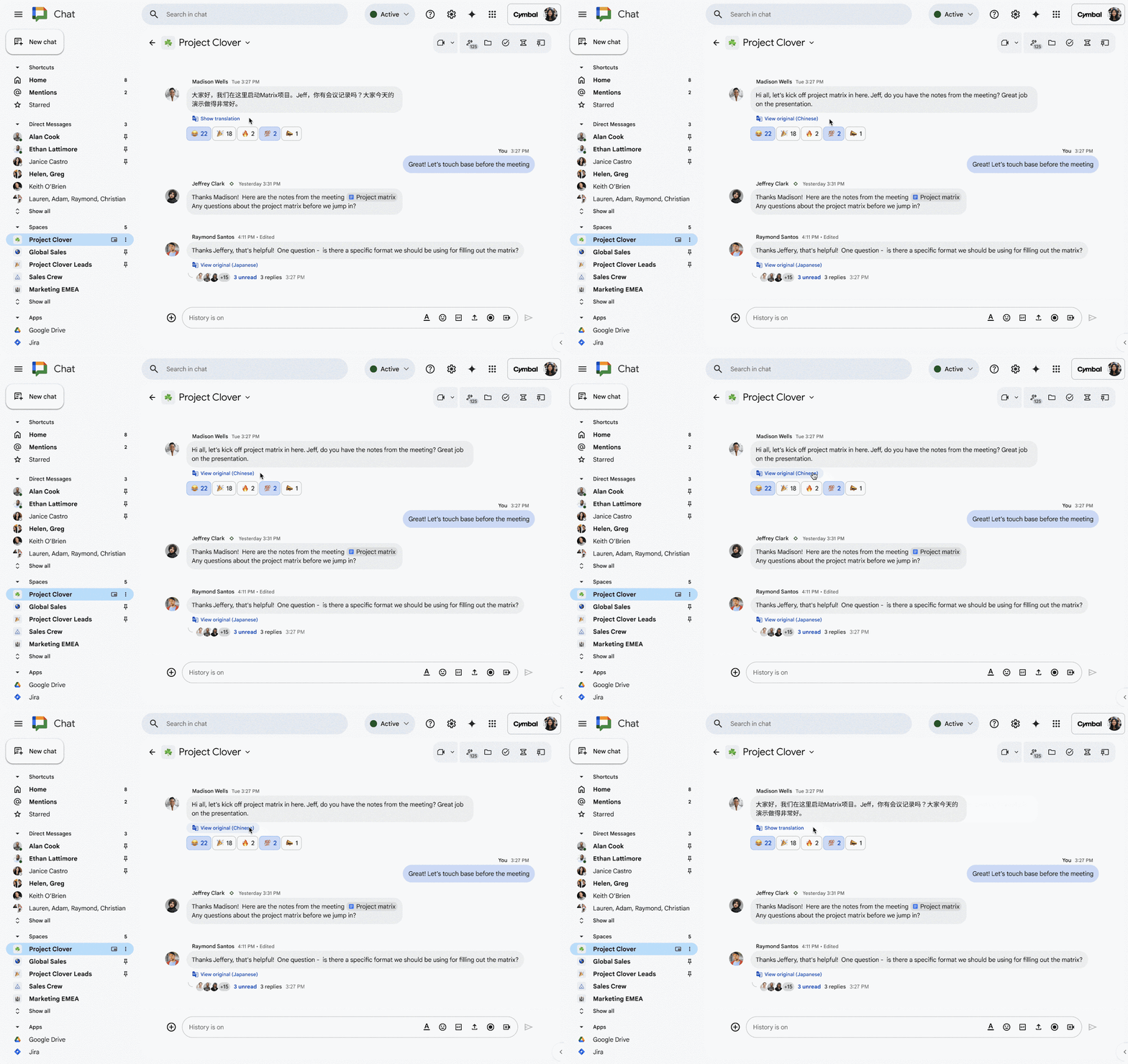
To facilitate seamless communication across global teams, Google is introducing “Translate for me” in Chat. This feature automatically detects and translates over 120 languages, allowing users to view the original message with a single click if needed. By integrating translation directly into Chat, Google is removing friction and keeping users focused on the conversation, regardless of language differences.
Expanded language capabilities
Speaking of language support, Google is also expanding language capabilities for several Gemini features across Workspace apps. Gemini in the side panel in Gmail, Docs, Slides, Chat, and Sheets now supports a wider range of languages. Additionally, the number of languages available in “Take notes for me” in Google Meet has also been increased.
For the second month in a row, this is a massive set of feature updates for Workspace users and Admins, and I get the feeling that Google isn’t slowing down anytime soon. The number of ways Gemini can be weaved into existing products to increase productivity and make things easier on workers seems endless, and I’d imagine we’ll keep seeing these sorts of Feature Drops for the foreseeable future.
SUBSCRIBE TO UPSTREAM
Get Chrome Unboxed delivered straight to your inbox
Upstream is our flagship, curated newsletter with the top stories, most click-worthy deals, giveaways, and trending articles from Chrome Unboxed sent directly to your inbox a few times a week. Join 31,000+ subscribers.

