

Support our independent tech coverage. Chrome Unboxed is written by real people, for real people—not search algorithms. Join Chrome Unboxed Plus for just $2 a month to get an ad-free experience, access to our private Discord, and more. Learn more about membership here.
START FREE TRIAL (MONTHLY)START FREE TRIAL (ANNUAL)
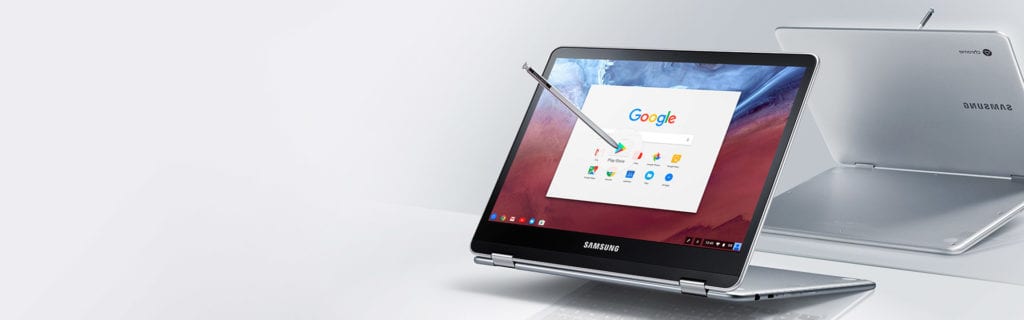
After showing up in mid-October, the Samsung Chromebook Pro has returned to the shadows and has been very elusive for the past few weeks.
I have a theory about why, and it involves Android Apps and a Samsung Ecosystem on Chromebooks.
I know this is a sore spot for many folks (bloat, Touchwiz, etc.), but if you stick with me for just a few minutes, I think I can create a compelling case for why this would actually be a good thing.
First things first. Google doesn’t allow 3rd-party software on Chromebooks outside of installed/removable apps. Whatever we talk about in this article will only come as a result of this type of play. We won’t see Chrome OS with a Samsung UI on it. Ever.
Now, let’s proceed.
3rd Party Ecosystems Gone Awry
In the early days of Android, as it was gaining its footing and figuring out how to be a proper mobile OS, OEMs came along and helped in ways that were beneficial to the ecosystem.
Slick features and missing necessities were filled in by the likes of Samsung, HTC, and LG. What started as feature fixes soon became ways that OEMs could differentiate their phones, offering software and hardware goodies their competitors didn’t.
As the years wore on, cell carriers got in the game as well. However, in the mad dash to more features, we ended up with tons of worthless, novelty features paired with carrier software that was not just useless but non-removable.
The customization became deeply embedded and Google slowly began removing every core service from Android under the Google Play moniker so it could retain control over the core features. Things like the dialer, calendar, messenger, and launcher became things that everyone made and utilized on their own devices.
Sure, the Galaxy S5 was an Android device, but there was a Samsung version of every core Google App on the phone.
All this over-customization led to phones with super-fast hardware lagging like they were using years-old processors. I speak of it in the past tense, but it is still a nagging part of Android life. People enjoyed the purity of Nexus, without carrier or OEM bloat.
3rd-party customization simply became a bit unwieldy, and thus the Pixel and Pixel XL phones showed up. Pure visions of Android and Google working in harmony.
Wait, You Said This Could Be Good Thing
I did say this could be good thing and I’m gonna tell you why. But real quick, I want to point to a company who did some 3rd-party customizations right.
Motorola (before they were Lenovo).
When the MotoX first came out, it was a breath of fresh air. Affordable, pocketable, and running last year’s hardware. But, without all the carrier and OEM bloat, it was quick and nimble. It was simply a pleasure to use.
And Motorola added some really cool stuff. It made the voice activated stuff better and more usable. It gave us a 2-twist camera launch. A 2-chop flashlight. Moto Assist, Connect, and Migrate were great additions to Android and were at the user’s discretion to use or not use.
Under it all was a basically unblemished Android OS that felt as close as you can get to a Nexus. So much so, that using it never made me wish for my Nexus at all. I actually enjoyed all the stuff they added on and loved the fact that they did so without deep UI integrations.
Here’s The Good Thing I Was Referring To
That’s the kicker, isn’t it? We all like great software when it is useful and works well. We simply hate the junk that doesn’t work, performs slowly, and can’t be removed if we don’t want it.
Android has had the ability for years to allow developers to only allow software on certain models with certain processors, screen resolutions, memory limits, etc. Using this Motorola wisely made their custom apps available through the Play Store but only available to Motorola phones.
It kept the updates clean and moving and made it clear that 3rd-party experiences could be significantly improved via app installs and app installs alone.
I think Samsung could make this same thing happen on The Chromebook Pro.
I have no inside info here: only a hunch. From the looks of the landing page and promo materials already in play, this device – from a hardware perspective – is ready to hit the shelves. I don’t think there’s much doubt to that.
What about software, though? Sure, Chromebooks run Chrome OS and nothing else. No one wants to see that change. OEMs need to differentiate though hardware, right? And no one has attempted any real Chrome OS development to bring custom apps to their Chromebooks yet.
This is Samsung, though. Samsung loves to get its name and its software into every potential user’s hands. Their track record with Android and Windows bears out this truth.
As we watch Android app support slowly start to hit more and more Chromebooks, I have to wonder if Samsung is waiting until Play Store support is out of beta status before they pull the trigger on releasing the Chromebook Pro to the world.
Think on this for a second: Samsung has a fleet of Android Apps that they could easily make available for their Chromebook and their Chromebook only.
If you’ve ever owned a Galaxy Note device, you know that S-note is actually a very capable app, able to do tons of great tricks and organize your jots in a neat and tidy way. Let me ask you, with that handy little Pen and Chrome OS only, what do you think we’ll be able to do?
Probably not much.
But, with a quick install of S-note, you have a fantastic sketch pad, note taker, and organizer right on your Chromebook.
I haven’t owned a Galaxy device in some time, but I’m sure there are a few other examples as well, but that’s not even the main point of all this.
This All Points To Big Things For Consumers and OEMs
Samsung will likely be the first to do this, but not the last. Just as it happened with Android, OEMs will now have the ability to launch a Chromebook with a slew of apps developed only for their device. This increases competition and hastens the race for laptop-ready apps across many Chromebooks.
And the best part? If you don’t want them, you can uninstall them! It’s that simple!
Google has drawn a very clear line in the sand with this part, and I don’t see that going anywhere anytime soon. Chrome OS will be delivered as the same OS on every single Chromebook and Chrome OS device.
If an OEM can build out a suite of great Android apps expressly made for their Chromebook, Google will likely allow those to come pre-installed. But that doesn’t mean they aren’t a few clicks away from being gone.
And this is the best-case, win-win for both consumers and OEMs alike. Competition, innovation, and some cool new apps geared towards Chromebooks.
3rd party stuff doesn’t sound that bad after all, does it?

