

Support our independent tech coverage. Chrome Unboxed is written by real people, for real people—not search algorithms. Join Chrome Unboxed Plus for just $2 a month to get an ad-free experience, access to our private Discord, and more. Learn more about membership here.
START FREE TRIAL (MONTHLY)START FREE TRIAL (ANNUAL)
Smartwatches – in general – all tend to come with their own version of wireless charging. From Apple Watch to Galaxy Watch to Fitbits, the way wearable tech tops off the battery differs one to the next, and that is most definitely the case with the new Pixel Watch as well. Though Google never said anything about Qi wireless charging being included with the Pixel Watch, it didn’t stop any of us from trying: and the results were interesting to say the least.
What is Qi?
First up, a quick rundown on Qi if you’ve never heard of it. Years ago, as wireless charging was first becoming a normalized thing, Qi was the agreed-upon standard early on. As big companies like Samsung and Apple adopted it, we came to the place where nearly all wireless charging pads are Qi certified at this point and if your device supports wireless charging, Qi is the way it is getting its juice.
With smartwatches and fitness trackers, however, it seems there’s no standard at this point. As to why that is, I have no clue. Qi charging is available in small devices like earbud cases for the Pixel Buds and even in cheaper alternatives like the Wyze Buds Pro. Perhaps those cases are the size limit for Qi charging and the standard can’t be made small enough for watches? Again, I’m unsure as to why this is, but I know that there is clearly an issue of some sort and for now, smartwatches use their own, proprietary charging solutions across the board.
A confusing signal
That being said, even though Google never touted Qi as an option for the Pixel Watch, it didn’t stop anyone from trying. And that includes me. The first day I had the Pixel Watch out of the box, I tried it with a standard Qi charging pad and much to my surprise, it lit up like it was taking a charge.
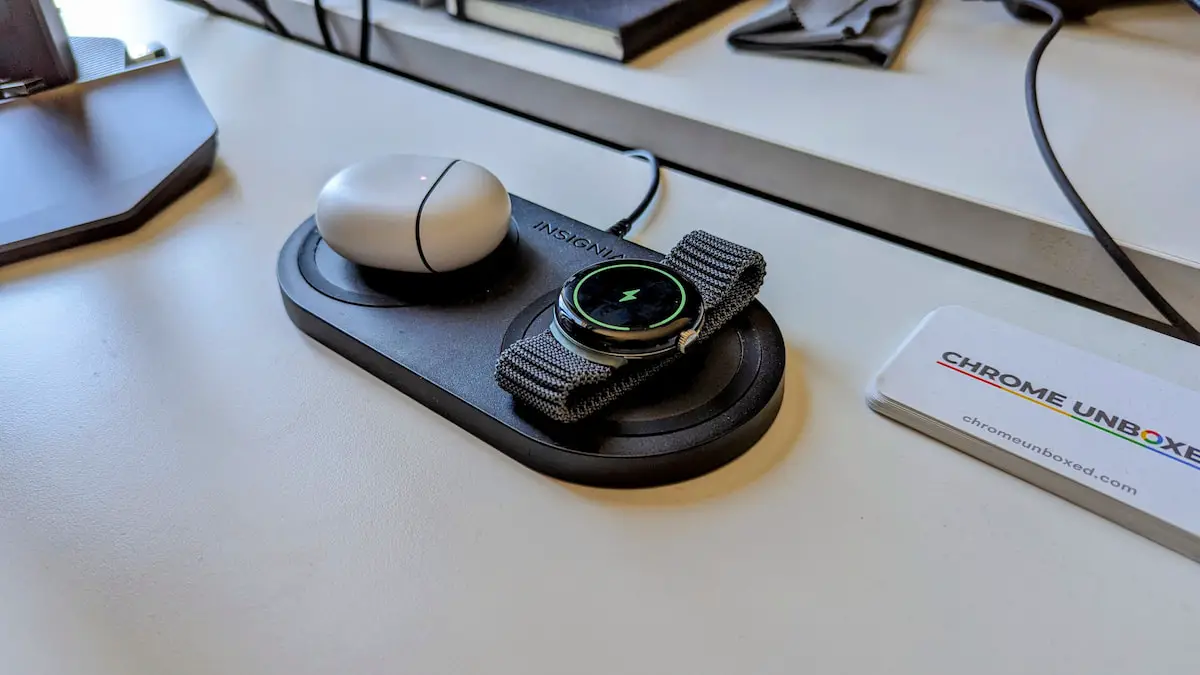
I was initially elated by this and without really testing anything, I was already considering what sort of charging pad I wanted to buy for my nightstand to seamlessly keep all my peripherals topped up on battery each evening. Luckily for me, Gabriel actually tested this out a bit and within a few minutes, we realized Qi charging clearly doesn’t work for this watch.
Though the animations make it appear to take a charge, the fact of the matter is it most definitely is not doing anything at all. Actually, left sitting on my wireless charging pad on the desk, the Pixel Watch technically lost a percent of battery life while it was “charging” and that makes me wonder about a few things. First, why is the watch thinking it is charging? And is placing it on a Qi charging pad actually bad for it?
Once again, I don’t know the answer to either of those questions, but I do know that Qi charging is probably a bad idea with the Pixel Watch. Regardless of what you read online and what the watch thinks is going on when placed on a Qi charging pad, the truth is you absolutely need Google’s included wireless charger to get power to your new Pixel Watch. And that limitation unfortunately includes reverse charging from your Pixel 7 and 7 Pro as well. It just isn’t a thing and – in my opinion, at least – it should be. Consider yourself informed.
SUBSCRIBE TO UPSTREAM
Get Chrome Unboxed delivered straight to your inbox
Upstream is our flagship, curated newsletter with the top stories, most click-worthy deals, giveaways, and trending articles from Chrome Unboxed sent directly to your inbox a few times a week. Join 31,000+ subscribers.

