

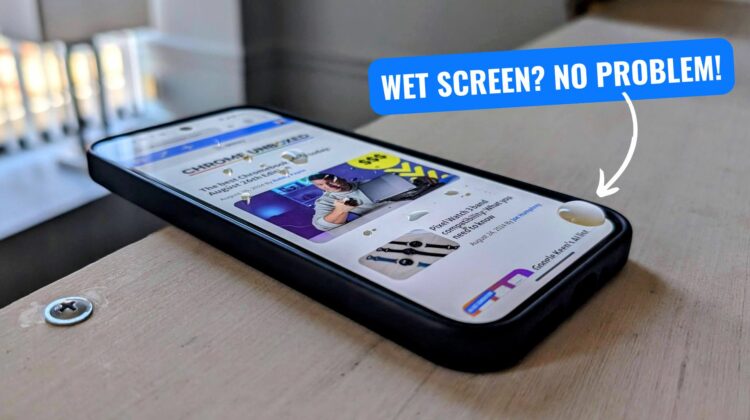
The Google Pixel 9 series made its big debut less than two weeks ago, and there are still small surprises to be found in these new handsets from Google. One of those surprises is the new Adaptive Touch feature that is enabled by default and tucked away in the Pixel 9’s display settings.
What is Adaptive Touch?
Found under Settings > Display > Touch sensitivity, Adaptive Touch intelligently adjusts the phone’s touch sensitivity based on your environment, activities, and even the presence of a screen protector. I’d imagine humidity, water, dirt and dust are factored into these settings, but the one I was most impressed with is the ability for the Pixel 9 Pro XL to navigate with water all over the screen.
While Google didn’t say much about Adaptive Touch during its keynote, a bit of real-world testing reveals the handiness, here. The Pixel 9 handles wet fingers like a champ, offering a smooth scrolling experience even with water standing on the screen. In contrast, the Pixel 8 Pro struggles with random jumps and pans under the same conditions.
Adaptive Touch comes enabled out of the box on both the Pixel 9 and Pixel 9 Pro XL. You can find the toggle in Settings > Display > Touch sensitivity if you wish to disable it, though it’s hard to imagine why you’d want to. With the number of times we all find ourselves with slightly-wet screens in the rain, after a small spill, or having our phones near the water, this is a functionality boost that is pretty sweet to see added to Google’s latest phones.
VIA: Android Authority
Join Chrome Unboxed Plus
Introducing Chrome Unboxed Plus – our revamped membership community. Join today at just $2 / month to get access to our private Discord, exclusive giveaways, AMAs, an ad-free website, ad-free podcast experience and more.
Plus Monthly
$2/mo. after 7-day free trial
Pay monthly to support our independent coverage and get access to exclusive benefits.
Plus Annual
$20/yr. after 7-day free trial
Pay yearly to support our independent coverage and get access to exclusive benefits.
Our newsletters are also a great way to get connected. Subscribe here!
Click here to learn more and for membership FAQ

