

Support our independent tech coverage. Chrome Unboxed is written by real people, for real people—not search algorithms. Join Chrome Unboxed Plus for just $2 a month to get an ad-free experience, access to our private Discord, and more. Learn more about membership here.
START FREE TRIAL (MONTHLY)START FREE TRIAL (ANNUAL)
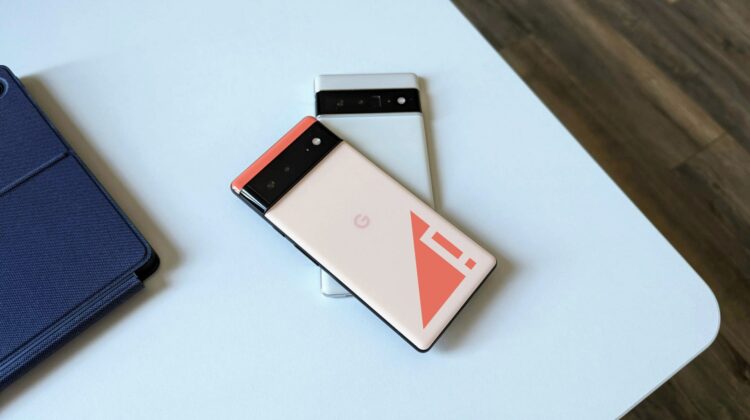
Whether it’s with the latest version of Android that was released to Pixel users in December or the prior November update, there have been multiple issues with wireless network connections for weeks. We don’t know what the actual problem is at this point, but I can attest to my wife and I both having random network drops for no reason. She came from a Pixel 4XL and never really had issues, so there’s no question it is the Pixel 6 Pro causing the problem.
For me, I’ve noticed the network drop-outs for a few week at this point, but they’ve been minimal and flipping airplane mode on and off usually fixes things for a while. My wife wasn’t so lucky the other day and it took a full power down of her Pixel 6 Pro to get any service whatsoever from T-Mobile while she was at work. This is clearly no good.
How to fix your Pixel 6 connectivity issues with an app update
Thanks to the fine folks over at Android Police, we have what seems to be a pretty legit fix for the issue, and it lies in Google’s Carrier Services application. This app is clearly responsible for the way your phone talks to carrier networks and assuming an update to this app is the fix, it is also means that this app is currently the primary issue. Good news is there is a fix via the beta version of the Carrier Services app and the better news is it is pretty simple to apply it.
First off, let me say that there are two ways to do this. The first requires you to opt-in to the beta channel of the Carrier Services app, wait for the update, and install. This is fine to do, but that means at some point you’ll likely want to exit that beta program and you’ll simply have to remember to do so.
The better option in my opinion is to simply snag the beta version of the current Carrier Services app from APK Mirror (highly trust-worth Android app site), install it, and take the additional few needed steps (required for either method, here) to get your service back on track.
You can head here to download the APK (do this from your phone for the easiest method) and after it downloads, simply click on the file to install it. You may need to grant Chrome permission to install applications, but after doing it for this trusted app, you can turn this back off in your permission settings if you choose.
Once installed, we’d recommend force-stopping the Carrier services app, clearing the data, and fully restarting your phone. This will make sure your Pixel 6 or Pixel 6 Pro is getting the latest mobile data settings and will ensure you have a solid connection with your wireless carrier. Do this by heading to Settings > Apps > See all apps > Carrier Services > Force Stop > Storage & Cache > Clear Storage.


After you take care of these steps, your connectivity should be far better. I’ve had this in place for the past couple days and I’ve not had any issues, but I wasn’t seeing connection drops incredibly often, so that could be coincidence as well. Hopefully this beta version of the Carrier Services app is close to being put into play full-time and, when it is, we won’t see so many complaints about the Pixel 6 and Pixel 6 Pro network connections.
SUBSCRIBE TO UPSTREAM
Get Chrome Unboxed delivered straight to your inbox
Upstream is our flagship, curated newsletter with the top stories, most click-worthy deals, giveaways, and trending articles from Chrome Unboxed sent directly to your inbox a few times a week. Join 31,000+ subscribers.

