


Support our independent tech coverage. Chrome Unboxed is written by real people, for real people—not search algorithms. Join Chrome Unboxed Plus for just $2 a month to get an ad-free experience, access to our private Discord, and more. Learn more about membership here.
START FREE TRIAL (MONTHLY)START FREE TRIAL (ANNUAL)
Here at Chrome Unboxed, we’re dedicated to helping you make informed purchase decisions. We have spent countless hours researching, testing, and evaluating Chromebooks so that we can help our readers find the perfect Chromebook for them. While we like to indulge in more expensive devices like the new Samsung Galaxy Chromebook Plus, we understand that for many of you, price is a significant factor when choosing a new Chromebook, and buying a $600+ device just isn’t realistic. We know that ultimately, your budget will guide your choice.
But here’s the good news: there are several devices out there under $400 that we’ve tested and can recommend buying if you are looking for a more affordable, budget-friendly Chromebook.
The Budget Chromebook Value Proposition
When it comes to buying a budget Chromebook, we know that price often becomes the deciding factor. It’s not uncommon for shoppers to opt for the cheaper option when two Chromebooks appear similar, even if it means compromising on performance or features. However, a lower price doesn’t always have to mean a lesser experience. With the right knowledge and a bit of research, you can find a Chromebook that offers both quality and an excellent value proposition.
Regardless of whether you’re buying a Chromebook for a student, personal use, or as a versatile household device, being well-informed is crucial. We’ve written about this and even made a video detailing the process of shopping for an affordable device, but in general, you need to pay attention to the processor and its end-of-life date and also know what to look for in specs like screen, type of device form factor, and overall size. If you can avoid those common pitfalls and decide what type of device is best for your specific needs, we’re confident that you can find a great affordable device.
Best Budget Chromebooks
Now that you have an idea of what you’re looking for, it’s time to find a Chromebook. We’ve done some of the leg work for you and have compiled a list of our favorite budget-friendly Chromebooks under $400. Every Chromebook on this list strikes a balance between affordability and performance, offering a great user experience without breaking the bank. As a quick side note, we also compile the best overall deals, as well, if you want to see what other Chromebooks are on sale. But for now, let’s dive into the best affordable, budget Chromebooks.
Lenovo Chromebook Duet 11″ Tablet- Best Detachable Budget Chromebook

The new Lenovo Chromebook Duet 11″ is a fantastic Chromebook tablet, improving upon its predecessor with some key upgrades. It retains the beautiful 11-inch 16:10 display, solid build quality, and included keyboard and kickstand. However, Lenovo has smartly added a USB-C port to both the side and top of the tablet, redesigned the kickstand for both portrait and landscape orientations, and improved the keyboard with spill resistance.
The cameras have seen a significant upgrade, making video calls and even taking photos a much better experience. Performance is also a strong suit thanks to the MediaTek Kompanio 838, providing ample power for everyday tasks and even pushing an external monitor at 120 Hz, all while giving your all-day battery life. Starting price of $379 for the 4GB RAM model or $399 for the 8GB RAM version we recommend you get, the Lenovo Chromebook Duet 11″ is the best Chromebook tablet on the market right now.
You can watch our review of the Lenovo Duet 11″ here.
ASUS Chromebook CM30 Tablet
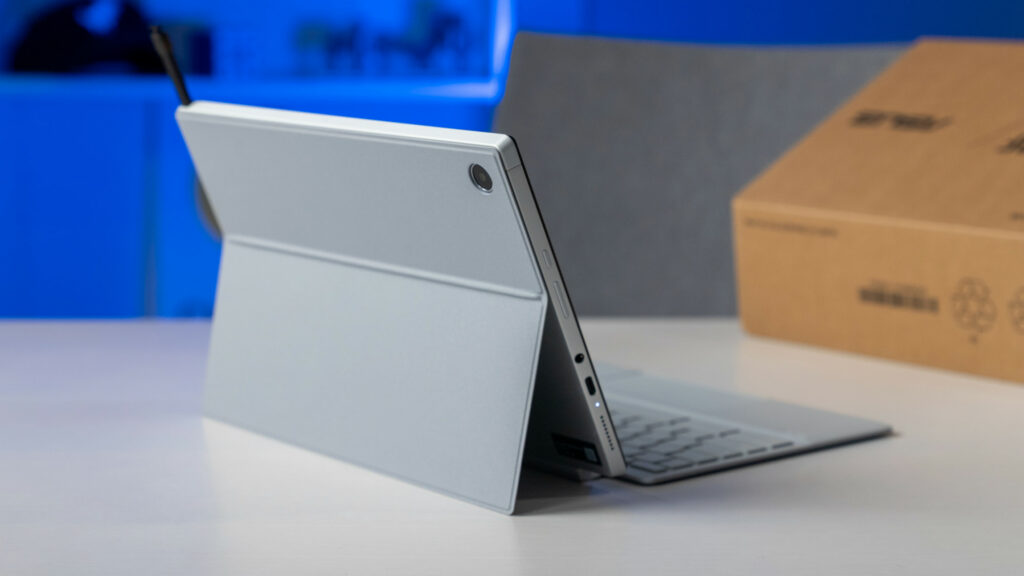
The ASUS Chromebook CM30 Detachable is a promising new Chromebook tablet that builds upon CM3 with some significant improvements. The CM30 boasts a premium design with a soft-touch back, sturdy aluminum chassis, and a fantastic keyboard cover.
The 11-inch IPS display is sharp and bright, though brightness uniformity could be better. Performance should be adequate for everyday tasks thanks to the MediaTek Kompanio 520 processor, 8GB of RAM, and 128GB of storage. While the speakers are a bit weak and port selection is limited, the included USI stylus and decent 5MP cameras add to the overall value. It’s a solid device at its MSRP of $299 but right now, this device is on sale at Walmart for just $219.
You can watch our unboxing video of the ASUS CM30 here.
ASUS Chromebook CM14 – Best Budget Chromebook for Students

The ASUS Chromebook CM14 is a budget-friendly Chromebook that punches above its weight. While the chassis is plastic, it feels surprisingly rigid and sports a fingerprint-resistant texture. The display, despite its 250-nit brightness, is quite good, and the keyboard and trackpad combo are comfortable to use.
With its MIL-STD 810H rating, antimicrobial coating, and spill-resistant keyboard, the CM14 is built to withstand the rigors of daily use, making it a great option for students or anyone who needs a durable machine. While the MediaTek Kompanio 520 processor, 4GB of RAM, and 64GB of storage won’t blow you away, they deliver solid performance for everyday tasks like email, browsing, and streaming. Plus, you’ll enjoy exceptional battery life, easily exceeding 12 hours on a single charge. This device typically retails for $299 but it’s just $139 right now over at Best Buy.
Watch our hands-on video with the ASUS Chromebook CM14 here.
Acer Chromebook Plus 514
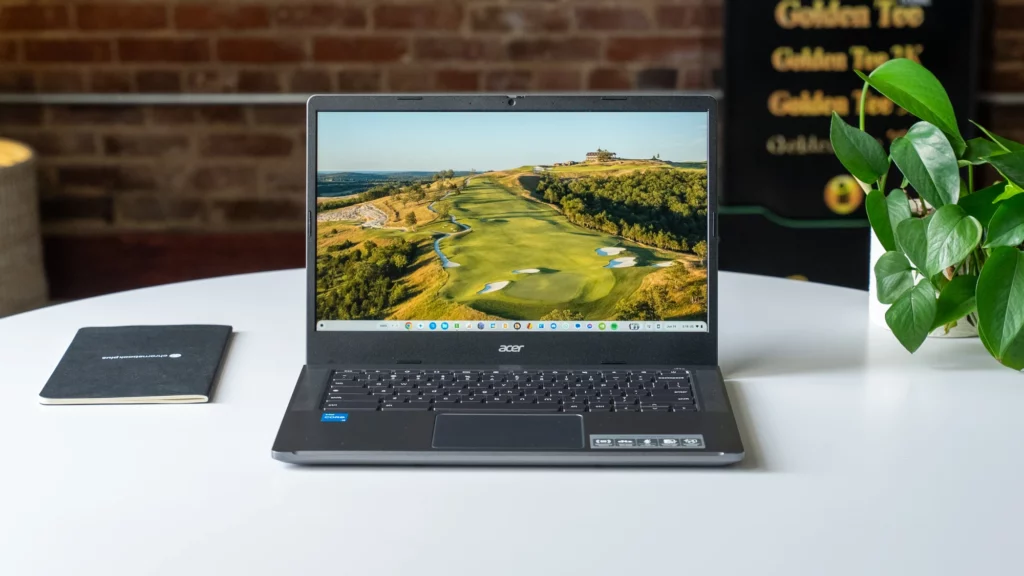
The Acer Chromebook Plus 514 is a surprisingly impressive device, especially considering its incredibly low price point. With an MRSP of $349 but a consistent sale price of just $249, it delivers a solid Chromebook experience with a sturdy build, a decent touchscreen display, and a comfortable keyboard. While the trackpad and speakers aren’t exceptional, they’re certainly serviceable, and the port selection is generous for a device this affordable.
But the real surprise lies under the hood: an Intel Core i3-N305 processor, 8GB of RAM, and 128GB of SSD storage. This combination offers smooth performance for everyday tasks and ample space for your files. Acer has managed to deliver a Chromebook that excels in the essentials while offering unexpected upgrades, making the Chromebook Plus 514 an incredible value and an easy recommendation for budget-conscious users.
Watch our full review of the Acer Chromebook Plus 514 here.
Lenovo IdeaPad Chromebook Flex 3i – Best Budget Convertible Chromebook

The Lenovo IdeaPad Flex 3i is a budget-friendly Chromebook that punches well above its weight, thanks in no small part to Intel’s Alder Lake-N processors. Starting at just $349, this 12-inch convertible Chromebook offers impressive performance and battery life, easily handling everyday tasks and even pushing an external display.
The Flex 3i boasts a surprisingly sturdy build, a vibrant 16:10 FHD+ display, and a solid selection of ports. While the camera and trackpad are nothing special, and the keyboard could be more comfortable, these compromises are easily forgiven at this price point. Under the hood, this Chromebook is equipped with the Intel Alder Lake-N processor, 4GB of RAM, and 64GB of storage. If you’re looking for a versatile, affordable Chromebook that delivers a fantastic user experience, the Lenovo IdeaPad Flex 3i is an absolute winner.
Watch our full review of the Lenovo Chromebook Flex 3i here.
Acer Chromebook Plus 515

This 15.6-inch device delivers solid performance with its 12th-gen Intel Core i3 processor, 8GB of RAM, and 128GB of storage. While the 250-nit screen isn’t the brightest and the keyboard lacks backlighting, these trade-offs are understandable considering the price, which often dips below $300. You can even get a “Restored” model at Walmart for just $199 right now.
Despite a few corners cut, the Chromebook Plus 515 provides a comfortable typing experience, a smooth trackpad, and all the ports you’ll likely need. It’s also surprisingly lightweight for its size and boasts a great webcam for video calls. If you’re looking for a reliable, everyday Chromebook that won’t empty your wallet, the Acer Chromebook Plus 515 is a solid choice.
Watch our full review of the Acer Chromebook Plus 515 here.
HP 15.6″ Chromebook Plus – Best Budget Chromebook for Business

The HP 15.6-inch Chromebook Plus is a solid contender in the larger Chromebook market, offering a spacious display and comfortable keyboard with a numeric keypad. While the screen’s dimness is a notable drawback, it’s hard to argue with the overall value, especially when it’s on sale for between $300 and $400.
Performance is smooth thanks to the Intel Core i3-N305 processor, and the Chromebook Plus designation ensures a pleasant user experience. The HP also boasts above-average speakers and a decent 1080p webcam. Compared to the Acer Chromebook Plus 515, the HP has a slightly less powerful processor and fewer ports, but its larger size and comfortable keyboard make it a compelling option for those who prioritize screen real estate and typing comfort.
Watch our full review of the HP 15.6-inch Chromebook Plus here.
SUBSCRIBE TO UPSTREAM
Get Chrome Unboxed delivered straight to your inbox
Upstream is our flagship, curated newsletter with the top stories, most click-worthy deals, giveaways, and trending articles from Chrome Unboxed sent directly to your inbox a few times a week. Join 31,000+ subscribers.

