0:00
All right, so if you're looking at this video right now
0:02
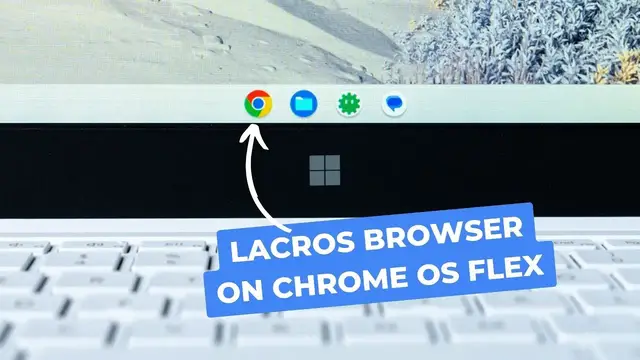
and you see the icon on the back of that laptop here
0:06
you're gonna notice that's not a Chromebook and that's on purpose. This is actually a repurposed Windows laptop
0:12
We made a whole video about this thing. It's a repurposed Windows laptop that is now basically a Chromebook thanks to Chrome OS Flex
0:19
And now on Chrome OS Flex, one of the other new cool things that Chrome OS is doing
0:24
which is detaching Chrome from Chrome OS, is working on Chrome OS Flex as well
0:29
So we tried that out this morning. It's working and we just want to show it to you
0:38
So a quick rewind for some of you who might have clicked into here, just kind of out of
0:42
curiosity and don't know what's going on. First of all, explain Chrome OS Flex briefly
0:48
Again, we'll link the video we've done about LaCrosse by itself. So the detached Chrome OS browser and about Chrome OS Flex in the description down below
0:58
So you can check those out. But generally speaking, this is, again, this is a Surface SE, I think is what it goes by
1:06
And we did a whole video basically saying, hey, like Microsoft was trying to make a Chromebook killer with this cheaper Surface device
1:13
Didn't really pan out that well, but it is one of the devices that uses Chrome OS Flex
1:18
very well. It's made to, or Chrome OS Flex is made to run really well on it
1:22
So Chrome OS Flex is a version of Chrome OS that stays in lockstep with the current version
1:28
of Chrome OS. It is Chrome OS through and through, and it is built to go on all sorts of other hardware
1:33
that isn't specifically made to be a Chromebook. And so something like this device right here in front of me, you can install it on a USB
1:41
drive plug it into the side test it out and if you like it overwrite the entire hard drive and everything and run Chrome OS on it And as you can kind of see on the screen here everything exactly in place
1:53
I'm actually running, if we'll take a look here, I'm running the latest version, Chrome OS 116 right there
1:59
So it is Chrome OS Flex. It's not exactly the same Chrome OS that would be on a Chromebook
2:04
but it's really, really close to it. There's a couple things that are different, like Linux is only supported on certain devices
2:11
and there are no Android apps yet, but overall Chrome OS Flex is going to give you
2:15
the same Chromebook experience you get on Chromebooks that come out of the box with Chrome OS on them
2:22
on other hardware on all sorts of Windows and Mac devices and stuff like that
2:26
So it works really well on here. I've used this. I've actually worked from this thing
2:30
just for the heck of it for a couple of days. It's not the fastest machine in the world
2:34
but that's Chrome OS Flex. And I love the way it looks on this particular device
2:39
And I just love that all the features from Chrome OS all show up right alongside Chromebooks. It's not like it's way behind like it used to be when it
2:47
was cloud ready and never wearing all that kind of stuff. Now, what is really cool is that with
2:52
116, again, we made a video about all of this, how Google has decoupled Chrome from Chrome OS
2:58
in 116 with LaCrosse. I had some people asking, like, can we use LaCrosse? Can we use this
3:04
detached browser on Chrome OS Flex? And my gut reaction honestly was, I don't know. I don't know
3:11
if that's going to work yet or not. But then the more I got thinking, what I just said about Chrome OS Flex is it's basically
3:17
in lockstep with Chrome OS that you get on Chromebooks. And that is absolutely the case here
3:23
So this morning I jumped in and went to the flags and I turned on the same flags that we
3:27
talk about in the other video that is linked down in the description. But LaCrosse is the only browser and ignore LaCrosse availability policy So if you turn on those two flags that you see on the screen there and then restart the device
3:40
you will get the new LaCrosse browser instead of the old Chrome OS version of Chrome
3:47
And out of the gate, you're not going to see too many differences. I mean, it runs basically the
3:51
same until it's nice and smooth. There's no real issues here, but you'll see that profile switch
3:56
right up there at the top. And that's kind of the clear indication that you are now running LaCrosse
4:00
this new version of Chrome versus the older version. And I go up here and I can sign in as
4:05
a guest if I want to, and kind of do a guest mode situation. I can add more profiles or switch to
4:11
different profiles that I already have signed into my Chromebook. And the benefit there being like
4:16
all my bookmarks, passwords, that kind of stuff that I might want to keep in a separate Chrome
4:19
instance, especially for enterprise users that are a lot of times going to be using Chrome OS
4:23
Flex, that gives you the ability now to do that. And it's not rolled out fully yet. It's not
4:29
available on Chromebooks either, just out of the box, but 116 really kind of laid the foundation
4:35
for this to be a thing. And with two flags, I mean, you can be running in lacrosse pretty quickly
4:41
and I've yet to, I've been running it for a little over a week now on my daily driver Chromebooks
4:47
and have had no issue whatsoever running it. But I did want to show you one thing real quick
4:53
Once you turn those on and kind of have this enabled, if you go to your settings
4:57
just so you can kind of see it for yourself. And you go to about Chrome
5:02
So this isn't about Chrome OS, this is about Chrome. You'll see right there, I've actually got a relaunch
5:07
We'll do that in here in just a second. Version 116, but you can see right there, it says LaCrosse
5:14
And that tells you, you're not running the Chrome OS Chrome anymore
5:18
You are now running LaCrosse I relaunch that Cool thing is that doesn have to like reboot the entire machine because it just the browser Like this browser is completely and utterly detached And while that great for Chromebooks I think down the road where you know they hit an AUE and kind of expire and still be able to get Chrome updates like browser updates which is the primary security issue on any Chromebook
5:41
For devices like this that are running Chrome OS Flex, I mean, Flex is kind of there to keep getting updated regardless of the hardware
5:48
I don't think the security issue on that front is necessarily what Google's after
5:52
But instead, it gives Chromebooks and Chrome OS Flex devices like this one in front of me
5:58
the opportunity to get those weekly updates. So since Chrome 116, not Chrome OS, sorry, it gets a little confusing
6:05
Since Chrome 116, we get updates every week for the Chrome browser
6:09
Well, guess what? Since this is now just like a Windows or Mac or Linux Chrome browser
6:14
it'll be able to get updates, security updates, most importantly, every week. So that's just going
6:19
to keep all of those vulnerabilities at bay and keep Chrome running better on Chrome OS Flex
6:25
devices, just like this one. But we just wanted to show you that. I mean, I thought it was really
6:29
cool that it's one thing to say Chrome OS Flex is just like Chrome OS, even though there might be
6:36
some small differences, but to see a feature that's this big and kind of game-changing as
6:40
lacrosse right in lockstep with what we see on Chrome OS on Chromebooks. It's really cool. And so
6:45
we just wanted to take a minute and show it to you, but that's it for this one. If you liked it
6:50
give us a thumbs up, head down there, hit that subscribe button, and be sure to ring the notification icon as well. If you'd like to be alerted when we make future videos
6:56
just like this one until next time, we'll see you