Up next in 10

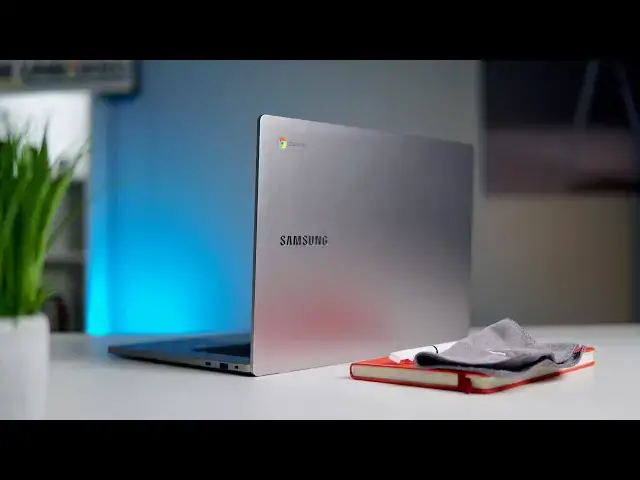
Samsung Chromebook 4+ Review: Good Enough
Sep 6, 2020


Sponsored by NordVPN. For a limited time, grab the 3-year plan with 70% off! Click here: Click here: https://chromeunboxed.com/nordvpn
Join our Patreon community for exclusive extras, an ad-free website experience, access to our private Discord server, and more: https://www.patreon.com/chromeunboxed
・・・・・・・
One of the most charming parts of the Chromebook story over the years has been the ability to go and snag a sub-$300 laptop that can actually get some things done. Though low-end Chromebooks are generally not great at most parts of the laptop experience, they are usually passable. Decent. OK. The one part of that equation they've always failed at in my opinion, however, is in the performance category.
This current crop of Chromebooks and their Intel N4000 Gemini Lake processors change this perception for me, however, and present an offering in budget Chromebooks that rounds out the affordable laptop experience. Budget Intel chips are getting really good at being perfect fits for budget Chromebooks, and that's an exciting path for Chrome OS to be on. With that in mind, let's get into the details that make the Samsung Chromebook 4+ good enough to be worth your money.
Read more: https://chromeunboxed.com/samsung-chromebook-4-plus-review/
Join our newsletter: http://bit.ly/2WjCDm7
・・・・・・・
Shop Chromebooks on CHROME SHOP: https://chrmshop.com/
Subscribe to the channel: http://bit.ly/2xFuj6L
Show More Show Less View Video Transcript
0:00
one of the charming things about
0:01
chromebooks over the years have been the
0:02
ability to go and buy
0:04
cheap or affordable or low-cost devices
0:07
that still have
0:08
enough in them to get some work done but
0:10
one of the reasons i've always had an
0:12
issue
0:12
saying that people should go buy these
0:14
low-end devices of sub 300
0:16
chromebooks is performance so we all
0:19
know that when you get under 300
0:21
you're going to get flimsy build
0:22
materials and bad keyboards and
0:24
junky screens that's just kind of part
0:26
of it but the kicker for me has always
0:28
been the fact that they're also
0:30
just incredibly slow and sluggish at
0:32
doing everyday tasks but
0:34
as it turns out chromebooks that have
0:35
started shipping on the low end in 2020
0:38
like this one right here the samsung
0:40
chromebook four plus and four for that
0:42
matter
0:43
are not quite as slow as the ones that
0:45
came before them and so because of that
0:47
at their low cost they end up presenting
0:50
a pretty good
0:50
value overall
0:58
[Music]
1:06
today's video is brought to you by
1:07
nordvpn they're the vpn of choice for
1:09
millions of consumers because they're
1:10
awesome at what they do and that is
1:12
keeping your browsing safe and secure
1:14
whether you're at home or on the go if
1:16
you'd like to learn more about them and
1:17
their services
1:18
head over to chromeunbox.com forward
1:20
slash nordvpn and you can learn more and
1:22
get started today
1:23
so having said all that i want to
1:25
preface this entire review experience
1:27
by saying that the samsung chromebook 4
1:30
plus
1:31
is not great at many things so if you're
1:33
looking for a device even though it kind
1:34
of looks really nice sitting here on the
1:36
desk if you're looking for a device that
1:37
is exceptional in a lot of areas
1:39
this is just not the chromebook for you
1:41
but at 300 bucks to start
1:43
for four gigs of ram and 64 gigs of
1:46
internal storage
1:47
you shouldn't expect too much from a
1:48
hardware perspective there's only so
1:50
much they can do for that kind of price
1:52
point and still make some money they're
1:53
running a business after all but what i
1:55
can tell you is that this thing is
1:57
faster than you would expect and more
1:58
productive so
1:59
let's get into all the parts that make
2:01
up this chromebook experience
2:03
as always first up is build quality and
2:05
again as expected
2:07
in a sub 300 chromebook it's not great
2:10
now there is one benefit here the lid of
2:12
the chromebook
2:13
is aluminum so when it's closed up it
2:15
kind of actually has a pretty solid feel
2:17
to it
2:17
it's not super duper hefty it's a 15.6
2:20
inch chromebook so it's going to be
2:21
larger
2:22
but once you crack the lid open you
2:24
start to run into some really
2:25
interesting things
2:26
and the bottom chassis the bottom
2:29
keyboard area
2:30
is super duper flexible like maybe one
2:33
of the most
2:33
flexible chromebooks i've ever felt so
2:36
you're not going to feel like it's high
2:37
quality you're not going to feel like
2:39
it's super sturdy
2:40
and once you've opened the the hinge all
2:42
the way the lid actually lifts the
2:44
chromebook up a little bit
2:45
and it's makes the keyboard deck just
2:47
super flexible and
2:48
there's no getting around that i'm not
2:50
going to try to paint this as some
2:51
marvel of engineering and that it's well
2:53
put together and still feels sturdy even
2:55
though it's plastic
2:56
it's really none of those things the lid
2:58
feels like it's
2:59
pulled off of a different chromebook
3:01
than the rest of the device
3:03
and so that can make it feel a little
3:04
bit off-putting i will say though
3:06
that when you sit it on a desk and just
3:08
use it as a regular chromebook when
3:10
you're typing on it
3:11
you don't really feel the flex that much
3:14
it's there
3:14
you're going to experience it but this
3:16
thing is not built like a tank this
3:18
thing is not
3:19
the most well put together or well
3:20
thought out device it looks okay and the
3:22
squared off edges are kind of nice but
3:24
overall it feels flimsy and you're going
3:27
to notice that
3:28
as soon as you pull it out of the box as
3:30
we move around to the screen portion
3:31
you're going to see other cost cutting
3:33
measures here as well this is a tn panel
3:35
so the
3:36
screen viewing angles are bad the colors
3:39
are washed out and it's kind of hard on
3:40
a screen this size to get an angle
3:42
that's just
3:42
right to where you actually see all the
3:44
same kind of colors represented on the
3:46
screen at one time
3:47
but it is full hd so it's 1920 by 1080
3:50
it's 15.6 inch diagonal and measure
3:53
and that gives you plenty of workable
3:55
space to use whenever you're using it as
3:57
a chromebook if it's in your lap or it's
3:58
on a desk
3:59
so it is nice to get a full hd screen in
4:02
a package this cheap
4:03
but again the viewing angles are going
4:05
to be bad colors are going to be bad so
4:07
go in knowing what to expect and you
4:09
know you can make the most out of the
4:11
screen resolution and the real estate
4:13
that you get here as we come down to the
4:14
keyboard and trackpad of this device
4:16
this is probably my favorite part of
4:18
this chromebook
4:19
except maybe the performance surprise
4:22
and we'll talk about that in just a
4:23
minute but
4:24
the keyboard on here is actually quite
4:25
solid if you get around the point where
4:27
you have a lot of flex
4:29
in the chassis so if you have the screen
4:31
wide open it really
4:32
if you're a hard type or you're going to
4:34
feel that flex if you kind of open the
4:36
screen more at a 90 degree angle
4:37
the whole thing feels solid in the
4:39
keyboard like the keys themselves are
4:41
actually
4:42
pretty good they're very quiet they've
4:43
got a nice clicky feedback to them
4:46
and i didn't really have any problem
4:47
typing for long periods of time i worked
4:50
from this thing for almost a week
4:51
and didn't really have any issues typing
4:53
you know longer articles and posts
4:56
and it got along just fine the track pad
4:59
is it's okay it's nice and large and the
5:02
click mechanism was okay but because of
5:04
the flexiness of the chassis
5:06
it kind of feels a little bit mushy and
5:08
it's plastic obviously and
5:10
it's going to pick up oils and if you're
5:12
in a humid condition or anything like
5:13
that it's
5:14
it's kind of tough to navigate it's just
5:16
an okay trackpad it didn't completely
5:18
detract from the experience and it's by
5:20
far not the worst trackpad i've ever
5:22
used it's
5:22
it's just okay around the sides we have
5:24
a fairly decent selection of ports usb
5:27
type c on both sides and both ports do
5:29
everything you want
5:30
charge display data transfer all that
5:32
kind of stuff you do get a usb
5:33
type a which is again nice for those
5:36
legacy peripherals you need and a micro
5:37
sd card slot for expansion
5:39
along with a headphone microphone jack
5:41
you kind of have all the i o that you're
5:43
going to need one surprise i did have
5:44
was the quality of the speakers they're
5:46
not the loudest speakers i've heard on
5:47
the chromebook by any means
5:49
but they are nice and full they have a
5:51
good round sound to them and kind of get
5:53
the low ends the mids and the highs as
5:55
well and a lot of chromebooks have
5:57
loudspeakers but they don't have a lot
5:59
of fullness this one doesn't have the
6:00
loudest speakers
6:01
but the speakers do sound full and are
6:03
actually kind of enjoyable to listen to
6:05
finally let's talk about performance
6:07
this device is equipped with the celeron
6:09
n4000 processor which is the lowest end
6:12
entry level intel chip you can get kind
6:14
of in the current generation of chips
6:16
it's paired up with four gigs of ram and
6:17
64 gigs of internal storage
6:19
this device also comes with 32 or 128
6:22
gigs of storage
6:23
i wouldn't recommend 32 gigs i don't
6:25
recommend it on any chromebook
6:26
and i would say that you may not need
6:28
the 128 but if you find it on sale then
6:31
great go for that the 64 gig model that
6:33
we have here was 2.99 and i think that's
6:35
a fair price for
6:36
plenty of storage space and you know a
6:38
fair price
6:39
but the main thing i am impressed by
6:42
with this chromebook is its performance
6:44
the n4000 chip has been around for a
6:46
little while now and it's
6:47
kind of the default chip in low end
6:49
chromebooks
6:50
and to be fair i haven't spent a lot of
6:52
time with that chip
6:54
and trying to work from it and use it on
6:56
a daily basis
6:57
since it came out until this device came
6:59
along and i made myself
7:01
work every day from this device for a
7:03
solid week
7:04
and i have to say the n4000 really
7:06
impresses me
7:07
and while there are newer chips already
7:09
coming out that will eclipse it
7:11
as far as being like you know the de
7:12
facto low end intel chip i can finally
7:14
say with a low end affordable chromebook
7:17
that the chip that comes inside of it is
7:19
not the worst part of the package
7:21
and actually it's pretty impressive it
7:23
gets by and does
7:24
most of what i would even need to do on
7:26
a day-to-day basis
7:28
and from time to time yeah you're going
7:29
to run into hiccups and you're going to
7:30
run into stutters
7:32
but for the most part this processor
7:34
does
7:35
most of what you need to do and i would
7:36
feel comfortable giving it to any
7:38
elementary kid
7:39
a junior high student and a high school
7:41
student and feel
7:42
confident knowing that this processor
7:44
can hold up and do the stuff they need
7:46
to do
7:46
on a day-to-day basis
7:59
[Music]
8:02
so at the end of the day where does that
8:04
leave you as a consumer looking at a
8:06
chromebook
8:07
i would say this review should inform
8:09
reviews of other devices like this
8:11
because again there's nothing
8:12
spectacular about the way that this
8:14
chromebook is built
8:15
it doesn't have a whole lot of features
8:17
that set it apart from the rest of the
8:19
affordable chromebook lines
8:20
what it can tell you is that chromebooks
8:22
with the n4000 processor and up
8:25
are going to be solid performers so
8:27
that's good news and
8:28
this particular chromebook here with its
8:30
full hd screen
8:32
aluminum lid good keyboard and solid
8:35
performance
8:36
those things come together to make a
8:38
decent chromebook a decent affordable
8:40
chromebook
8:41
that could be something that fits in
8:42
really well in your household for a
8:44
student
8:44
or maybe even for something to have at
8:46
the house for working from home what i'm
8:48
not going to tell you is that this is
8:49
the best chromebook i've ever used or
8:51
that i loved every second of using this
8:53
device i didn't i don't like low-end
8:55
chromebooks
8:56
but it doesn't mean they don't have a
8:57
place and it doesn't mean that they
8:59
aren't
8:59
far far better machines than what they
9:02
were just a couple years ago
9:04
and used to when i had to talk about
9:05
low-end chromebooks i had the hardest
9:07
time recommending anyone go out and buy
9:09
them
9:10
but this one if you're just looking for
9:11
a machine that gets the bare basics done
9:14
that can just
9:15
power through a handful of tasks and get
9:17
some web-based
9:18
stuff done whether it be learning or
9:20
working from home
9:22
i think it'd be hard to go wrong with
9:23
the samsung chromebook 4 plus
9:26
and i think a lot of you if you go out
9:28
and spend 300 bucks on this thing
9:30
are going to feel pretty confident that
9:31
you made a good purchase but guys that's
9:33
it for this one
9:34
if you like this video give us a thumbs
9:35
up go down there and hit that subscribe
9:37
button and make sure to hit the
9:38
notification bell as well if you'd like
9:39
to be alerted when we make future videos
9:41
just like this one
9:42
until next time we'll see
#Computers & Electronics
#Laptops & Notebooks
#Consumer Electronics