Up next in 10



Join our Patreon community for exclusive extras, an ad-free website experience, access to our private Discord server, and more: https://www.patreon.com/chromeunboxed
・・・・・・・
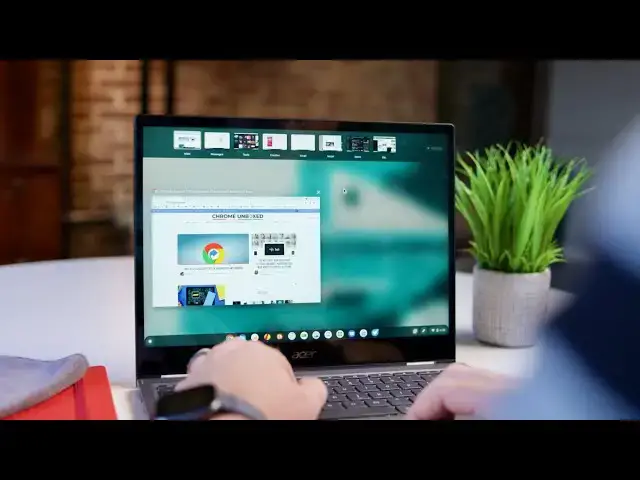
Virtual Desks have been what we would consider a complete feature for Chromebooks for nearly a year at this point. By complete, I simply mean the feature works as intended and delivers a solid productivity boost to users who choose to leverage it. There are no broken pieces with the existing Virtual Desks feature as it stands, but like anything, there's always room for improvement. Currently in the Developer Channel, these new Virtual Desk upgrades make the entire feature even more useful and fun.
Read more: https://chromeunboxed.com/chromebook-virtual-desk-new-additions-features-flags
Join our newsletter: http://bit.ly/2WjCDm7
・・・・・・・
Shop Chromebooks on CHROME SHOP: https://chrmshop.com/
Subscribe to the channel: http://bit.ly/2xFuj6L
The Music We Use - PERFECT for YouTube: http://bit.ly/31W6PYP
Follow us: https://www.instagram.com/chromeunboxed
https://twitter.com/chromeunboxed
Show More Show Less View Video Transcript
0:00
for nearly a year at this point virtual
0:02
desks on chromebooks has been a fully
0:04
formed feature it's been
0:05
kind of complete and done and usable and
0:08
something i use
0:09
every single day of my workflow but
0:11
about a month or two ago
0:12
more work started to be done on this new
0:15
feature that
0:16
is adding even more functionality to it
0:18
and today
0:19
in the developer channel we found that a
0:22
huge chunk of those
0:23
upcoming features to virtual desks are
0:26
actually live
0:26
and working and we wanted to show them
0:28
to you
0:33
[Music]
0:42
first up before we get into all these
0:44
new features a quick note
0:45
this is only available in chrome os 89
0:48
in the developer channel right now so
0:50
you know it's going to be a couple
0:51
versions before we see this in stable
0:53
and we
0:54
generally don't recommend people run to
0:56
the developer channel because it's
0:57
pretty unstable and you can run into all
0:59
sorts of problems
1:00
additionally you have to turn on a
1:01
feature flag called virtual desk
1:03
enhancements
1:04
so if you choose to go do this you know
1:06
have at it have fun
1:07
but just know that the developer channel
1:09
is pretty unstable and you're probably
1:10
going to run into a host of problems
1:12
it would be best to just wait for these
1:14
to trickle down to the stable channel
1:15
okay so
1:16
first up let's look at virtual desk so
1:18
we swing up and
1:19
used to when you click to add new desk
1:21
you could add up to four
1:22
and this was kind of your limit you can
1:24
actually now continue
1:26
adding all the way up to eight desks and
1:28
we've talked about this on the website
1:29
before but it's really cool to see it in
1:31
action to know that there are eight
1:32
full desks up there and one thing you
1:34
can notice as we do that
1:36
when we open up a new desk it
1:38
automatically opens the desk
1:40
and and puts your cursor right there
1:42
underneath that desk and prompts you to
1:44
go ahead and name it
1:45
and we saw this change a few weeks back
1:48
and it's it's just a nice nudge to be
1:50
basically tell new users hey
1:52
you've opened a desk go ahead and name
1:54
this thing and the idea being
1:56
if you name it you're more likely to use
1:58
it and enhance your productivity with
2:00
these desks versus just calling them
2:01
desk one desk two three and four but
2:04
for today we're just gonna leave them
2:05
labeled as is so that's two new features
2:08
basically eight desks
2:09
and that quick nudge to be able to tell
2:11
you hey you need to rename your desk
2:13
but even cooler i'm gonna open up some
2:16
stuff on each one of these guys
2:18
just so you can kind of see the full
2:19
animation here
2:23
just open that up there and open twitter
2:26
up there
2:27
so they've enhanced the ability for you
2:29
to for finger swipe before when you you
2:31
swipe once
2:32
you get one desk over swipe once get one
2:34
desk over there was no ability to
2:36
multi-swipe or move through multiple
2:38
desks at once
2:39
that has completely been overhauled and
2:41
as you can see now with a four finger
2:42
gesture
2:43
you can actually swipe through multiple
2:45
of your desks in kind of one fluid
2:47
motion
2:48
as long as you keep your fingers on
2:49
there you can just swing straight
2:51
through these
2:52
as quick i mean that's kind of
2:53
off-putting but if you go nice and slow
2:56
you can actually move through three or
2:57
four desks with one single swipe gesture
3:00
and so
3:00
it really makes it feel like your desks
3:03
are kind of laying themselves out in
3:04
this virtual space out here and
3:06
you're really just kind of pulling them
3:08
into view whenever you want them versus
3:10
this
3:10
swipe change swipe change if i know i
3:13
need to go a few desks over i can
3:15
quickly go until i see the
3:16
content i want and stop additionally if
3:19
you use the everything key
3:20
and the brackets on the left and right
3:22
you can quickly go through those two
3:24
without any hesitation between those
3:26
animations
3:28
additionally they've added some help for
3:31
people that like
3:32
alt tab now i'm not an alt tab user but
3:34
they have changed some alt tab stuff in
3:36
the last few updates to chrome os
3:38
that allow you to use arrow keys and
3:40
mouse you know clicks and
3:41
and swipes to get around your alt tab
3:43
menu this new feature actually gives you
3:46
an updated alt tab with all desk and
3:49
current desk
3:49
because used to up until this feature
3:53
comes out
3:54
when you go to alt tab you're going to
3:56
choose between all of your open windows
3:58
across all of your desks and imagine if
4:00
you have eight virtual desks with three
4:01
or four or five windows in each one of
4:03
them
4:03
this list is going to get very very long
4:06
and it's hard to know exactly where you
4:07
are and as soon as you select on
4:09
something obviously it's going to move
4:11
you
4:11
to that desk to me that works just fine
4:13
but there's a lot of people clamoring
4:15
for the ability to see alt tab
4:17
for just the stuff that's on their
4:18
current desk and what this gives you now
4:20
is you say i just want my current desk
4:22
and boom it drops down to only the
4:24
things that are on this
4:25
particular workspace giving you the
4:27
ability to alt tab between
4:29
either just current desk or everything
4:31
you have open
4:32
and that's really really well done i
4:35
think this is going to be a very useful
4:36
feature for a lot of people
4:37
and finally so let's finish up with this
4:40
and yeah we're not going to sign in or
4:41
anything if we look at the three dot
4:42
menu in chrome or in a pwa
4:45
you can actually click these down now
4:46
and you have an assigned
4:48
desk menu item here and it's going to
4:50
show me all my desks if i had named them
4:52
they would show up here
4:53
and i can just go i want that one to go
4:55
to seven so now when we look boom my
4:57
twitter is in desk seven
4:59
and say i go over here to this and if
5:02
you're looking at a full chrome window
5:03
for right now for some reason it's not
5:05
in the three dot it's actually you right
5:07
click the top window
5:09
so that twitter that we were looking at
5:10
yes it's chrome but it was it was
5:12
installed as a pwa
5:13
you have to right click up here in the
5:15
window uh the window bar up top
5:17
and the assigned to desk shows up again
5:19
click say i wanted to go to eight
5:22
and then we're gonna quickly swipe all
5:24
the way over to eight
5:25
and there that is as well so that's it
5:27
for the new stuff in virtual desk right
5:29
now and i hate to say that's it because
5:31
that's a lot of stuff and we're even
5:33
tracking a couple other features that
5:34
could show up as part of this single
5:36
feature flag
5:37
that's going to even add more stuff to
5:39
the virtual desk feature on chromebooks
5:42
and so
5:42
we're excited about this because
5:45
honestly virtual desk felt like it was
5:47
kind of complete and done
5:48
and all of these new changes not only
5:51
add beneficial things for users new and
5:53
old
5:54
it's just a signal of the fact that
5:56
chrome os continues to develop and
5:58
continues to get better on this just
5:59
regular routine basis and it's awesome
6:02
to be a chrome os fan to be a chromebook
6:04
fan
6:04
and to sit back and watch this kind of
6:06
stuff happen but guys that's it for this
6:07
one
6:08
if you enjoyed this video give us a
6:10
thumbs up go down there and hit that
6:11
subscribe button and make sure
6:13
that you ring the notification icon as
6:15
well if you'd like to be alerted when we
6:16
make future videos just like this one
6:18
until next time
6:19
we'll see you