Up next in 10

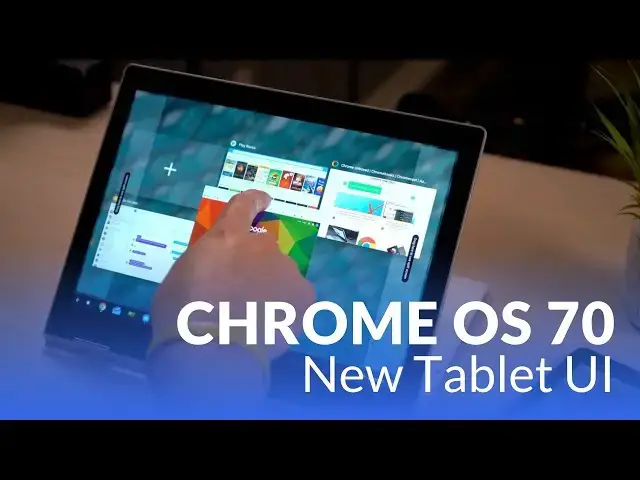
Chrome OS 70 New Tablet Features
Aug 24, 2018


Sponsored by NordVPN. Try it out and get 75% off a three-year plan for a limited time! Click here: https://chromeunboxed.com/nordvpn
Pixelbook on Amazon: https://fave.co/2yvpL2W
・・・・・・・
With all the upcoming hardware expected at Google's hardware event in October, the developers have apparently been very busy readying Chrome OS a much broader audience. See all the new features coming to Chromebooks and tablets very soon!
Read more: https://chromeunboxed.com/
Join our newsletter: http://bit.ly/2WjCDm7
・・・・・・・
Subscribe to the channel: http://bit.ly/2xFuj6L
Shop Chromebooks: https://fave.co/2OuedYL
The Music We Use - PERFECT for YouTube: http://bit.ly/31W6PYP
Become a member of Chrome Unboxed to help us make our channel even better, and for access to exclusive perks: http://bit.ly/CU-join
Show More Show Less View Video Transcript
0:00
[Music]
0:07
hey both Robbie Payne with chrome
0:09
unboxed and today we're gonna take a
0:11
very special look at basically
0:13
unreleased software at this point it is
0:15
Chrome OS 70 running on the pixel book
0:18
it is in dev channel but there are no
0:20
flags here this is all stuff that is
0:21
rolled out to the dev channel and we
0:23
would expect to roll all the way down to
0:25
the stable channel by about mid-october
0:27
and if that date sounds kind of familiar
0:29
that'll be just a couple of weeks after
0:31
Google's Hardware event on October 4th
0:33
and we're fully expecting to see a few
0:36
new Chromebooks there specifically one
0:38
that looks to be a detachable tablet
0:41
sort of device by the name of Nocturne
0:42
at this point we expected to be part of
0:44
the pixel book family and so we're
0:46
seeing all these changes come up and and
0:49
start to show up on the pixel book
0:51
currently and actually on the Acer
0:53
Chromebook Tab 10 as well and maybe a
0:55
handful of other devices we're maybe
0:56
sure at this point this is such new news
0:58
but what we're seeing most of that the
1:02
difference is in the changes in the new
1:03
software we're seeing all work and help
1:06
tablet mode for Chrome OS and so we want
1:09
to look through some of these changes we
1:10
want to show you some of them on camera
1:12
because this is the largest update I
1:14
think I've ever seen since I've had a
1:16
Chromebook usually they have that a few
1:18
things here a few things there and maybe
1:20
some flags and that kind of stuff but
1:21
this time around they have overhauled
1:24
the tablet experience on this device and
1:26
we want to get in and show you all the
1:27
new things ok so we're going to talk
1:29
through there's a ton of changes as I
1:31
said in the open there's a ton of
1:32
changes here so we're going to talk to
1:33
them kind of piece by piece and work
1:35
through basically from the simpler
1:37
changes that are maybe less interesting
1:40
to the more interesting and more drastic
1:42
changes as we move along so stick with
1:43
us throughout this video so first up is
1:46
the files app looks pretty similar here
1:49
but you'll notice on the left side over
1:50
here we've got some things that are in a
1:52
different order so we've got Google
1:54
Drive instead of being up top it's now
1:56
down at the bottom and kind of like your
1:58
other mounted files over here so now
2:00
your galleries of images video and audio
2:02
are up top we've got your files down
2:05
here so you can see your downloaded
2:07
folders you can also see all of your
2:09
play files so those would work for any
2:10
app that you installed it actually
2:12
writes
2:13
to any part of the disk they'll show up
2:15
in here I don't have a ton here because
2:17
I don't have a ton of Android apps
2:18
installed at this point we literally
2:20
just move this thing to dev in order to
2:22
see all these changes additionally you
2:24
would see the Linux app files here as
2:27
well so if you're working with any kind
2:29
of Linux app again look forward to the
2:32
day where I get to use Inkscape on a
2:33
regular basis with Linux apps I would
2:36
have to work with those files over here
2:38
and this side but they would be there
2:39
and easy to get to completely integrated
2:41
into the filesystem and then you move
2:44
down to Google Drive which behaves is
2:45
exactly like it used to it's just moved
2:47
down to the bottom now additionally over
2:49
here now we have our show all play
2:53
folders so if I uncheck that and we look
2:55
at our play files we just see the basics
2:57
and so when I check that now we get all
3:00
of the things that would be stored here
3:02
via any apps that you have on your
3:04
system you can show hidden files which I
3:07
don't think I've got any of those in an
3:09
add new service which is where you would
3:11
go to do an SFTP or file system for
3:14
Dropbox for instance and when you click
3:15
that the same thing comes up as it used
3:18
to it's just now instead of being over
3:19
here in the file picker it's over in the
3:21
menu or it feels like it kind of belongs
3:23
and so that's really it for the file
3:25
system but it's some nice changes in the
3:28
files app is one of the pieces of Chrome
3:29
OS that needs to keep getting updated
3:31
and so it's nice to see them starting to
3:33
tweak some of these options on it so now
3:35
the next small change but it's pretty
3:39
drastic as far as the way it looks is
3:40
the wallpaper picker so we've talked
3:43
about this quite a bit over the last few
3:45
months we've seen it coming it's been in
3:47
like canary and that kind of stuff but
3:48
when I right-click here you can tell the
3:51
menu is different you get these nice
3:52
rounded corners we're gonna see tons of
3:54
stuff that mimics the look and feel of
3:56
Android P or Android Pi on phones so if
4:00
you have a phone that has it a lot of
4:01
the stuffs gonna start feeling kind of
4:03
consistent to you so here's where you
4:04
would Auto hide yourself your shelf set
4:07
your wallpaper and then you can change
4:09
your shelf position so for sake of the
4:13
next piece of this I'm gonna go ahead
4:14
and move it over to the left but let's
4:15
look at the wallpaper picker real quick
4:17
and you can see now brings up this nice
4:19
new material design familiar if you've
4:23
had a good
4:24
phone or you've used the Google
4:25
wallpaper app a lot of these wallpapers
4:27
are the same wallpapers you can now do a
4:29
daily refresh so you just click this and
4:30
whatever category you choose you click
4:33
that and you'll get a new wallpaper each
4:35
and every day choose the wallpaper you
4:38
want and boom it's set so it's pretty
4:41
simple it works exactly like you think
4:43
and there's lots and lots of wallpapers
4:46
they add more and it takes them out as
4:48
time goes by but it's it works just like
4:51
the one did before there's just a better
4:53
selection and some better aesthetics
4:55
overall to the wallpaper picker so let's
4:58
talk about the shelf and the settings
5:00
tray and so I have this over here for a
5:04
particular reason because before we get
5:05
in talked about what they've changed
5:07
here the notifications in the way they
5:09
stack make a lot more sense for the
5:11
users that really like to have the
5:13
entire shelf over on the left or the
5:14
right because now everything stacks
5:15
vertically so the notifications sit
5:17
right on top of your system tray kind of
5:20
stacked this way versus having to
5:21
separate pop outs going on here that was
5:24
kind of awkward before but for the sake
5:26
of the rest of this video I like my
5:28
shelf position to be on the bottom so
5:30
we're gonna move it back down here for
5:32
now so if you take a look at the new
5:35
settings tray you can a see that it's
5:37
dark down now but if you look really
5:40
closely it's actually kind of the same
5:42
blur as the application tray has been
5:44
for a little while you can see your
5:46
background through it just ever so
5:48
slightly and so it's just a really nice
5:50
a nice effect that they have carried
5:52
over not just there but in these kind of
5:54
toast settings as well again it's it's
5:56
probably difficult to tell on camera but
5:58
you can see the ever slight parts of
6:00
your background through that and through
6:03
like the keyword brightness same thing
6:05
it's kind of got this slight opacity
6:07
that you can actually see some of your
6:09
background through it's just a nice
6:10
touch it looks really nice and then as
6:12
you look at this and we slide these up
6:14
and down or you can click on your mouse
6:16
here hopefully you're seeing a lot of
6:19
the similarities again to Android P and
6:21
I've got my pixel right here and you can
6:24
actually see as I drag this down and
6:27
drag this up all the similarities going
6:31
on here I mean the icons are the same
6:33
round circles dark backgrounds the same
6:36
way they animate
6:37
Google clearly is taking this update and
6:39
moving lots of things all the good
6:41
things just like they've said they were
6:42
going to do all the good things from
6:43
Android and they're kind of pulling
6:44
those things slowly but surely and
6:46
you're gonna see as this video goes on
6:48
more and more of that stuff so in
6:49
addition to some of the other trait
6:51
options so with the you know set
6:54
wallpaper that kind of stuff getting
6:55
this new menu treatment all of your
6:58
icons in your shelf actually get the
7:00
same menu treatment now most of the
7:01
stuff I have up here these are all
7:03
either PWA s or their websites that are
7:07
set up for shortcuts and so you can kind
7:09
of see when we long press those you get
7:11
a nice new menu here and you says new
7:14
window so I can click that for new
7:16
window but I get my option over here
7:17
whether I want a new tab or a new window
7:19
and so I've set my messages to be a new
7:21
window it's gonna pop up in a new window
7:24
and she would expect and additionally
7:27
they've added so either with a
7:29
right-click to finger click or a long
7:31
press on Android apps just like you
7:34
would on a phone if you long press those
7:36
apps you kind of get some extra little
7:38
settings the same thing goes here so now
7:40
you get with Google Play Books I get not
7:43
only to open or unpin it now I get these
7:45
little extras here so shop or library
7:48
which is again the same thing you would
7:50
see on the phone you would long press
7:51
those things in your launcher and have
7:53
those extra icons so if you have a
7:55
messaging app for instance you can long
7:57
press it and it'll bring up the option
7:59
to go ahead and create a new message or
8:01
it might bring up your most recently
8:02
used contacts and so lots of cool little
8:06
things going on just in the shelf and
8:08
the icons in the tray right now
8:10
everything's looking a lot more Android
8:13
and behaving a lot more like Android all
8:15
right now we're going to move on to the
8:16
part where things get pretty interesting
8:17
and pretty drastically different than
8:20
what they've been so we're not just
8:21
gonna be talking about small little menu
8:22
changes and stuff we're talking about
8:24
some pretty big UI overhauls here so if
8:26
you remember the app launcher probably
8:29
on the current Chromebook you're using
8:30
right now when you bring that thing up
8:32
you get all your icons kind of centered
8:34
in the screen and it looks small and a
8:35
little odd honestly that is not the case
8:38
anymore so I'm going to bring up just
8:39
the peaking part of the launcher and so
8:43
now we have the arrow up top we have the
8:45
Google search here and then basically
8:47
these little
8:49
probably AI driven maybe some machine
8:51
learning driven suggestions here so it
8:54
could be a website you've been on
8:56
recently or that it thinks you normally
8:58
would visit or an app you've just
9:00
recently opened it's gonna be similar to
9:02
what you see again on the pixel phone
9:03
whenever you either go into multitasking
9:06
mode or you slide your app tray up
9:08
there's some favorites up there at the
9:09
top and those things change based on the
9:11
time of day or your behavior who knows
9:13
you can also see some slight curvature
9:15
to the sides here they haven't figured
9:18
out the transparency it looks like
9:19
around the corners of that but clearly
9:21
this whole thing's gonna have that kind
9:23
of new curved Google pill-shaped thing
9:25
going on and you can even watch as I
9:27
bring this up you can watch the corners
9:29
say if you look really closely they'll
9:30
slowly curve themselves back out and
9:33
square up to meet the screen and you
9:35
probably have noticed something very
9:36
different now you have this huge grid
9:38
that fills the screen and kind of looks
9:40
a lot more native it looks like it fits
9:44
on the screen and makes sense here
9:45
instead of having some little bitty grid
9:47
here in the middle
9:48
additionally the points now paginate you
9:51
one at a time versus just kind of speed
9:53
scrolling you through stuff right now
9:56
I can't reorganize anything in here
9:58
because the crash is Chrome OS again
10:00
this is developer Channel
10:01
but you can see new folders that look
10:03
exactly again like what you'd see on the
10:06
pixel pixel - that kind of stuff so
10:08
anything running Android Pi right now so
10:11
ostensibly you'd be able to drag stuff
10:13
around and create folders again I can't
10:14
do that right now without crashing the
10:16
entire system but everything else in
10:19
here is pretty much unchanged the the
10:21
scrolling feels way better than it has
10:23
up into this point but the app tray in
10:26
general just looks like it belongs here
10:29
now and and it feels better than it did
10:32
before this all becomes even more
10:34
interesting when we flip into tablet
10:36
mode so yeah that happened so there is
10:43
no getting away from the app tray
10:45
basically when you're in tablet mode so
10:47
you kind of got to think of it more like
10:49
you're holding one of these kind of
10:50
tablets and so when I go to the home
10:52
screen for instance on this tablet you
10:54
get the same thing so this is the Acer
10:56
Chromebook 10 and the reason I'm not
10:58
showing you a lot of the stuff on this
10:59
device is it's really struggling with
11:01
the dev channel right now so performance
11:03
is real bad over here but this is kind
11:06
of your home screen now I'm gonna change
11:08
to something hopefully not flip out the
11:09
the camera too much I'm gonna try to
11:12
change to something that's just more
11:13
textured and less busy in the background
11:16
and the reason I'm gonna do that and I
11:18
think that at least for now maybe this
11:21
is a better option for the way that
11:23
they've got this a really nice
11:25
transition there by the way set the
11:27
wallpaper if that helps a little bit it
11:30
helps the icons just kind of pop up off
11:31
there I'm not really sure what they're
11:33
going to do with this I'm not a huge fan
11:35
of the completely transparent tray I
11:37
like the fact that when it's in
11:39
clamshell mode it kind of blurs that
11:41
background it makes these icons pop they
11:43
kind of get lost and and it doesn't seem
11:45
to matter what I put in the background
11:47
it's kind of hard to see them and so my
11:50
guess is they're probably working on a
11:51
solution to that may be either dimming
11:53
the background a little bit or they're
11:54
gonna lightly blur it I I'm just not
11:57
sure what they're gonna do with this but
11:59
for the time being it looks like this
12:01
launcher is kind of a fixed situation
12:03
when you're in tablet mode and that's
12:04
not really the worst thing it kind of is
12:06
nice to have these things up here
12:08
similar to the way a iPad would would
12:10
function or an Android tablet function
12:11
there's stuff on the screen all the time
12:13
instead of just kind of having this big
12:14
blank space that really doesn't do
12:16
anything and so the other thing that's a
12:19
little weird with this kind of
12:21
transparency and tablet mode if I open
12:23
up an instance of Chrome and honestly it
12:25
doesn't matter what I open if anything I
12:26
open up the bar is not getting dark down
12:29
here anymore and that is just
12:32
off-putting to me like this should be
12:33
solid colored instead of showing the
12:35
background my guess is that's probably a
12:37
bug they just haven't fixed that just
12:39
yet but this is a nice segue into the
12:42
next piece and that's how we deal with
12:43
multitasking on these things so now
12:46
things start to get really interesting
12:47
so we're gonna talk about how Chrome OS
12:49
is starting to handle multitasking and
12:51
again this is dev so some of this stuff
12:52
could change or probably gonna see even
12:54
more features and as I move through some
12:56
of this you might see some hiccups and
12:58
stutters in the animation remember this
13:00
is stuff that is work in progress but
13:02
it's a really cool sign of where we're
13:04
going with this stuff and so they've
13:05
they've taken some things from from
13:08
Windows which I feel like did tablet
13:10
mode pretty well especially with
13:12
multitasking because
13:14
I pad actually pulled from some of that
13:16
stuff to the ticking some of those
13:17
little pieces and kind of putting it
13:19
together their own way and it's it's
13:20
actually really cool very satisfying to
13:22
use so far again don't pay attention to
13:24
the the transparent bar down here I feel
13:27
like that's gonna go away but for now
13:29
that's that's what it is
13:30
so say I've got an instance of chrome
13:32
running here and then okay we got files
13:35
app I've got a low
13:38
I've got chrome and box that I turned
13:40
into a web app I just downloaded and
13:43
opened it up and Google Play Books so
13:47
we've got all of those apps running so
13:49
now say I'm here and I'm holding the
13:52
device and I just want to maybe either
13:54
go side by side or see what all I've got
13:56
open you notice there's no top bar
13:58
anymore so there's no X and minus
14:00
anything
14:01
everything's just nice in full screen
14:03
which is really cool that's a big
14:05
benefit here so how do you minimize your
14:09
your application you simply drag from
14:11
the top and you can get this floating
14:13
window drop it in its space now you have
14:16
this familiar multitasking screen that
14:18
we've had for a little while now but the
14:20
cool thing from this is now I can long
14:22
press one of these drag it to the side
14:24
drop it in there and then go I need
14:27
chrome and box open and as we've been
14:30
able to do before you can resize and so
14:33
now we've got an Android app and a
14:34
chrome OS app running over here next to
14:37
one another when we're done with either
14:40
one of them again drag down drop here
14:42
choose the one I want or we can drag
14:46
this one down as well put him back over
14:48
there when I'm done with these similar
14:50
again to what you do in Android just
14:52
flick them away and they're gone and
14:56
most of that animated really really well
14:58
so well done on on this so this is a big
15:02
change like we're in clamshell mode
15:04
moving Windows around is you know that's
15:07
just normal for everyone at this point
15:08
window interfaces are pretty standard
15:10
but tablet interfaces and multitasking
15:13
are not something that a lot of people
15:15
have done right and I think Apple and
15:18
Microsoft deserve some credit for things
15:20
that they've done up to this point and
15:22
I'm glad Google is kind of taking some
15:23
of those things and working them into
15:25
Chrome OS at this point
15:27
the tablet mode has needed some love and
15:30
it looks like it's finally getting it
15:31
well last but not least I want to talk
15:33
about probably my favorite feature in
15:35
this slew of updates and that is the
15:38
keyboard the on-screen keyboard for
15:40
Chromebooks has been passable it's not
15:43
men great it's not a terrible just okay
15:46
but it's not really been a joy to use
15:48
this changes that so if I go up here and
15:51
I go to type keyboard comes up and I can
15:54
use this keyboard but grabbing it here
15:56
it's really far and spaced out and it
15:59
just doesn't feel natural at all if this
16:01
were a tablet now holding it feels
16:03
pretty gross
16:04
all the normal stuff still here so most
16:06
of us definitely change so you've got
16:08
your handwriting stuff you got your
16:09
basic settings and you got your voice
16:11
input which by the way it you would
16:14
expect it to but it works with really
16:15
really really well but now there's this
16:17
new button here and that's what happens
16:20
you get this floating keyboard that's
16:22
nice and small and can go anywhere and
16:23
always stays on top of everything and so
16:26
as you're filling out things so if I
16:27
have it here and I type here and I start
16:29
typing it didn't move out this is Google
16:33
so let's hit enter and going here so now
16:37
click in here again and boom pops back
16:40
up and I'm typing even if it's over top
16:43
of that type type type type doesn't
16:44
matter it moves and does anything I
16:47
needed to do until I hit return and it
16:49
goes and it goes away all by itself
16:51
until it needs it again and it brings it
16:53
up or I can dismiss it just like that
16:56
it's brilliant it works so so well I
17:00
can't say enough good things about it I
17:02
haven't had any issues with it it moves
17:04
around smooth everywhere it needs to go
17:06
you have swipe functionality the only
17:08
thing that's missing from something like
17:09
G board would be like you know GF
17:11
support and stickers it's got basic
17:13
emojis which is it's fine but to get
17:16
some of the gifs support in the keyboard
17:18
would be awesome and it seems like so
17:20
much work is being done on this keyboard
17:21
now if this kind of floating setup and
17:24
the ability to use it this way that who
17:26
knows I we all thought that they were
17:27
just gonna replace this with G board
17:29
maybe they're gonna keep this and just
17:30
port G boards features into this and if
17:32
that's the case that's fine it was
17:34
working that well and I'm so pleased
17:36
with using this thing that I hope it
17:38
kind of sticks around because it's just
17:40
so
17:41
to be able to move your keyboard no
17:43
matter where the the place is that you
17:44
need to be typing text you can just kind
17:46
of move this keyboard out of the way and
17:48
type in and swipe or whatever you want
17:50
to do or voice dictate and get it out of
17:52
the way it's it's just excellent so well
17:54
well done Google on the keyboard and
17:57
honestly for most of this stuff again I
17:59
know it's mostly in development well
18:00
done on all of it all these things
18:02
moving forward I just didn't see any of
18:04
this stuff coming immediately and I for
18:06
sure did not see all of the stuff coming
18:08
all at once and so we're really starting
18:10
to get a picture of what Chrome OS is
18:12
gonna start looking like as as 2018
18:15
moves forward and especially for devices
18:17
like Nocturne that we expect to see in
18:19
October all these developments as they
18:21
kind of come and coquí's together and
18:24
and give us a more complete picture of
18:26
Chrome OS it's gonna look really awesome
18:28
on a really high end high spec tablet
18:32
type device I cannot wait to see it I
18:34
cannot wait not only just to see that
18:35
hardware but to see this software
18:37
running on it as well and guys that's
18:40
about it for this thing now hopefully if
18:42
you have a device that has chrome OS 70
18:46
in the developer channel you take the
18:47
leap jump over switch over to the
18:49
developer Channel play with some of this
18:51
stuff and see some of these new features
18:52
if not I'm sure 70 will be coming to a
18:54
lot of devices pretty soon and the ones
18:56
that have clamshell or tablet mode
18:58
you'll be able to actually use some of
19:00
these features and kind of start playing
19:01
around with this stuff before it shows
19:03
up in October but that's about it for
19:05
this one guys if you like this video
19:06
give it a thumbs up hit the subscribe
19:08
button below and until next time we'll
19:10
see you
19:11
[Music]
#Consumer Electronics