Up next in 10



Sponsored by NordVPN. Buy a 3-year deal at 70% off, get an extra plan on top! Click here: https://chromeunboxed.com/nordvpn
・・・・・・・
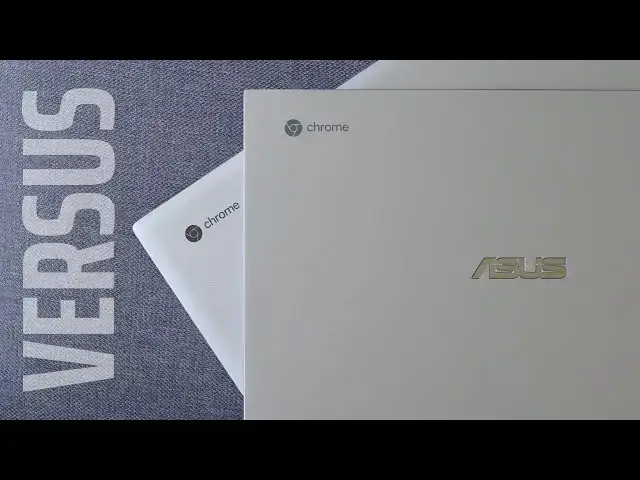
We’ve already unboxed, previewed and reviewed both of the devices we are comparing today, so please check those videos/articles out if you haven’t already. In all liklihood, you’ve read or watched plenty about both of these ASUS Chromebooks and you’re simply here looking for some help on deciding which on is the one for you. In previous versus videos, we spent a bit too much time re-hashing all the specs on board each device and not enough time simply stating why one is better than the other.
For this one, we’re doing our best to try a new path that will hopefully lead to more comparison discussion and less re-reviews. At the end of the day, what we really want is to help you decide between two devices you’ve likely had your eye on for a bit and help you make a more-informed purchasing decision.
ASUS Chromebook Flip C434 Full Review: https://youtu.be/hZQb2MZy56w
ASUS Chromebook Flip C436 Full Review: https://youtu.be/vQgZTMZlkc4
Shop the Flip C434 on Chrome Shop: https://chrmshop.com/asus-chromebook-flip-C434/
Shop the Flip C436 on Chrome Shop: https://chrmshop.com/asus-chromebook-flip-C436/
Read more: https://chromeunboxed.com/asus-chromebook-flip-c434-versus-c436-review/
Join our newsletter: http://bit.ly/2WjCDm7
Show More Show Less View Video Transcript
0:00
here in 2020 asus has unveiled the Asus
0:03
Chromebook flipsie 436 and it's a
0:05
follow-up to last year's very
0:07
well-received Chromebook flipsie 434 and
0:10
those model numbers sound very similar
0:12
and I think that's on purpose because
0:14
both of these devices share a ton of
0:16
stuff in common but they're definitely
0:18
not the same Chromebook and there are
0:20
benefits to each one and there are
0:22
things that outweigh one another when we
0:24
compare them side-by-side and a lot of
0:27
you have already been asking as we've
0:28
put out our review on the 436 already
0:30
which one should I buy because
0:32
ultimately the answer isn't that clear
0:35
unfortunately and so what we want to do
0:38
in this particular versus video is try
0:40
something a little bit different here
0:41
we've done full reviews of both of these
0:43
devices so if you want closer tighter
0:46
shots and a lot more information in
0:48
depth information on either one of these
0:50
go check out the reviews on both we'll
0:52
link them in the description below what
0:54
we're really trying to get to the bottom
0:55
of here is which one is the best one for
0:57
you to buy right now if you're ready to
0:59
plunk down some money so let's dig in
1:01
and find out
1:04
[Music]
1:09
today's video is brought to you by Nord
1:11
VPN there the VPN of choice for millions
1:13
of users because they're awesome at what
1:14
they do that's keeping your browsing
1:16
safe and secure whether you're at home
1:17
or on the go if you'd like to learn more
1:19
about them head over to Chrome on box
1:21
comm for it slash Nord VPN to learn more
1:23
and get started today before we get
1:25
rolling however I want to review real
1:27
quick the sections that we kind of score
1:29
things in we do five sections obviously
1:31
one of these is going to come out as a
1:32
winner we will pick a winner and suggest
1:35
that Chromebook to you we break it down
1:37
by build quality than by screen quality
1:40
than by input methods which we mean
1:43
keyboard and trackpad then we kind of
1:45
lump all the internal stuff together so
1:46
we're talking battery performance port
1:49
selection speakers all that kind of
1:51
stuff and then finally we talk about
1:52
user experience and so that's really a
1:55
breakdown of what it feels like to use
1:57
the Chromebook on a day to day basis and
1:59
then at the end we tally those together
2:01
and we'll come up with a winner so let's
2:03
get started first up let's start with
2:04
build quality and though these
2:06
Chromebooks look very similar on the
2:08
desk and the build quality between them
2:10
is quite different actually so we'll
2:13
start with the 436 the newer model it
2:16
drops quite a bit of weight so almost a
2:18
half pound when compared to the 434 so
2:21
it gets it down in like the two and a
2:22
half it's just a tick over two and a
2:24
half pounds in weight it's a little bit
2:27
thinner than its earlier predecessor but
2:29
it's made of a different quality
2:31
material so first up the the hinge on
2:34
both of them is good and sturdy and
2:35
works they convert and they do all that
2:37
kind of stuff and that's all great but
2:39
the 4:36 gets the one-handed lift so the
2:42
hinge can lift up with one finger or two
2:45
fingers like I just did just there but
2:47
you don't have to put two hands on the
2:48
device to get it to open up so there is
2:50
a benefit there and I think Asus did a
2:52
good job of weighting this device in
2:54
such a way it's lighter and thinner and
2:56
yet still has that kind of hinge
2:57
mechanism
2:58
I won't even attempt that on the 434
2:59
it's not possible the hinge is way more
3:02
sturdy than that but when we get away
3:03
from you know this is lighter and
3:05
thinner and it's got a great hinge those
3:07
are good things and we start talking
3:09
about the 434 that's made of completely
3:11
aluminium I feel like the build quality
3:13
is a little bit better on the 434 yeah
3:16
it's heavier and yeah it's a little
3:17
thicker no it won't open with one hand
3:19
but it feels more solid the keyboard
3:22
deck feels more solid the device in your
3:24
hand feels more solid and mainly that is
3:26
because it's all aluminum versus this
3:28
magnesium alloy that they're using in
3:30
the 436 and quite frankly I know it's
3:34
still some sort of metallic stuff built
3:37
in here but the whole thing feels kind
3:39
of plastic he really to me and that may
3:42
not bother some of you but it bothered
3:44
me quite a bit and using it and even
3:46
preparing for this versus video getting
3:47
it back out and using it again I thought
3:49
well maybe in the review I was a tad bit
3:51
hard on it but no it's got a lot of flex
3:53
in the keyboard it's just it feels kind
3:55
of like plastic underneath your hands
3:57
and I just don't like the way it feels I
3:59
don't care if it saves half a pound I
4:00
don't care if it shaves off some inches
4:02
it just kind of feels cheaper and so
4:05
regardless of the hinge factor and the
4:07
fact that it's got a one hand lift and
4:08
it is lighter for me in my opinion the
4:11
overall build quality win has to go to
4:13
the C 434 moving on to the screen
4:16
portion I feel like we have a very clear
4:18
winner here
4:19
both of these are sixteen by nine panels
4:21
they're both 1080p they're both IPs they
4:23
have good viewing angles and they're
4:26
bright enough and the colors are good
4:27
enough here's the issue
4:29
the 436 the newer more expensive model
4:33
we're going to talk about price later on
4:34
but the more expensive model they both
4:36
have these very thin bezels on them but
4:38
it has a much dimmer display and there's
4:41
no way around it when I crank up the
4:43
brightness on the two you can probably
4:45
catch it a little bit on camera and if
4:47
not look at our review we've made it
4:49
pretty clear here and we've even
4:51
measured these the 434 brightness gets
4:53
up to about 300 maybe a little over 300
4:56
nits I could never measure the 436
4:59
anywhere over 220 nets and to be frank
5:02
with you for a flagship caliber device a
5:05
next-gen Chromebook you know all that
5:07
stuff this really feels like it should
5:09
be a display that at least is as good as
5:11
its predecessor and it clearly is not
5:13
again the viewing angles are fine and
5:15
the colors are fine you know they're a
5:17
little washed out but looking at them
5:19
right now both at cranked at full
5:21
brightness it is quite clear that the
5:23
Asus flip C 434 screen is just better
5:27
there's really no way around it so
5:30
this category the wind goes to the 434
5:32
next up let's move down to the input
5:34
method so we're talking about keyboard
5:36
and trackpad and one other thing I'm
5:39
going to hit on in just a second so when
5:41
we talk just keyboard and trackpad this
5:43
one is nowhere near is easy to pick out
5:45
at winter let me start with a keyboard
5:47
the keyboards on both are good
5:49
I think the 434 is very good I wouldn't
5:52
put it excellent it's not my absolute
5:54
favorite keyboard but it's a very good
5:56
keyboard the 436 is to me kind of
5:59
average the click mechanism feels a
6:01
little bit softer than the 434 and I had
6:04
more errors when I typed with it just
6:06
you know point blank it just to me
6:08
didn't feel like as quality of a
6:10
keyboard the issue of the keyboard
6:11
really what the 436 comes in it's
6:13
backlighting or its lack of good
6:16
backlighting they're both backlit
6:17
keyboards and they're both gray keys and
6:19
this presents some problems and people
6:22
complained with the 430 for about this
6:24
exact thing that if the backlighting is
6:26
turned up just the right way you can't
6:27
quite see the keys of the symbols on the
6:30
keys I never really had that much
6:32
problem with it to be honest with you
6:33
because in bright lighting like we're
6:35
sitting in right now I just turn the
6:36
backlighting off and the keys are easy
6:38
to see I can I can see everything just
6:39
fine from the angle I'm looking at it
6:41
right now
6:41
but that's not the case necessarily with
6:45
the 4:36
6:46
if the backlighting is completely off
6:48
and the angle of the light coming in
6:49
just right you can't actually see the
6:52
symbols on the keys and it makes it
6:54
really difficult to navigate around the
6:56
Chromebook especially in that top row
6:57
for even if you're a touched hyper you
6:59
may not have those top keys memorized
7:01
and that presents some problems where
7:03
you having to kind of lean and shift and
7:04
move to see exactly what's going on and
7:07
it's just kind of unfortunate so now you
7:09
have a subpar typing experience mixed
7:11
with some weird backlighting issues that
7:13
just kind of made the keyboard a bit
7:15
frustrating on the 4:36 on down to the
7:17
trackpad however the wind clearly goes
7:19
to the 436 we get a glass trackpad here
7:22
it's much wider and larger than the 434
7:24
surface the click mechanism feels better
7:26
out and out there's no comparison the
7:28
the 4:36 has a much better trackpad
7:31
experience it's just pretty plain and
7:32
simple there and then you get on to the
7:35
one thing that the 436 has or one of the
7:37
things
7:37
has it the 4:34 simply doesn't and
7:39
that's pin input so this Chromebook
7:42
works with usi pen input and while
7:45
that's cool there's not a whole lot of
7:46
them on the market right now so if
7:48
you're buying it for pen input good luck
7:50
finding a stylus we have one that came
7:51
with a review unit Chromebook that's
7:53
still not on the market we don't know
7:55
when they're going to be on the market
7:56
so at this point it's not necessarily a
7:58
clear win for the 4:36 but
8:01
future-proofing down the road you'll
8:03
eventually be able to use a stylus with
8:05
this device but when we talk about all
8:07
these things together all these input
8:08
methods together yeah the keyboard is a
8:10
little frustrating but you can get
8:12
around that stuff the trackpad is
8:13
exceptionally better than the 434 on the
8:16
436 and the addition of pen input I
8:19
think puts it over the hump when we talk
8:22
about comparing the two together so the
8:24
win in this category has to go to the C
8:26
436 moving on to performance and
8:29
internals this one feels like a pretty
8:32
clear winner as well but let's kind of
8:33
go through each piece because we're
8:35
going to talk about speakers battery
8:36
life ports and the way these things
8:38
perform so let's talk about the outward
8:40
stuff first port selection is pretty
8:41
much the same between the two but the
8:43
434 maintains over on this side a USB
8:47
type a and that feels kind of like a
8:49
differentiator for me I really like
8:51
having that
8:52
backwards compatibility of a USB type a
8:55
port it's nice for the tote those times
8:57
you just have something you got to plug
8:58
in and do a quick task and not having to
9:00
find a dongle for it that got dropped on
9:03
the newer version the 4:36 so it is nice
9:05
to still have that you know in the mix
9:07
however when we move on to the rest of
9:09
this stuff we start talking about
9:11
speakers and battery life really battery
9:14
life is kind of a push between these two
9:15
I'd say the 434 has slightly better
9:17
battery than the for 36 but not that
9:20
much the as long as you keep things
9:22
under control again the screens not that
9:24
bright on the 4:36 so it's not going to
9:27
consume that much more battery than the
9:28
434 and then when we talk about speakers
9:31
the speakers are good on the 434 but the
9:33
speakers are really good on the 436 and
9:37
they're they're just angled better
9:38
they're set up better so that when you
9:39
use it in tablet mode or tent mode it
9:42
doesn't really matter the speaker grille
9:43
is always kind of facing you no matter
9:45
which way you turn so the speakers are
9:47
better the port selection is kind of a
9:50
push
9:50
like the USB type a but we've got to
9:52
move on to actual internals like the
9:55
speed and the usability of these
9:57
Chromebooks and when we start getting
9:59
into that conversation it should be
10:00
pretty clear to everybody involved that
10:02
the newer 4:36 is just faster it's got
10:06
more RAM out of the box the 4:34 starts
10:08
with four gigs of ram you can get an
10:10
eight gig model but a lot of times it it
10:12
feels a little cost prohibitive the
10:13
starting version the $7.99 version of
10:16
the 4:36 starts at 8 gigs of RAM and 128
10:19
gigs of internal storage so it doubles
10:21
up on both things from the 434 and
10:23
comparing the 8th gen khorium 3 to the
10:25
10th gen core i3 really isn't fair
10:28
either I mean ultimately when it comes
10:30
down to it you can choke up the 434 if
10:33
you throw enough at it I really couldn't
10:35
get the 436 to slow down for any reason
10:38
I mean I had multiple tabs open tons of
10:41
virtual desktops extending it to a huge
10:43
display none of that stuff seemed to
10:45
slow it down whatsoever so when it comes
10:47
down to performance internal speakers
10:49
poor selection and stuff yeah there's a
10:50
couple cool things on the 434 in the
10:52
type-a port and stuff but really when
10:55
we're talking about all that stuff it's
10:57
very clear the 436 is the winner in this
10:59
category finally we've got to talk about
11:01
user experience and ultimately this is a
11:03
category that's not quite as cut-and-dry
11:05
the other categories I can say this
11:07
one's faster or this screen looks better
11:09
these keys feel better whatever and it's
11:12
pretty easy and it's you know objective
11:14
to say those things the user experiences
11:17
one of those things I can't always say
11:18
for sure that this is going to be great
11:20
because I liked it you're gonna love it
11:22
but I think in the case of this we're
11:25
kind of in that realm because between
11:28
these two devices there is a price
11:30
difference this woman can be had the
11:32
4:34 for less than 500 dollars a lot of
11:36
times and sometimes in the 450 dollar
11:38
range the new version the 436 is $7.99
11:43
right now and yeah it'll go on sale
11:45
eventually there'll be some price
11:46
discounts but you're never going to see
11:48
the 436 discounted all the way down to
11:51
what you're seeing the 434 not not for
11:53
at least a year two years and I don't
11:56
even know that we'll ever see that kind
11:57
of price
11:58
is it faster sure but the 434 offers so
12:02
many other benefits the build quality is
12:04
better the keyboard experience is better
12:06
the screen is better and when I said the
12:08
performance is better on the 436 yes it
12:11
is but the performance isn't bad on the
12:14
434 so even though this 436 won that
12:18
particular category I don't know that
12:20
that's enough to push it over the edge
12:21
you say it is a better overall
12:23
Chromebook experience because at the end
12:25
of the day price matters when you're
12:27
buying a Chromebook and when you can get
12:29
such a good quality Chromebook with a
12:31
better screen better keyboard okay
12:33
trackpad pretty good speakers and good
12:35
performance that price matters a whole
12:38
lot and at less than $500
12:41
that means the experience of using the
12:43
Chromebook flip seat 434 for me just
12:46
outweighs that of using the 436 because
12:48
at this kind of price 800 or $1000 for
12:51
the top spec model you start nitpicking
12:54
things and you expect a lot of stuff
12:56
from it and there's so many ways that
12:57
the 436 just doesn't deliver in that top
13:00
tier flagship category for me things
13:03
that I can forgive with the 434 so this
13:05
category when we talk about user
13:06
experience what it's like to use the
13:08
device I feel like the win has to go to
13:10
the 434 so if you've been doing math
13:12
along the way you know that at this
13:14
point we have to crown a winner and that
13:16
winner is the Chromebook flip see 434
13:19
and again it's not like it's an outright
13:22
winner but when it comes down to it it
13:25
delivers such a good quality experience
13:27
for so much less money that it's almost
13:30
impossible for me to go out and tell
13:32
people to go buy the 436 when the 434 is
13:34
still on the market still available and
13:36
still such a great solid Chromebook for
13:40
so many users but guys that's it for
13:41
this one if you enjoyed this video give
13:43
it a thumbs up go down there and hit the
13:45
subscribe button as well make sure and
13:46
hit that notification bell if you'd like
13:48
to be alerted when we make future videos
13:50
just like this one and don't forget to
13:51
hit that join button if you'd like to
13:53
see all the extra stuff that our members
13:54
get like custom emojis and
13:56
behind-the-scenes footage till next time
13:58
we'll see you
14:00
[Music]
14:05
you
#Computers & Electronics
#Consumer Electronics