Up next in 10



Buy now from Amazon! http://amzn.to/2i2nHcP (affiliate)
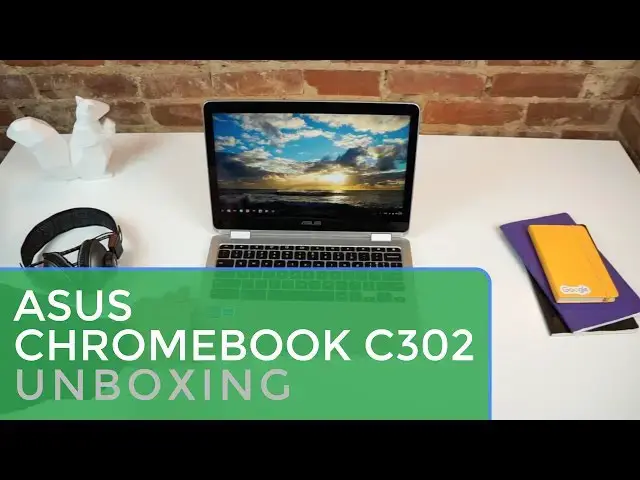
Just in time for the new year, we have the ASUS C302CA (formerly known as 'Cave') in the office and ready for it's unboxing. The device is sleek, smooth and could be one of the best Chromebooks available when it launches.
We'll take a look and see how it lives up to the hype.
~
Shop Chromebooks: https://amzn.to/2NE2wKq
Read more: https://chromeunboxed.com/
Follow us: https://www.instagram.com/chromeunboxed
https://twitter.com/chromeunboxed
https://www.facebook.com/Chromeunboxed
https://plus.google.com/+Chromeunboxed
Show More Show Less View Video Transcript
0:01
[Music]
0:08
hey folks Robbie pay with chrome unbox
0:09
coming at you today with a very special
0:11
unboxing of the Asus
0:14
c302ca this device was codenamed cave in
0:18
its development all the way back since
0:19
July since we've been tracking this
0:21
device and it's near and dear to our
0:23
hearts because it's one of the very
0:25
first Chromebooks that we started
0:26
tracking in the chromium repositories
0:28
and finally we have it in hand and we're
0:30
excited to unbox it see what it looks
0:32
like and get our first impressions
0:35
[Music]
0:56
[Applause]
0:56
[Music]
0:59
[Applause]
1:02
[Music]
1:05
[Applause]
1:08
[Music]
1:11
[Applause]
1:14
[Music]
1:20
[Applause]
1:20
[Music]
1:23
[Applause]
1:26
so let's take a look at this guy we can
1:28
see from the unboxing initially it's
1:30
incredibly thin but nice kind of sharp
1:34
uh Corners that are slightly rounded um
1:37
if you have a MacBook Air around it's
1:39
going to be very similar to that across
1:41
this side here we've got one uh USB
1:44
type-c the volume up and down power
1:47
headphone microphone Jack side firing
1:49
speaker they're not also bottom firing
1:51
they're just side firing across the back
1:54
we have a dual hinge not a single hinge
1:55
like we're seeing on a lot of
1:58
convertibles and across the other side
1:59
we have the other side firing speaker
2:01
micro SD card slot and an additional USB
2:04
type-c both of these will be uh useful
2:07
for charging and for video
2:09
output and any other thing you want to
2:11
do with your USB we have a lip across
2:13
the front to help you open it and
2:15
because it is skylike uh this one is the
2:17
pennium model there is no need for fans
2:20
so we've got some screws and some feet
2:22
and that is all let's talk about specs
2:24
real quick before we
2:26
continue this particular model is
2:29
rocking the Skylake pennium uh 32 gigs
2:32
of internal storage and 4 gigs of RAM
2:34
and what we're pretty sure of at this
2:36
point is that this device will be the
2:38
base model at $499 now there was a leak
2:41
with new egg releasing a $499 model with
2:44
64 gigs of internal storage and the core
2:47
M3 but we're pretty sure that was
2:50
probably a mislabeled uh listing and or
2:53
a misprint and likely $4.99 is going to
2:55
be the starting point for the pennium
2:57
and it should actually perform quite
2:59
quite well and we'll talk about that in
3:01
just a
3:02
second all right so we'll open this guy
3:05
up talk about what's in here real fast
3:07
take this off and get
3:10
my all right so we are met with a 12.5
3:14
in full HD
3:16
display and the reason this guys should
3:18
perform a little bit better than the
3:20
other uh Pentium uh in the core M line
3:23
that we've seen before which is the hp13
3:26
it's because it's only a 19 uh 1920 x
3:28
1080 display versus the 3200 by 1800
3:32
display on the HP so it's basic math
3:35
When there's less pixels to push a
3:37
processor can actually behave a lot
3:39
faster the display is pretty bright
3:41
we're under a lot of lights here and
3:42
you're not seeing much glare off of it
3:44
it's 300 nits specifically it is a 16x9
3:47
like I said 12 1/2 in diagonally bezels
3:51
are under control here they look pretty
3:53
good uh not terribly small but uh they
3:55
don't they're not huge and chunky like
3:57
we've seen on some convertibles up to
3:58
this point we have a backlit keyboard uh
4:01
again Under The Lights that's going to
4:03
be a little bit difficult to see but
4:04
I'll crank it up for you and we'll tilt
4:07
it back so you can see
4:10
sorry so you can kind of see those
4:13
lights underneath
4:14
there um I've had it offscreen and they
4:18
perform like back like Keys should they
4:20
help you see in the dark um the trackpad
4:22
feels really great I can't confirm
4:25
whether it's plastic or glass um it's
4:28
hard to tell but it's really really
4:30
smooth so I'm inclined to think it could
4:32
be possibly glass um we'll have to do
4:34
some more digging to find out tracks
4:36
really great feels good The Click
4:38
mechanism is perfect there's no bouncing
4:40
on it it's it it feels great it honestly
4:42
feels like a premium laptop trackpad
4:47
should Additionally the entire thing is
4:50
all aluminum so there's no plastic parts
4:53
here there uh allow the hp13 the whole
4:56
thing's aluminum feels it feels quality
4:58
feels solid it's thin it's light
5:00
the hinge is a little bit wobbly nothing
5:02
close to what the r13 was there's a
5:04
little bit of wobble there for a
5:05
touchcreen um take it or leave it it's
5:08
not that huge of a deal cuz likely you
5:10
will be in one of these modes whenever
5:13
you go to use the touchcreen
5:16
and so obviously because it's a 360
5:19
convertible we can go all the way down
5:20
in tablet mode and you can see right
5:22
there uh at any angle thus far this
5:24
screen looks great um off angles don't
5:27
have any issues whatsoever um pixels
5:29
look like they're right on the edge of
5:31
the screen they look awesome the screen
5:32
looks great the build looks great and
5:35
we're going to take a look at a couple
5:37
other things real quick and then wrap
5:38
this guy
5:53
[Applause]
5:53
[Music]
5:58
up so the speakers are relatively loud
6:01
the high-ends are nice and crisp uh
6:02
there's a little bit of a boost in the
6:04
mids and there's basically no base which
6:06
is not surprising at all um you know
6:09
they're going to be loud enough for
6:10
conference calls and hangouts and that
6:12
kind of stuff um you're probably not
6:14
going to listen to music on them at any
6:16
extended
6:18
rate but they don't sound
6:21
terrible and the nice thing is their
6:23
side firing so if it's sitting in your
6:24
lap you're not going to to lose volume
6:27
uh because it's sitting against your
6:28
legs
6:30
and then last thing I want to do real
6:31
quick for you guys is to run a quick
6:33
octane test and I'm not even going to
6:36
log out I'm just going to run this thing
6:38
logged in with my extensions going and
6:40
all that good
6:43
stuff for reference I want to say the HP
6:47
uh 13
6:48
G1 scored an octane of around 14 to
6:52
15,000 uh with this processor and 4 gigs
6:55
of RAM likely we'll see the same number
6:57
or something close to that of the HP
6:59
what we're going to find is that this uh
7:01
at the same octane score this device
7:03
will actually perform and feel faster
7:05
likely when we talk about it in the
7:07
review um than the HP did simply because
7:10
again it's pushing less pixels and so uh
7:12
octane really doesn't take into
7:14
consideration a lot of graphic type
7:15
stuff it's more of a JavaScript based
7:17
Benchmark and so because of that it
7:20
doesn't matter how many pixels you're
7:21
pushing really whenever it's testing a
7:22
processor so the 15,000 we find on this
7:25
likely will feel way faster than it does
7:28
uh on the HP
7:30
yep so really close to 15,000 um and so
7:33
that's a good sign because likely only
7:35
having to push a 1080p monitor almost
7:38
15,000 in in octane this thing is going
7:40
to move along just fine so um that's all
7:44
for today guys we're going to take
7:45
obviously a deeper look and in this one
7:47
in this case particularly I'll have this
7:49
thing on the floor at CES so we're going
7:51
to be putting it through its Paces uh
7:53
really stressing it and pushing it as
7:55
far as we can to see how the battery
7:56
does to see how performance works to see
7:58
how the screen does in different
7:59
environments and hopefully it feels like
8:01
it's going to be a device that performs
8:03
really well and and I hope that between
8:05
it and the Samsung Chromebook Pro we'll
8:07
kind of have at the beginning parts of
8:09
2017 uh a nice little debate going on
8:11
which one is the best Chromebook for the
8:13
first half of the year but guys that's
8:14
going to be it for today if you like
8:16
this video please give it a thumbs up
8:18
hit that subscribe button below and
8:19
until next time we'll see you
8:22
[Music]
#Computers & Electronics