Up next in 10

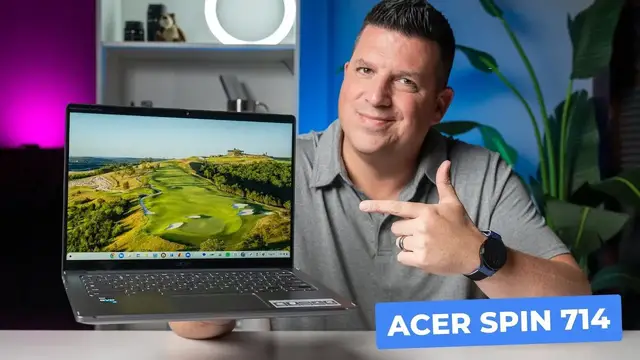
Acer Chromebook Spin 714 Review: They Nailed It!
Oct 17, 2023


Sponsored by Capcut Online Video Editor. A free video editor designed for the web. Click here to try CapCut Online: https://shorturl.at/gksuH
You can also search "CapCut" in Google Play on your Chromebook to download CapCut Web App.
#capcut #capcutweb #chromebook #onlinevideoeditor #videoeditingtutorial
・・・・・・・
Say hello to the Acer Chromebook Spin 714 for 2023, a device that doesn't try reinvent the wheel (or itself, really), but makes important refinements over its excellent predecessor that make it a fantastic overall Chromebook that is not only a great performer in all the ways that matter, but really enjoyable to use as well.
READ MORE 👉 https://chromeunboxed.com/acer-chromebook-spin-714-review-2023/
Join our newsletter: http://bit.ly/2WjCDm7
・・・・・・・
Fueled by Fresh Roasted Coffee! Buy the special edition Chrome Unboxed bag here: https://chromeunboxed.com/coffee
Shop Chromebooks on CHROME SHOP: https://chrmshop.com/
Show More Show Less View Video Transcript
0:00
If you were to take a look at this Chromebook in front of me or even look at the title of this
0:04
video or the name of this Chromebook, you'd be forgiven for maybe not exactly understanding the
0:09
difference between this and the one that came before it. Well, the Spin 714, this device here
0:15
is very, very similar to the Spin 714 that came out the year prior, but there are a couple notable
0:21
differences that we're going to talk through in this video. But regardless of the similarity to
0:26
last year's model, this thing is an excellent, excellent Chromebook to use and I've really
0:32
really enjoyed my time with it. So let's talk about it. Today's video is brought to you by the CapCut Online Video Editor, a platform that makes it
0:43
extremely easy to edit videos on your Chromebook. We've been using this web-based editor around the
0:49
office here at Chrome Unboxed for a little while at this point and we've been extremely impressed
0:54
by it. With simple hardware requirements and no real need for a download, it's a PWA that
1:00
leverages the power of the cloud after all, CapCut's online video editor is a breeze to use
1:05
for all sorts of video and graphic content creation from short form videos to multi-layered
1:10
projects. Using the included AI tools and templates available, you can be up and running on a new
1:16
video idea quickly with all the tools you need to create any sort of video that you can imagine
1:21
I know that for us, using the auto captions feature to automatically add text to our videos
1:26
has been a massive time saver that we've really loved using. Being a web-based PWA, it stays updated automatically and features like free cloud storage and
1:35
real-time team collaboration make this a powerful tool for all creators, individuals, and large
1:40
teams alike. If this all sounds good to you and you'd like to make some awesome video content on
1:44
your Chromebook with the CapCut Online Video Editor, just click the link in the description
1:49
and you can start creating today. So let's just talk about the outside bits of this Chromebook. The main difference here
1:58
and this is a small difference, is that we've gone from a navy color to this gray color. And
2:02
it's the same kind of gray that Acer has used on quite a few of their Chromebooks over the years
2:07
But it's a really good looking color. It doesn't pick up a ton of fingerprints. And generally
2:12
speaking, the outside of this Chromebook feels really good. Like the lines match up. There's
2:17
nothing sharp or weird around the edges. And there's even, like, you only pick up on it. Like
2:23
this light's really bringing it out. The hinges and even the Acer logo up here, almost like a
2:28
goldish color. I don't know if that's totally picking up. I'm trying to see maybe on that top
2:32
camera a little bit. But overall, they didn't change the chassis. Like, it literally is the
2:38
exact same size, same weight, and everything from the 714 last year. And I know a lot of people
2:42
bagged on the 714 because they liked the 713 that was around for the years prior where it had the
2:48
taller 3x2 screen. But they've kind of stuck with this form factor. And like I said last year
2:54
I kind of like it. I like the compact feel of this device. I like picking it up and holding it. It
2:59
just feels really nice. There's no bending or creaking to the chassis whenever you go to pick
3:05
it up. It's not wildly thick. It's not crazy thin. But you know, ultimately, it feels good. It fits in
3:11
a bag really easily and it gives you enough room to get all the stuff you need to get done. Fits in
3:16
a lot of good ports and all that kind of stuff but overall metal top, metal keyboard surround and
3:22
it's an alloy I think of some sort on the bottom but all of it comes together and gives you this
3:28
really nice firm form factor here. You do have some fan ports along the bottom and then a few
3:34
just along the back here but it doesn't really look bad and again it doesn't feel bad like when
3:40
you go to pick it up and hold it, the thing feels really nice. So while we're out here, let's talk
3:44
about these ports. USB type C over here, full size HDMI slot, headphone microphone. On the other side
3:51
another USB type C, USB type A, and then your volume rocker here. And it's worth noting that
3:57
both USB type C ports are Thunderbolt 4. So that's a really nice upgrade to go along with the internals
4:03
We'll talk about those here in a second because it's one of the main upgrades here in the new 714
4:07
But on the outside again you would be forgiven if you weren paying attention to the color You can be forgiven for not really noticing the difference here And part of me wants to go well you know they really should just you know change the chassis and do something new every single year But for a line like the 713 714 line I think it okay
4:25
for them to slowly iterate and just kind of change and tweak and make sure that everything fits
4:30
together really nicely. And for a Chromebook like this that starts at $699, that's really important
4:36
It needs to feel good. It needs to feel considered. And by sticking with the same chassis for a few years, it's kind of like making a car
4:44
It gives Acer the ability, and any other manufacturer for that matter, the ability to continually iterate and make their devices just a little bit better each year
4:52
a little bit more refined. And this thing definitely feels like a product of that sort of work
4:57
And I really do appreciate the build quality and the way that this thing feels in the hand
5:01
So let's crack this thing open real quick and talk about some of the bits on the inside
5:06
because once again, those are largely the same here. This device is still a 14-inch screen
5:16
It's still 1080p plus, so it's 16 by 10. So when you look at the actual screen ratio here
5:23
it's a little bit taller, again, just like last year's. It's not the full 3 by 2 height, but it's 16 by 10
5:28
which gives you this nice, larger-feeling screen than what you normally would get on a 16 by 9 14-inch device
5:35
but it's 1080p-ish 1920 by 1200 instead of 1080 but the bezel along the bottom is nice and small
5:42
the bezels along the the sides and the top are nice and small and so again it just has this
5:47
premium look to it the the screen actually gets up to around 340-350 nits so in most lighting
5:53
environments it's plenty bright not the brightest thing we've ever seen but it is plenty bright it's
5:58
never given me any problems in coffee shops or working in a car or anything kind of like that
6:03
it is a great screen. And then above that screen, you get a kind of a unique edition here in a
6:09
quad HD webcam. So not 1080p, it's not 4K, but kind of somewhat in between there. So you're
6:16
getting a few extra pixels. You have Acer's kind of adaptive camera software going on here. So
6:22
they've got a temporal noise reduction going on. So when you're in lower lighting, it tries to get
6:28
rid of some of that grain, but the webcam looks really good. It adjusts for lighting pretty nicely
6:33
And then it's got the cover up top here too. So it allows you to just cut off the camera if you
6:38
need to. If you're in a meeting and you want to make sure that nobody's looking at you, you can just flip that privacy shade there. I love that addition. But overall up here at the top
6:46
great colors on the screen, great brightness, great viewing experience, small bezels. So this
6:50
thing just looks really nice sitting on the desk, really nice and modern. Again, just like the one
6:56
did last year, but you know, a slightly different colorway. And yeah, it really pulls off a nice
7:01
look. As we move down the screen just a little bit, you've got the upward facing speakers here
7:06
which are largely the same as last year's model, which is to say they're fine. They're not amazing
7:13
We've had a few devices here lately that have had surprisingly good audio
7:17
This isn't necessarily one of those. It just, it sounds pretty good. And you know, I've watched
7:21
some videos and stuff on it. It's not something you're going to want to sit and watch movies or anything like that with, but you get some decent separation and you never have to worry about
7:28
blocking it as you set it on your legs or anything like that. And then beneath that is a fantastic
7:32
keyboard. It's one of my favorites, just like last year's 714, one of my favorite Acer made
7:37
keyboards. I've typed a lot of articles on this. I really do enjoy it. It's backlit
7:43
The travel's really nice. It's got a considerable amount of travel, but a nice kind of like softer
7:48
click to the keys and they're nice and quiet as well. So it kind of passes all the things you want
7:55
from your keyboard in a Chromebook. Then right below that, as expected, is the Gorilla Glass
8:00
trackpad. And I didn't mention this, but you have Gorilla Glass up here as well on the screen. And
8:06
both of those are antimicrobial, which is kind of nice. Kill some of those extra germs on the two
8:12
places where you touch the Chromebook just about the most. But it is a Gorilla Glass trackpad down
8:16
here. Super duper smooth, really responsive, nice click mechanism. Like I really like everything
8:22
about the trackpad on this. So we talked about a lot of this in other videos but when you combine a great screen with a great keyboard and a great trackpad you like halfway there to making a fantastic Chromebook experience Now
8:37
they can fall apart when a device is all wobbly or it can fall apart if, you know, the hinge is
8:42
loose or, you know, the internals are super slow, but, you know, that's none of those are the case
8:47
on this particular device. We haven't talked about the hinge really. It's a 360 device and that's not
8:53
wildly unique these days. But I don't think I ever tried a one finger lift. It's got
8:59
oh, it does. Look at that. It does have a one finger lift. I didn't even try that until just
9:03
now. And yeah, it pulls that off pretty nicely. So to weight a hinge that has the convertible form
9:09
factor that you can do that right there with, it's pretty cool whenever you can kind of get
9:13
both of those things in one device. So I do love having the tablet modes. Really, I like more of
9:20
this kind of presentation mode or like a tent mode, you know, where you kind of do this number
9:24
with it. Um, I like those modes a little bit better, um, than, than just straight up tablet
9:29
mode. But, you know, ultimately speaking, it's nice to have the convertible hinge there when
9:34
it doesn't get in the way. Sometimes convertible hinges are loose and they don't feel great. And so now you have a compromised clamshell and not a great tablet experience. I like this where
9:44
every once in a while, if I want to use it in, you know, in tablet mode or, or, you know
9:48
presentation mode I can, but it doesn't hinder what it feels like to use this as a claim shell
9:53
Chromebook. So now let's talk about the stuff inside, like under the hood here. That is where
9:58
well, really only one of the main upgrades happened with this device. So inside it's got a 13th gen
10:04
Intel Core i5. The last one had a 12th gen and the 13th gen Intel Core series didn't really change
10:11
a lot. So you're talking about the same nanometer processes and all that stuff from the 12th gen
10:16
And it's just clock speeds are a little bit faster. So this Chromebook's a little bit faster
10:20
For some of you, that's not a huge deal. Some of you love the fastest possible thing
10:24
This is one of the fastest Chromebooks you can buy right now. And I'm not even going to go into benchmarks because right now with the higher end Intel
10:31
chips, benchmarks almost like we're losing, you know, what, what makes those important
10:37
because everything's gotten so fast. You know, we have this huge spectrum of scores on benchmarks that it's like, yep, that's
10:44
fast, but yeah, that's fast too. And well, that's also fast. This is going to be faster than most
10:49
other Chromebooks. I don't know that you're going to notice it that much more, but it's, if you like
10:54
speed and you like to know, Hey, I want to be future-proofed for a while. This thing will do that. It's a core i5. So you've got Intel XE graphics. That means when Borealis finally comes
11:03
out of, you know, the beta testing, if you want to get into some gaming, you know, locally on this
11:07
device, it'll handle that stuff better than most. It's still paired up with eight gigs of RAM and
11:12
256 gigs of internal storage, which is really nice. It's nice to have that kind of stuff
11:17
Plenty of storage on the inside, you know, and you don't really need to feel like you got to
11:22
expand it or anything like that. So, you know, this is going to be a fast Chromebook, but what's
11:26
really striking is Acer lists this as a 10 hour battery. I don't know if Joe's going to be able
11:31
to show this, but we know we've had it on. I've not been doing much with it since we've been
11:36
sitting here. Actually, I can blow that up. Let's do that. There you go. Handy trick if you didn't
11:43
know it. Control, shift, and plus changes your resolution. You can do it real quick. We've got
11:49
a video or a post about that somewhere. But if you look down here, 100% still battery. And again
11:56
I've not been doing anything on it. It's just been kind of sitting here. But it's showing 21 hours
12:02
that's not realistic um but i also didn't um i didn't do anything to like manufacture that number
12:08
it this thing has gotten really good battery life pretty much the entire time i've used it
12:12
now granted i use it at a desk a lot but when i've taken it out with me i've never had to really
12:17
worry about it so i would say that 10 hour battery life if you keep your screen brightness in check
12:21
100 is realistic you may even get a little bit more than that so i've been super impressed with
12:26
the uh with the battery life on this one so far all right so a couple last things i want to mention
12:31
before we kind of wrap things up here one you might have noticed i didn't mention anything about
12:36
a stowable stylus well it's because they didn't include it this time around now they brought the
12:40
price down the base price down to 699 from 729 from last year so maybe that kind of makes that okay it is USI 2 compatible So all that stuff works Grab any USI pin it going to work But it doesn have the one stowed
12:55
inside of it. So you're really after that. You might try to find a deal on the older 714. But
13:01
yeah, it does not have that this time around. But I did want to show you a little bit, instead of
13:07
just saying it's fast or showing you benchmark numbers, which are kind of boring, I wanted to
13:11
kind of show this to you so that you can see exactly how fast this is. Now I've got a bunch
13:19
of stuff open here. So I've got multiple videos just running real time that you can kind of see
13:24
and they're all, they're all working. I've got some websites open that have, that have ads going
13:29
all that kind of stuff. And then we've got multiple desks. I've got, oh look, there's Joe
13:35
I've got the camera running. I've got a calculator. I've got some websites open here
13:41
I got a lot of stuff going on. And as you can see, just flicking things around, everything's nice and smooth
13:47
No problems here. And so I'm really tasking, if nothing else, I'm tasking the RAM for sure
13:54
If it had 16 gigs of RAM, maybe it wouldn't even think about any of that stuff
13:58
But ultimately, it's fast. I'm having a hard time left-handed kind of this way
14:03
But I wanted to show you guys this stuff. The thing just moves around super-duper fast
14:08
And with what I told you about the internals here, that shouldn't come as any surprise whatsoever
14:14
But the last thing that I want to do is I have one video that I had this one queued up is actually put the speakers on our microphone
14:22
And I know that's not the best possible version of you hearing this, but at least, you know, like, you know, my voice sounds like, right
14:29
You know what it sounds like. And so if the Chromebook can create something similar to that, then that's usually a good indication that it's got enough like low end, like I don't have like a Barry White voice or anything, but it's got enough low end to kind of, you know, carry itself
14:42
So I want to let you listen to what the speakers actually sound like here. Let me get it kind of more up under though
14:47
So, yeah, I'm excited to see it here in the office. Let's dive in the box. All right
14:56
So, you know, they sound OK. Again, it's not like, hey, you're going to sit and listen or watch full-length movies on this or anything
15:03
But if you're consuming some general content, some general YouTube stuff, spoken word sounds good
15:08
And they're going to sound good for your video calls as well. And it's just, again, nice that they're not going to get muffled by sitting on your lap or sitting on a desk or anything like that
15:15
It's a nice look. And overall, it just kind of goes with the aesthetic here
15:20
Acer put together a great package once again with the 714. And it's easy to recommend
15:26
It's been on sale a few times. It's probably going to be on sale while you're watching this video
15:31
Go to ChromeUnbox.com and check our deals section and look. But I know as we're filming this right now, it's $130 off
15:37
So it's in that $500 price range pretty regularly since it came out
15:43
And at that price range, it's just so easy to recommend a device that is this well put together and considered and just flat out fun to use
15:52
I just really enjoy this Chromebook. And it's one of those kind of like the 516GE from Acer that at the end of the day, if I'm not reviewing something, this is one of those ones I'll probably reach down and grab and put back in my bag because I just like the way it feels
16:06
I like the way it performs. I don't really have to think about it ever. It's I don't have to think like, oh, man, the screen's too dim to do that
16:13
Or I don't love typing on that. Or, oh, man, it's not going to be fast enough for this
16:17
Like it does all those things. Oh, I need to grab it for a video call. Great. It's got a great webcam on it
16:21
Like it just does all the stuff you want a Chromebook to do really well. It feels good while doing it and just kind of gives you that confidence of a great form
16:29
factor, great build quality all put together for what's turning out to be some really decent
16:34
prices over and over again as it goes on sale. So yeah, highly recommend this one
16:39
And that's it for this one. So if you like this video, give us a thumbs up, head down there and hit that subscribe
16:44
button and be sure to ring the notification bell too. If you'd like to be alerted when we make future videos, just like this one
16:50
Till next time. See you
#Online Media
#Computer Hardware
#Consumer Electronics
#TV & Video Equipment