0:00
There are two main things that Chromebook Plus is supposed to achieve for devices that
0:04
get this fresh new label on the lid. They need to be great devices to use overall and they need to keep the price in check
0:10
In some ways, I'd argue that all of that falls under the same umbrella since price
0:14
really has a lot of sway on how picky or not you get with any Chromebook, but you get the idea
0:20
Chromebook Plus now represents a new standard that I've really come to enjoy while reviewing
0:24
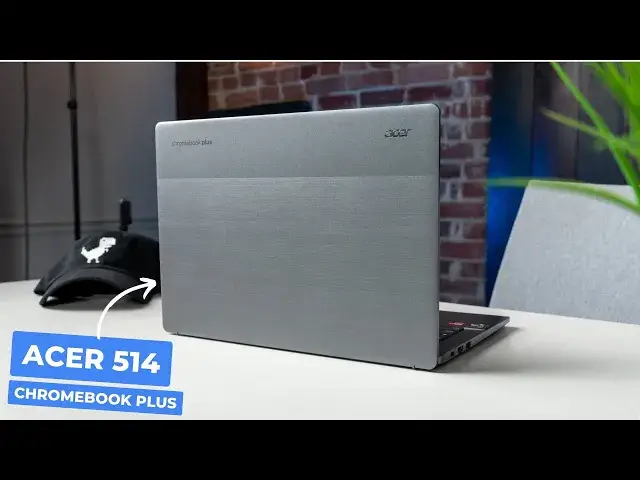
every new model and this final one of the initial bunch, the Acer Chromebook Plus 514
0:31
once again shows that Google got this whole thing pretty right. So let's dive in
0:40
With the 8th and final Chromebook Plus model, I feel like we're beating a dead horse at
0:45
this point. I mean, with Chromebook Plus on the lid, you already know it's a great overall experience
0:50
Using this device is just going to be pretty solid. It's not perfect, but it's really good and it's really affordable too
0:56
I mean, most days the 514 can be had at Costco for just $399. It doesn't go on sale too often, but at this price, it just doesn't really need to
1:03
For that money, you're getting some nice stuff here. It's a 14-inch Chromebook with a 16x10 full HD touchscreen to start with and though it's
1:10
only 250 nits, the anti-glare coating does help mitigate some of that glare and makes
1:14
it workable in most indoor environments. The upward firing speakers are loud and they do provide some nice stereo separation
1:21
The trackpad is large too and it's glass-ish. It's Acer's Ocean Glass tech and it's super comfy to use
1:27
It's all housed in a chassis that's pretty rigid and it meets mil-spec durability for
1:31
stuff like drops too. Now, the keyboard is a spot where this one falls down a little bit, but it's not exactly
1:36
a deal-breaker. I mean, it's backlit, which I do prefer and it's fine
1:39
I just find the key frame to be a little bit mushy for my taste and I've typed on worse
1:44
but this one just isn't great. Overall, it's just unremarkable basically and probably my least favorite part of this
1:50
Chromebook as a whole. The I-O is solid though with a USB Type-C on either side, the USB Type-A, a full-size
1:56
HDMI port, headphone microphone jack, and a Kensington lock. And the Chromebook Plus required 1080p webcam is pretty good too and it gets the expected
2:04
tricks like lighting adjustments and background blur as well. I'd still say devices like the Lenovo Slim 3i is a better overall device in this 14-inch
2:12
clamshell segment, but it used to also be $150 more expensive. But for the past six weeks, it's been on sale for $339, so it's undercutting the Acer
2:21
514 by a solid $60. Additionally, you have devices like the Flex 5i and Asus CM34 to compete with in this price
2:29
range as well, so the Acer 514 isn't exactly a buy-it-now sort of device
2:34
I mean, if you like Acer Chromebooks and you like a really nice trackpad and that stuff's
2:38
high on your list, then hey, the 514 is a great option. But let's face it, you won't be too mad with any Chromebook Plus purchase at this
2:45
point, right? I mean, that's the point. I can't say the 514 does anything exceptionally better than the rest of them, so it really
2:52
comes down to what's available at the time of purchase, what the prices are, and where
2:56
you shop. I mean, with this one being available only at Costco, it makes it a little bit less popular
3:02
But as I've said with all Chromebook Plus models at this point, if you pick it up, I
3:07
really think you're going to like it. But guys, that's it for this one. If you enjoyed this video, give us a thumbs up, head down there, hit that subscribe button
3:13
and be sure to ring the notification icon as well. If you'd like to be alerted when we make future videos just like this one
3:19
Until next time, we'll see ya