Up next in 10

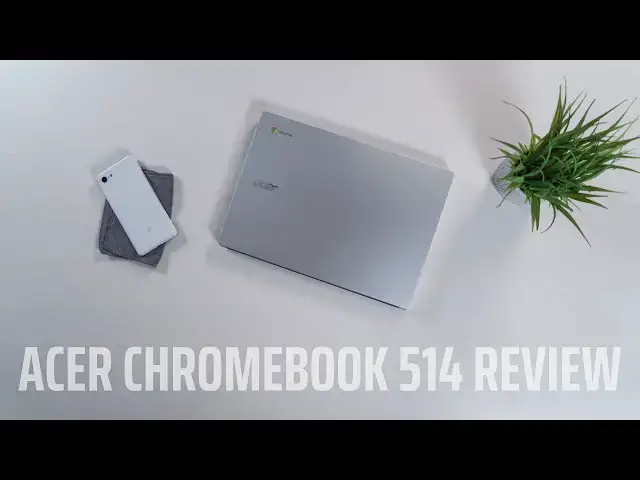
Acer Chromebook 514 Review: Stat Sheet Stuffer Disappoints
Apr 1, 2019


Sponsored by NordVPN. Try it out and get 75% off a three-year plan for a limited time! Click here: https://chromeunboxed.com/nordvpn
Acer Chromebook 514: https://fave.co/32N9yUB
・・・・・・・
If you've ever seen a trailer for a movie, got super-excited about that movie, went to go see the movie, and left the theater a bit let down, you know exactly how I feel about the Acer Chromebook 514. When this Chromebook was announced back in August of 2018, we had our expectations set quite high and the spec sheet that came with that announcement was partially to blame.
Aluminum build, 14-inch touch screen, backlit keyboard, Gorilla Glass trackpad, up to 8GB of RAM: this thing ticked a bunch of boxes. Oh, and it looked nice, too! Add to this the fact that we've been eagerly awaiting a followup to the easy-to-recommend Acer Chromebook 14 from 2016 and you have a recipe for high hopes and large expectations.
Now that I've been using this device for a bit of time, I'm sad to say the expectations fell flat and the spec sheet simply did not deliver. Let's talk about why.
・・・・・・・
Become a member of Chrome Unboxed to help us make our channel even better, and for access to exclusive perks: http://bit.ly/CU-join
Subscribe to the channel: http://bit.ly/2xFuj6L
Shop Chromebooks: https://fave.co/2OuedYL
The Music We Use - PERFECT for YouTube: http://bit.ly/31W6PYP
Show More Show Less View Video Transcript
0:00
have you seen a preview for a movie like
0:02
a trailer and watched it and thought man
0:05
this this is gonna be an incredible film
0:07
and then you wouldn't watch the film and
0:09
thought that wasn't as good that's kind
0:13
of what we're dealing with here so in
0:22
keeping with the movie metaphor when we
0:24
saw the trailer we saw the preview for
0:26
this device we were pretty excited and
0:28
we couldn't wait for it to come out but
0:30
it took a long time to do so it was back
0:32
in August that we first caught wind of
0:34
it and when we saw the spec sheet and we
0:36
saw the pictures it was a really
0:38
exciting time and we thought hey sirs
0:40
finally come up and really brought a
0:43
proper successor to the Acer Chromebook
0:46
14 and unfortunately that just doesn't
0:49
feel like the case and it's for a number
0:51
of reasons and so we want to talk about
0:53
why so before we get into all the pros
0:55
and cons of this device this video is
0:57
brought to you by Nord VPN and they are
0:59
the VPN of choice for millions of users
1:01
because simply they're just the best at
1:03
doing it and they can secure your
1:05
browsing whether you're on an iPhone or
1:07
a Chromebook or an Android device go
1:10
over chroma and box comm for it slash
1:11
Nord VPN if you'd like to learn more
1:13
today all right so let's break this
1:16
thing down piece by piece but first I
1:18
want to mention the price points on this
1:20
one so it starts at 399 for the Apollo
1:22
Lake version I would not recommend that
1:24
I don't recommend Apollo lakes in many
1:27
situations honestly it goes up to $4.99
1:30
for the Pentium the N 4200 the same
1:32
thing that we saw in the Acer Chromebook
1:33
15 that came out before this and while
1:36
it gets along ok
1:38
some of you are probably already going a
1:41
$499 for the Pentium this is an
1:43
entry-level chip and you're right for
1:45
thinking that and so that's gonna color
1:47
a lot of the things I have to say about
1:49
everything with this device because
1:51
price matters we've got a lot of great
1:52
Chromebooks in the roughly $500 range
1:55
and so it matters a lot when we start
1:57
talking about all the internal pieces of
1:59
this particular device if the price
2:01
stays at $500 all right so let's start
2:03
with the build quality not great not
2:07
terrible it's just kind of middle of the
2:09
road here mostly aluminum and put
2:11
together pretty well firm it feels good
2:13
in the hand that kind of stuff but there
2:15
are some sharp edges and anytime there
2:17
are sharp edges to me it just makes a
2:19
device feel a little half-baked and so I
2:21
kind of just got that feeling from this
2:24
it's not that it's creaky or flimsy or
2:27
anything it's nice and firm and it's
2:29
substantial enough to is you have 3.3
2:31
pounds and about three quarters of an
2:33
inch in thickness it's not the thinnest
2:35
device on the market but it looks good
2:37
on a table it looks good if you're at
2:39
the coffee shop it's not like it's some
2:40
hideous or ugly device it's pretty well
2:43
put together
2:43
you just didn't inspire anything out of
2:45
me it didn't make me think oh man I love
2:47
that thing I love looking at it looks
2:48
look how good this thing looks on my
2:50
desk it was just kind of like yeah there
2:53
it is so once we crack this thing open
2:55
and get to the display we're met with a
2:57
full-hd anti-glare 14 inch display and
3:01
it's it's IPS the viewing angles are
3:03
nice and wide and it's it's flanked on
3:05
either side by really really thin bezels
3:06
and I like that part about it and the
3:09
viewing angles are great and the colors
3:11
are good and you know there's nothing
3:12
really bad about this display it was
3:15
just a little off-putting for me being
3:17
anti-glare because anti-glare coating
3:20
adds a slight bit of fuzziness to any
3:22
display it doesn't matter this one any
3:24
other display also and for me 1080p on a
3:28
14-inch display it feels really good
3:30
especially with Chrome OS is scaling
3:32
ability things stay sharp and it looks
3:33
really nice all the other displays that
3:36
we've done and done reviews on at 14
3:38
inches I just I like that resolution on
3:40
this screen size it just it doesn't tax
3:42
the processor and it still looks nice
3:44
and sharp and this has all that going
3:46
for it but with the anti-glare display
3:48
there's just a slight fuzziness to some
3:50
of the text and if you work from an
3:52
anti-glare display and you like those
3:53
maybe this doesn't bother you at all but
3:55
for me it was just a little bit
3:56
off-putting but overall I mean that the
3:59
display is not bad probably 250 nits are
4:02
so brightness it's touch screen and
4:03
touch screen on anti-glare is kind of
4:05
rare so it has some cool things going
4:07
for it but overall it was just another
4:09
piece of this Chromebook that was a
4:11
little bit average moving down to the
4:14
keyboard and trackpad these were two of
4:17
my least favorite parts of this
4:18
Chromebook honestly and I'm kind of
4:21
bummed about that because part of the
4:22
spec sheet again with this
4:24
of iswas Mayim backlit keyboard gorilla
4:26
glass trackpad and you look at the
4:28
pictures and you see the etching around
4:29
it and it looked large and it is it's a
4:32
it's a nice large trackpad and it's
4:33
glass so it's nice and smooth those
4:35
things great and well done
4:36
and backlighting for me always welcome
4:39
it looks good it's it's an added bonus
4:41
it's a nice thing to have on any laptop
4:44
but it kind of goes downhill from there
4:46
because the keys are a little mushy and
4:49
lacked a lot of click the travel was
4:51
good on them but for me travel without a
4:54
nice clicky responsiveness almost it's
4:57
worse than a low amount of travel and
4:59
and having clicky responsiveness I
5:01
ultimately you just wanna be able to
5:03
know that you press the key and there
5:05
were a lot of times I just wasn't quite
5:06
sure and so I didn't enjoy typing on
5:09
this thing at all and I'm not really
5:10
hard on keyboards in general and so just
5:13
was not impressed with it at all moving
5:16
down to the trackpad again the gestures
5:18
feel really good and the size of the
5:20
trackpad is great but it did that thing
5:22
that I've talked about in other videos
5:23
where the trackpad sitting just above
5:25
the click mechanism so you can tap it
5:28
and you can hear it kind of clicking
5:29
around before it actually engages
5:31
anything so you almost get like this
5:32
double click action and it was kind of
5:35
firm and so it it felt like work to use
5:38
the trackpad and that's just unfortunate
5:40
especially for a big glass trackpad you
5:42
just expect if they're gonna put glass
5:44
on it the whole thing is gonna be put
5:45
together well and unfortunately at least
5:47
on our test model that just wasn't the
5:49
case here either and so once again I was
5:51
just kind of let down by the experience
5:54
of using this device when it came to the
5:56
keyboard and trackpad now not everything
5:58
is terrible about this Chromebook the
5:59
port selection on it actually is really
6:01
good and really thoughtful it's a USB
6:03
type-c on both sides and a USB type a on
6:06
both sides and that just gives you some
6:09
really nice flexibility whether you're
6:11
working in a coffee shop or whether
6:12
you're plugged in at your desk it's just
6:14
nice to be able to access both of those
6:16
ports on either side of the device at
6:17
any given time it's also flanked with a
6:20
Kensington lock a headphone microphone
6:22
jack and an SD card slot like most
6:25
Chromebooks but I just really like the
6:27
way that Acer put those two ports on
6:29
both sides of this one with the speakers
6:32
we're kind of getting back into the mode
6:35
of average
6:37
and this is actually below average
6:38
honestly like I'm not usually really
6:40
hard on speakers I don't expect too much
6:42
from laptop speakers these are these are
6:45
pretty bad
6:46
they're loud the volume of them is loud
6:49
but man they're just full of middle
6:50
tones and if you know anything about
6:52
music or sound pumping the mids up is
6:55
not something you want to do too often
6:57
if you want something actually sounds
6:58
pleasing to the ear so I mean take all
7:00
the bass out take all the trouble out
7:01
and just like force the mids up and
7:03
that's kind of what these things sound
7:04
like and their bottom firing and just
7:07
they're just below average honestly
7:09
unless you're just looking for something
7:10
that's loud they do that they are loud
7:12
now internally I talked about this
7:14
earlier in the video internally this one
7:16
we're testing is the Pentium and forty
7:18
two hundred eight gigs of ram 64 gigs of
7:21
internal storage there is a lesser model
7:24
for $100 less that comes with the Apollo
7:26
like thirty four fifty four gigs of ram
7:28
32 gigs of internal storage because of
7:30
the performance of Apollo Lake in
7:32
general especially at a $400 price point
7:35
there's just no way I can recommend that
7:37
anyone goes and buys that particular
7:38
model then 4200 and this one does give
7:41
it enough of a performance increase that
7:44
I wasn't too bothered working from it on
7:47
on a daily basis it didn't bother me
7:49
that much honest that's way more
7:50
bothered by the keyboard and the
7:51
trackpad and parts of the screen
7:53
honestly that the performance wasn't the
7:55
part where I'd it just fell apart for me
7:57
there were obvious hiccups when compared
8:00
to using something like a pixel Booker
8:02
especially any of these devices that
8:04
came out at the end of 2018 with that
8:06
core i3 or Core i5 in them I mean those
8:08
things just absolutely flying I never
8:10
thought about performance this one I
8:12
would remember quite a bit like I would
8:14
forget for maybe 10 20 minutes and then
8:16
something would happen and you'd see
8:17
some stuttering on the screen or
8:18
whatever and I remember yeah I'm dealing
8:20
with an entry level processor here and
8:23
again that's worth thinking about as we
8:24
kind of wrap this video up towards the
8:26
end this is an entry level processor so
8:29
if you're expecting to do big projects
8:32
have tons of tabs open and and really
8:34
like edit photos or you know do some
8:37
basic video editing or really get into
8:39
some android games you're going to be
8:41
limited with this one even though 8 gigs
8:42
of ram and 64 gigs of internal storage
8:44
are nice the processor in this one is
8:46
definitely
8:48
not the highest performer on a slightly
8:50
more positive note the battery life on
8:52
this device is as expected
8:54
somewhere between eight and ten hours of
8:56
mixed use I ended up a little bit lower
8:59
than that on certain occasions because I
9:01
kind of liked my screen bright and to
9:03
get this one bright enough for me to
9:04
kind of like using it I kept it in like
9:07
the 80 to 90 percent brightness range
9:09
and that is going to knock some time off
9:10
your battery and that's just part of it
9:13
a lot of devices you can hover around
9:15
that 60 to 70 percent and it looks great
9:16
with the screen being a little dimmer on
9:18
this one you do have to crank it up if
9:20
you want that brighter screen in certain
9:21
environments and that's obviously gonna
9:23
have a hit on the battery but overall
9:24
battery performs as expected on it so in
9:27
wrapping up let's revisit that movie
9:29
metaphor so we saw the spec sheet we saw
9:32
this thing in pictures and all that kind
9:34
of stuff when we got really excited and
9:35
we're really really pumped to get our
9:37
hands on it time went by we now have it
9:40
and we're just less than overwhelmed
9:44
with it
9:44
we're less than excited about it it's
9:46
just okay in general and while that
9:49
might be okay you know you go to a movie
9:52
and you you see the movie and you go oh
9:53
yeah that was okay and you feel like
9:55
well kind of wish I wouldn't have seen
9:57
it but it was okay and I'm not gonna go
10:01
ask for my money back I'm not gonna like
10:03
get upset about it that's kind of how I
10:05
feel with this device it's they didn't
10:07
live up to all the things that we hoped
10:09
it's just okay and that's okay in most
10:13
cases it's okay for a device to be
10:15
average it's okay for all the spec
10:17
sheets and all the pieces not to come
10:19
together and quite make it but it's not
10:21
okay at $499 and so at the end of the
10:23
day when we have to help you make a
10:25
purchasing decision say yeah I think you
10:27
should go buy this there's just no way
10:29
for me to say that with this device when
10:31
devices like the HP x 360 or lenovo c
10:34
630 or Dell Inspiron Chromebook 14 when
10:37
those devices exist in the market and
10:38
come on sale for less than what Acer is
10:41
asking for this particular device it's
10:43
just impossible for me to tell you to go
10:46
and buy this there's just nothing it
10:47
does better than any of those devices
10:49
now that being said if the price comes
10:52
down in a few months and you're watching
10:53
this video and it's $2.99 at Costco or
10:56
something like that completely different
10:58
scenario it's a completely different
11:00
discussion because now I'm not
11:01
hard on the display now I'm not as hard
11:04
on performance now I'm not as hard on
11:05
keyboard and trackpad and so if that's
11:07
the case yeah go for it I just don't
11:09
know that it's gonna come down in price
11:11
anytime soon but if it does man it would
11:14
be a great Buy but at this moment right
11:16
now MSRP $4.99 I just can't tell you to
11:19
go and buy this Chromebook but guys
11:21
that's been it for this one if you liked
11:23
it give it a thumbs up hit that
11:25
subscribe button down below and until
11:27
next time we'll see you
11:28
[Music]
#Consumer Electronics