

Support our independent tech coverage. Chrome Unboxed is written by real people, for real people—not search algorithms. Join Chrome Unboxed Plus for just $2 a month to get an ad-free experience, access to our private Discord, and more. Learn more about membership here.
START FREE TRIAL (MONTHLY)START FREE TRIAL (ANNUAL)
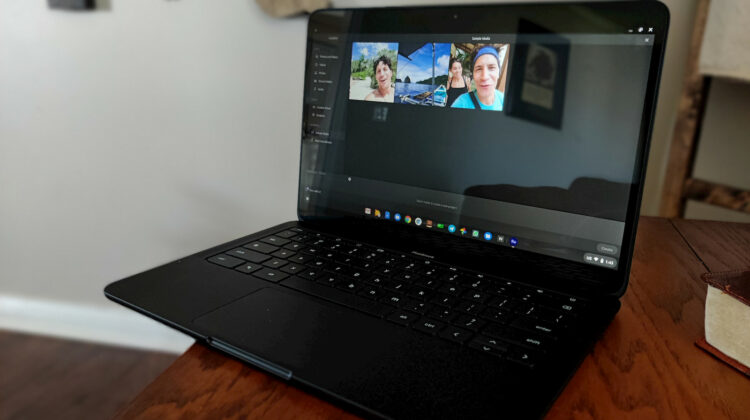
Well over a year ago, Adobe announced the debut of Premiere Rush on the Google Play Store. While the supported device list was and still is very limited, the announcement was accompanied but the promise that Chromebook support was of the highest priority. Seventeen months and a few sporadic sightings later, it feels like we aren’t any closer to that Rush on Chrome OS reality than we were last Spring. That was, until this morning when we caught wind of another user that had installed Adobe Premiere Rush on their Pixelbook Go.
The conversation took place over in our Patreon Discord channel where Pfredd said that he had just install Adobe Premiere Rush on his HP Chromebook 15. We quickly scrambled to start checking devices in an attempt to see if we too could install the highly-sought-after video editing application that brings bits and pieces from Adobe Premiere Pro and Audition into a mobile app that syncs across devices. Sadly, not a single solitary Chromebook would even find Rush when searching the Play Store. Heading to the Play Store on the web offered the ability to install the editor on my Pixelbook Go but when I clicked install, nothing happened. I tried a Comet Lake device as well as the Lenovo 10e that is powered by a MediaTek SoC. No dice.
After digging a little deeper, we found out that Pfredd was actually in the Beta channel of Chrome OS. With that knowledge in hand, I moved the PB go over to Beta and BOOM, Adobe Premiere Rush was right there in the Play Store app ready to install. From what we can tell, the magic combination to get Rush is an 8th Gen Intel Kaby Lake processor and the Beta channel of Chrome OS. However, before you go hopping channels or buying a new Chromebook, let me give you a rundown on how Adobe Premiere Rush is working on Chrome OS at the moment.
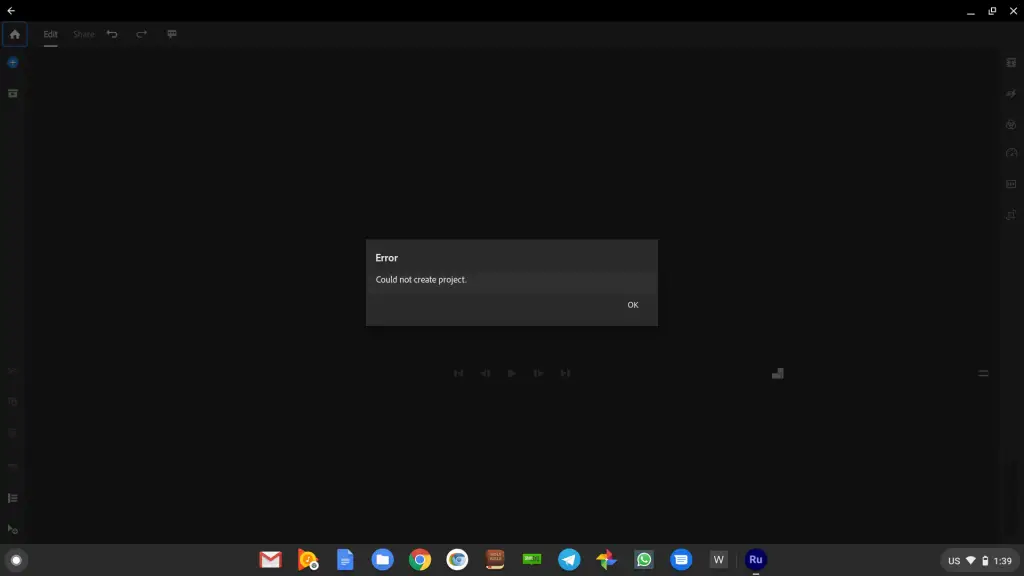
Not well. Many of the features in Rush appear to work just as they should. The stock audio files are there and work as they should. You can add files to a project by using locally saved images and videos from your Chromebook. Unfortunately, that’s as far as I could get with my lower-powered Y-Series processor. After adding files, creating a project resulted in the error you see above. Pfredd was able to get a bit further with his Core i5 U-Series HP but he did say that clicking the color or transform tools resulted in a crash. Kind of nerfs the app entirely if you can actually edit with an editor, right?
I’m not sure if Rush’s appearance in the Beta channel is an indicator that we could finally see an official release. That said, Adobe still has some serious work to do if they’re planning on winning over Chrome OS users. The premium version of Premiere Rush costs $9.99/month and doesn’t offer nearly as many robust features that you’d find on freeware Linux editors or even some online options like WeVideo. The advantage to Rush is the ability to edit on the go and then have your projects automatically synced with your desktop Adobe products. This is a great use case but I feel like the market for this on a Chromebook will be a very narrow one. Personally, I’d rather see Google partner with a true Android developer or perhaps a Linux product and produce a robust editor specifically designed for Chrome OS. Regardless, Rush reappearing is good news for Chromebooks and we’re hoping that Adobe fulfills its commitment to Chrome OS and its users. We shall see.
SUBSCRIBE TO UPSTREAM
Get Chrome Unboxed delivered straight to your inbox
Upstream is our flagship, curated newsletter with the top stories, most click-worthy deals, giveaways, and trending articles from Chrome Unboxed sent directly to your inbox a few times a week. Join 31,000+ subscribers.

