

Support our independent tech coverage. Chrome Unboxed is written by real people, for real people—not search algorithms. Join Chrome Unboxed Plus for just $2 a month to get an ad-free experience, access to our private Discord, and more. Learn more about membership here.
START FREE TRIAL (MONTHLY)START FREE TRIAL (ANNUAL)
As it launched earlier this week, we talked about how the MacBook Neo puts massive pressure on Google’s upcoming ‘Project Aluminium’ devices in the consumer space. At $599, Apple has finally built a machine that makes you look twice at mid-range Chromebooks and Windows laptops.
But it’s not all doom and gloom for Chromebooks. While the Neo might disrupt the $600–$800 consumer market, the core of the Chromebook’s empire – the K-12 education space – is perfectly safe. In fact, for the vast majority of schools, the MacBook Neo doesn’t change the equation one bit.
The $200 barrier still holds
The most obvious reason is simple economics. Even with the $499 education discount, the MacBook Neo is still more than double the price of most of the entry-level Chromebooks that make up the bulk of school fleets.
When a school district is looking to buy 5,000 devices for a 1-to-1 program, a $250-per-unit difference isn’t just a rounding error; it’s a budget-bursting $1.25 million gap. Most districts simply cannot justify that jump, especially for devices that are notoriously handled with moderately-abusive care by students. A plastic, $250 Chromebook that is easily replaceable still makes way more sense than a premium, aluminum MacBook that costs $500.
Deployment and management are Google’s advantage
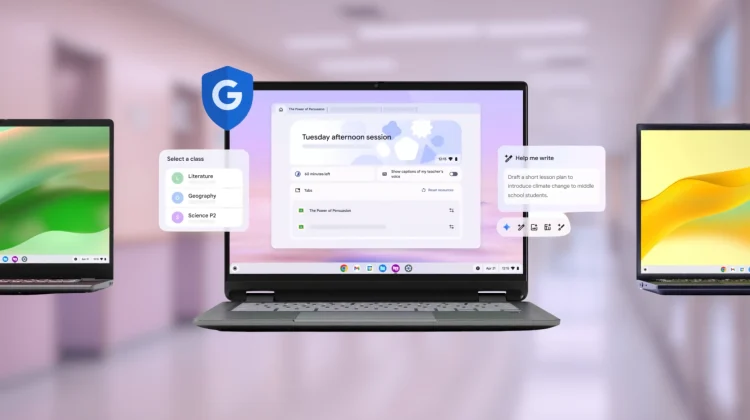
But it’s not just about the financial angle. The real magic of ChromeOS in schools isn’t the hardware; it’s the Google Admin Console.
Chromebooks are purpose-built for massive, zero-touch deployment. An IT admin can take a pallet of 500 Chromebooks, enroll them in minutes, and have them ready for students with every policy, app, and security restriction locked down. If a student breaks a device, they can grab a loaner, sign in, and be exactly where they left off in seconds.
A cheaper MacBook doesn’t fix the inherent complexities of managing macOS at scale. While tools like Jamf and Apple School Manager have improved, they still don’t offer the seamless simplicity of the Google ecosystem. For an overworked school IT department, the management overhead of a Mac fleet is a hurdle that a $499 price tag doesn’t clear.
The “Just a browser” stigma
In my last post, I mentioned that the “just a browser” stigma is something consumer Chromebooks still fight. But in the classroom, that stigma is actually a feature.
Educators want a device that is sometimes viewed as “just a browser”. They want a device that is locked down, easy to use, and focuses the student on the web-based curriculum they are already using (like Google Classroom). The full power of MacOS (i.e. – the ability to install local apps, manage more complex file systems, and run professional-grade software) is often a distraction or a support nightmare in a K-12 environment.
Chromebooks were built from the ground up to solve the specific problems of schools: cost, management, and simplicity. Until Apple can find a way to make a $250 laptop that manages itself via a single web-based dashboard, the Chromebook’s crown is staying exactly where it is – at least in that space.
SUBSCRIBE TO UPSTREAM
Get Chrome Unboxed delivered straight to your inbox
Upstream is our flagship, curated newsletter with the top stories, most click-worthy deals, giveaways, and trending articles from Chrome Unboxed sent directly to your inbox a few times a week. Join 31,000+ subscribers.

