

Support our independent tech coverage. Chrome Unboxed is written by real people, for real people—not search algorithms. Join Chrome Unboxed Plus for just $2 a month to get an ad-free experience, access to our private Discord, and more. Learn more about membership here.
START FREE TRIAL (MONTHLY)START FREE TRIAL (ANNUAL)
 Just yesterday, we talked about Google prepping a streaming, cloud-based gaming platform. This new service, codenamed Yeti, is nothing more than a pile of rumors at this point. Signs are certainly pointing to this whole initiative being real and hopefully coming soon, but for the time being it is really just vaporware.
In reaction to reading and writing that article yesterday, my curiosity was piqued and I began searching for cloud-powered gaming services for Android. Some comments on yesterday’s article made me realize that there are other up and coming companies getting into this server-powered gaming trend. With Android apps running quite well on Chromebooks, I figured if I found a service like Nvidia GeForce Now I could test it out on my Pixelbook.
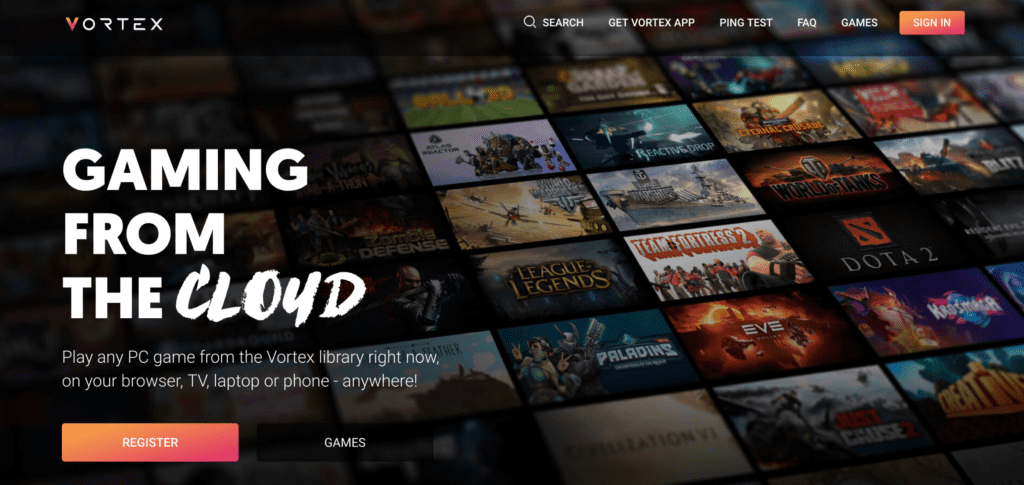
Turns out there aren’t a ton of these services right now for Android, but they are coming. The one that is legitimate and working right now is Vortex, and it is absolutely fantastic!
No Need For An App
My research began on my phone, so I was searching for an Android app first. I honestly didn’t think there would be anything that could work natively on my Chromebook.
I was wrong.
But I’m getting ahead of myself. As I searched for streaming game services for Android, I was met with a few results that allow you to stream your personal game collection or off your personal computer at home.
Those things are fine, but as many of you know, I don’t have a Windows or MacOS machine anymore. I was looking for a service like GeForce Now so part of my monthly subscription would include a few games.
With apps for Windows and Android, I figured I’d pull the trigger. The website was solid and the included titles were enough for me to take a test drive. Additionally, by signing into Steam, my existing Steam licenses work for games in the Vortex library. Win-win.
My next move was to install the app, sign up for the service ($9.99/month), and spin up a server to play a game. I was in my bedroom across the house from the router and wanted to see how the service worked in sub-optimal situations. After all, my real goal was getting this up and going on the Pixelbook.
Evolve Stage 2 loaded up quickly and looked pretty good despite the warning from Vortex that my ping was not optimal. I spent a few more minutes poking around and headed on to work.
Once I got settled, I installed the Vortex app on the Pixelbook and it worked as expected, but even with the device hardwired into the network, performance was just OK. I was a little let down but still very excited about the premise and what could eventually be a very cool answer to high-end gaming on Chromebooks.
Then I was showing the service to Joe and everything changed.
I remembered seeing a browser-based component being mentioned earlier but I had written it off. I figured a plugin would be required on Windows or MacOS, so the idea that my Pixelbook could run this service was not even on my radar.
Once I signed into the site to show the whole thing to Joe, I noticed that the whole game library was clickable. So, obviously, I clicked on Evolve right there in my browser and I was shocked. I was able to start up the game right there! No plugins, no extensions, no downloads…nothing extra.
Even better, the game ran MUCH better! At this point, I was no longer hardwired and was within standard proximity to the router. Framerates were smooth, controls were responsive, and playing the game was legitimately fun.
To make things even better, keyboard controls work just as you’d expect them to. With an attached mouse, it felt like Evolve was running on my Pixelbook and it was insane!
For those of you wondering if the Pixelbook makes all this better or easier, you can rest easy knowing that I had the exact same experience on the Acer Chromebook 15 with an lower-end Pentium processor. After all, all the work is being done on the servers, so there’s no real load happening with your local device at all.
If you are even mildly interested in gaming, I can’t recommend Vortex enough. Services like it will change the way we approach computing in the next 5-10 years. As this form of interacting with software evolves, I can imagine people editing video, producing music, running Photoshop, etc. all from a device that doesn’t need bleeding-edge specs. All-in-all, its a major win for Chrome OS and Chromebooks and I’m excited to watch it all develop!

