


Support our independent tech coverage. Chrome Unboxed is written by real people, for real people—not search algorithms. Join Chrome Unboxed Plus for just $2 a month to get an ad-free experience, access to our private Discord, and more. Learn more about membership here.
START FREE TRIAL (MONTHLY)START FREE TRIAL (ANNUAL)
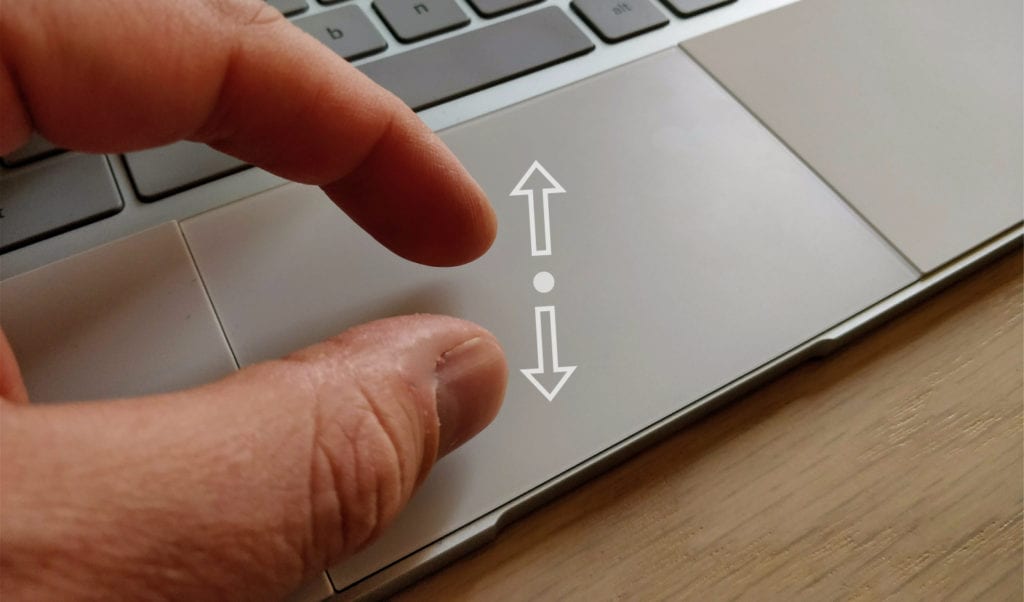 We reported on pinch zoom being worked on for four Chromebooks back in August: The 2015 Chromebook Pixel, Samsung Chromebook Pro, Plus, and the Pixelbook (known as ‘Eve’ at the time). Since that time, we’ve not really had much movement on this feature and, to be honest, somewhat forgot about it.
From time to time, I would remember this feature missing when I have some small text on the screen and want to quickly zoom in without my hands leaving the keyboard deck, but I’ve overall relegated this upcoming ability to “coming sometime in the future” status.
That was until today.
How We Stumbled On It
Earlier today, Gabriel let out a sigh from his desk and asked aloud, “Why isn’t my pinch zoom working?”
As I looked over, I saw him attempting to pinch and zoom from his trackpad and I quickly replied that it has never worked. He was adamant that he’d been using it just a day or two ago.
I then Googled the whole thing and found our article from August about this being added to the four above-mentioned devices and we quickly realized he was on the Acer C771 and not the Pixelbook any longer, and the Pixelbook is where he was using it prior.
Of course, I immediately give it a try, and IT WORKED!
In any Chrome window, you can perform the pinch zoom motion and the screen will zoom in and out just as if you were touching the screen. I quickly grabbed my trusty Samsung Chromebook Pro and was able to do the exact same thing.
Sweet!

For now, it seems to be relegated to the original four test devices, but it works in the latest Stable Channel update.
The Benefit
While this seems like a small change, the ability to quickly zoom content with the trackpad is a fantastic add-on! Many times I find myself needing to increase the zoom just a tad to look at something, but I don’t want to keep it that way. When I’m just using a touchscreen device in my lap, this isn’t a big deal. I can reach up and just interact with the screen.
I operate daily on an extended display, and the only way I’ve been able to achieve this on the second screen is with the CTRL +/- functions. And, while it technically works, it feels very clunky. Being able to quickly pinch zoom a section of a website has already become a useful tool.
While we’ll likely see this roll out to most Chromebooks in the future, we simply don’t have a timeline on that just yet. It is also unclear whether or not the trackpad hardware is different or special on these four devices, either. I tend to say that isn’t the case, but we simply don’t know.
Hopefully we see the full roll out sooner rather than later. For now, if you have the Pixelbook, Chromebook Pixel 2015, Samsung Chromebook Pro or Plus, you should be able to pinch and zoom to your heart’s content.

