


Support our independent tech coverage. Chrome Unboxed is written by real people, for real people—not search algorithms. Join Chrome Unboxed Plus for just $2 a month to get an ad-free experience, access to our private Discord, and more. Learn more about membership here.
START FREE TRIAL (MONTHLY)START FREE TRIAL (ANNUAL)
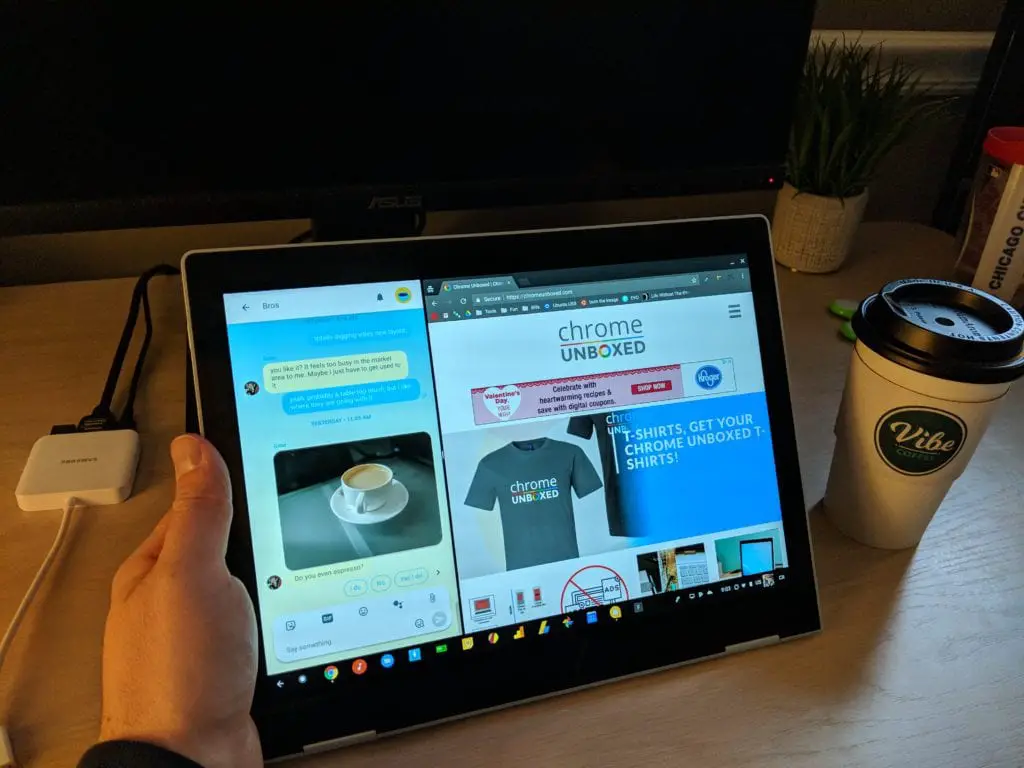 We have a few articles now talking about this much-anticipated feature finally making it to Chromebooks. We’ve tracked it from a commit to the Dev Channel to the Beta Channel and now on the Stable Channel.
There’s nothing really new going on here, but it is notable that the feature works perfectly on my Pixelbook in the Stable Channel with a single, simple caveat: you need to enable a flag. With the fresh, new flags screen, even that is less scary for most users than it once was.
So, let’s rehash what this is, why it is important, and how you can take advantage of the feature on your device right now.
What To Expect
As I said above, we’ve covered the evolution of this feature quite a bit, but there are likely some of you seeing this for the first time, so let’s discuss why this is a needed feature. On Windows devices first – iOS/Android sometime after – split-screen apps in tablet mode have become somewhat expected by now. The ability to snap two tasks side-by-side and then adjust each one’s size with a movable divider bar is not only great in use: it just makes sense on smaller screens.
Compared to moving windows around with your finger, this approach feels more natural and polished for most users. Microsoft put this in practice from their first iteration of Windows 8 and it has been around ever since. iOS an Android deploy a very similar version of this same idea across the board, so just like movable/resizable windows became a standard practice for desktop UI, split-screens have become a sort of standard for tablets.
Before this implementation, Chromebooks simply open every app in a full-screen window when in tablet mode. While it technically functions, it feels outdated, clunky, and half-baked right now.
As we’ve seen the feature trickle down through the channels, it has worked pretty well the entire time. All you need to do is hit the multitasking key in the tray, drag your window to either side, then choose the other object for the other side. A black bar separates the two and you can resize both windows simultaneously.
The only drawback at this point is the lack of Android integration. Luckily, that is also being worked on and hopefully will arrive soon. With the removal of paused-state Android apps coming soon as well, this will all come together to make a much more polished tablet experience for Chromebooks in the near future.
You can check out a video of the split screen feature in action below. Just ignore the part about this being in the Dev Channel. You can follow the steps in the video right from the Stable Channel. For those who don’t want to watch, it is quite simple. Just type chrome://flags/#enable-tablet-splitview or go to chrome://flags and do a quick search for split screen. Either way you get there, select Enable, relaunch Chrome from the button that appears at the bottom of your window, and you’ll be able to take advantage of this upcoming feature a bit early.

