
• Skip to main content
  • Skip to primary sidebar
  • Deals
  • Features
  • Guides
  • Chromebooks
  • Videos
  • Podcast
  • More +
    • Reviews
    • Unboxing
    • Upcoming Devices
    • Chromebook Plus
    • Chrome
    • ChromeOS
    • Chrome OS Flex
  • Search
  • Sign Up
  • Log In
Chrome Unboxed – The Latest Chrome OS News

Chrome Unboxed - The Latest Chrome OS News

A Space for All Things Chrome, Google, and More!

  • Deals
  • Features
  • Guides
  • Chromebooks
  • Videos
  • Podcast
  • More +
    • Reviews
    • Unboxing
    • Upcoming Devices
    • Chromebook Plus
    • Chrome
    • ChromeOS
    • Chrome OS Flex
  • Search
  • Sign Up
  • Log In

Who Wants Some Pie? Pixelbook Lands Android 9

October 20, 2018 By Gabriel Brangers View Comments

Support our independent tech coverage. Chrome Unboxed is written by real people, for real people—not search algorithms. Join Chrome Unboxed Plus for just $2 a month to get an ad-free experience, access to our private Discord, and more. Learn more about membership here.
START FREE TRIAL (MONTHLY)START FREE TRIAL (ANNUAL)

The latest update to the highly experimental Canary channel of Chrome OS has brought with it some very exciting news for Pixelbook owners and in turn, Chromebooks users in general.

Since making its way to the Stable channel, Android on Chrome OS has remained on the aging 7.1.1 version of the mobile OS framework. As Chrome Story reports, Google’s Pixelbook has skipped right past version 8.0 (Oreo) and is now running the latest iteration of Android 9 or Pie as it is affectionately known.

Xremove ads

I had a little free time this afternoon so I took our resident Pixelbook on a trip to the Canary channel and found the update for myself. As Dinsan Francis points out, most of the changes are aesthetic at this point giving the Android side of things an updated design that coincides with the latest version of Android.

Below you can see the updated settings menu for Android on Chrome OS.

Featured Videos

Xremove ads

Functionality wise, the biggest change is how the Pixelbook presents the Google Assistant. As it sits in Stable, the Assistant launches in a window in the corner of the display. The new design brings a deeper integration for the Assistant as well as some much-needed material design tweaks.
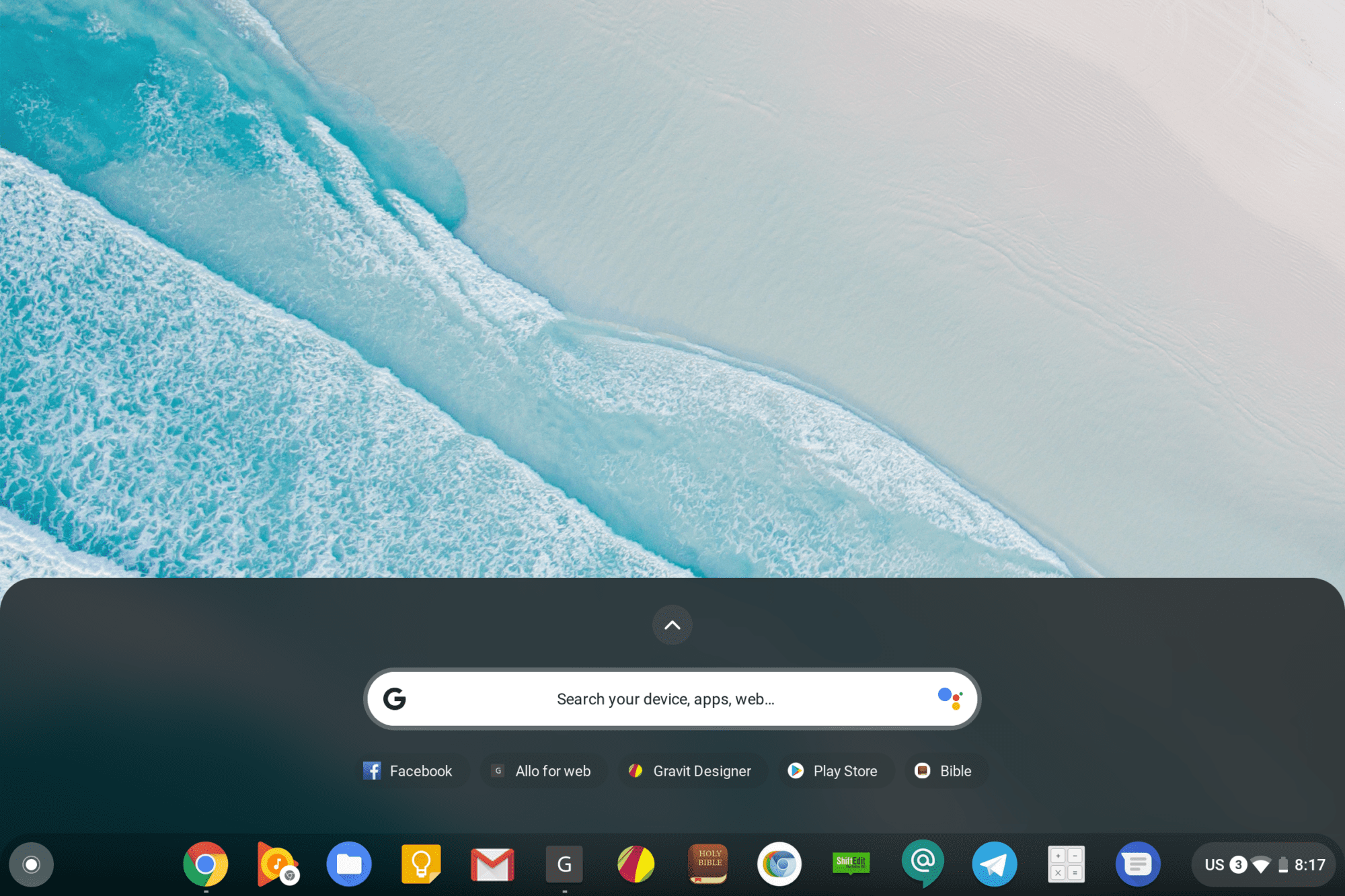
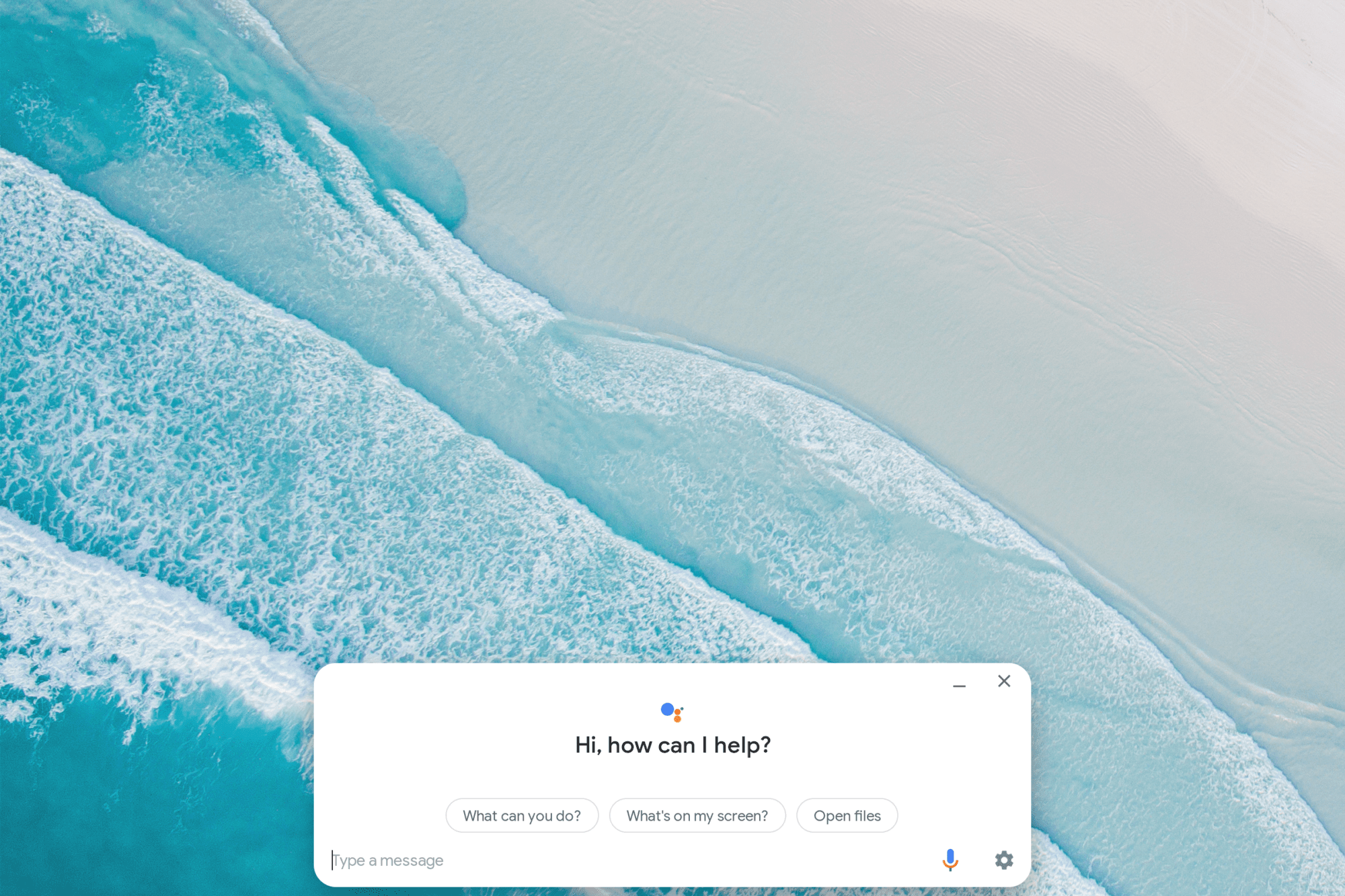
The Google Assistant is now front and center and includes the anticipated Assistant icon in the search bar. Along with the change comes the now-familiar card style found in Google feeds, News and other products from Google.

Xremove ads

While these changes may seem minimal, it screams volumes to Google’s commitment to Chrome OS and its future as an all-in-one platform. Android P currently exists outside of the Beta program only on the Pixel phones and Essential’s PH-1. The fact that Google would completely skip over Oreo (Android 8) and push for an update to Android Pie is big news. Especially when you consider that the tablet-first Pixel Slate will soon hit the market and Android 9’s features will feel right at home on the high-end Chrome OS tablet.

Android Pie is currently only showing up in the Canary channel and we do not, for any reason, recommend putting your device in the very unstable build of Chrome OS. I have checked other devices and it appears that, for now, it is only the Pixelbook that’s getting a slice of the Pie. The Canary channel is on version 72 at the moment so I wouldn’t expect to see Andriod Pie land on Stable too soon. Likely, it will be at the turn of the year unless developers push to get it into the release of 71 in December.

There’s quite a bit more digging I have to do in the Canary channel but we have more exciting stuff to bring you this weekend so stay tuned and don’t forget to subscribe for up-to-the-minute news from the world of Chrome.

Xremove ads

Pixelbook On Sale At Amazon

Source: Chrome Story

Filed Under: ChromeOS, Google Assistant, News

About Gabriel Brangers

Lover of all things coffee. Foodie for life. Passionate drummer, hobby guitar player, Web designer and proud Army Veteran. I have come to drink coffee and tell the world of all things Chrome. "Whatever you do, Carpe the heck out of that Diem" - Roman poet, Horace. Slightly paraphrased.

Primary Sidebar

Xremove ads

Deals

The touchscreen Lenovo Chromebook Slim 3 is a steal at under $200

By Robby Payne
March 16, 2026

Google TV Streamer and Remote held in front of a wall-mounted TV

The premium Google TV Streamer 4K is back down to $80

By Joseph Humphrey
March 16, 2026

The best Chromebook deals today

By Robby Payne
March 16, 2026

Pixel Buds Pro 2 running

I still love the Pixel Buds Pro 2 and they are $60 off right now

By Joseph Humphrey
March 13, 2026

The Lenovo Chromebook Slim 3 is the one to get, starting at just $139 right now

By Robby Payne
March 6, 2026

More Deals

Xremove ads

Reviews

Acer Chromebook Plus Spin 514 Review: Kompanio Ultra power in a convertible

By Robby Payne
December 24, 2025

My review after 6 weeks with the Lenovo Chromebook Plus 14 [VIDEO]

By Robby Payne
August 11, 2025

One week with the best small Android tablet you can buy, and I’m sold

By Robby Payne
May 9, 2025

Best Chromebooks of 2024 [VIDEO]

By Robby Payne
November 28, 2024

Samsung Galaxy Chromebook Plus Review: Samsung is back! [VIDEO]

By Robby Payne
October 28, 2024

More Reviews

Xremove ads

Guides

This Chromebook trackpad shortcut is definitely not new, but is blowing my mind

By Robby Payne
March 11, 2024

How to reduce broadcast delay on YouTube TV to stop live spoilers

By Robby Payne
December 8, 2023

Windows PC keyboard and Chromebook

How to use a Windows keyboard with a Chromebook

By Joseph Humphrey
December 8, 2023

How reset and revert your Chromebook to the previous version of Chrome OS

By Robby Payne
November 29, 2023

My Chromebook Plus features disappeared: here’s how I fixed it

By Robby Payne
November 24, 2023

More Guides

TWITTER · FACEBOOK · INSTAGRAM · YOUTUBE · EMAIL · ABOUT

Copyright © 2026 · Chrome Unboxed · Chrome is a registered trademark of Google Inc.
We are participants in various affiliate advertising programs designed to provide a means for us to earn fees by linking to affiliated sites.

PRIVACY POLICY