


Support our independent tech coverage. Chrome Unboxed is written by real people, for real people—not search algorithms. Join Chrome Unboxed Plus for just $2 a month to get an ad-free experience, access to our private Discord, and more. Learn more about membership here.
START FREE TRIAL (MONTHLY)START FREE TRIAL (ANNUAL)
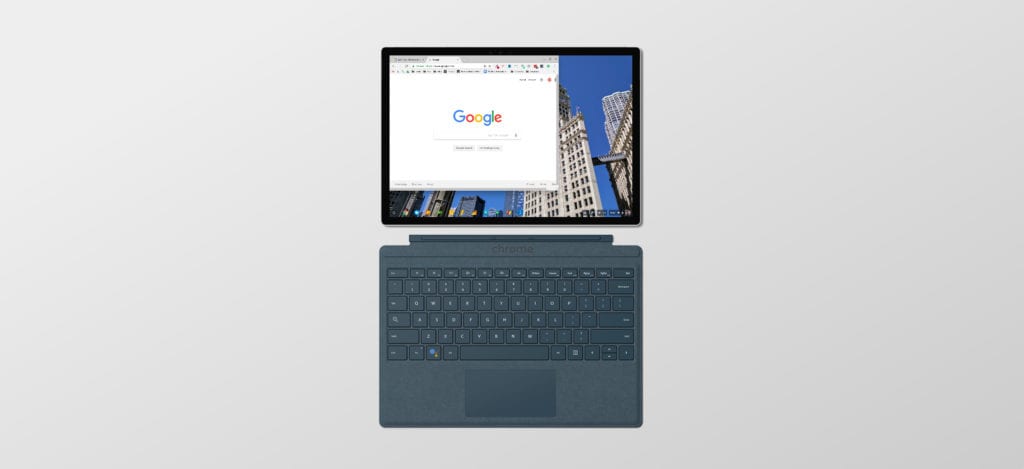 Another day, another ‘Nocturne’ puzzle piece uncovered. As we continue inching towards October 4th and Google’s yet-unannounced hardware event for 2018, we fully expect to continue seeing more and more of the entire picture of what Google has planned just a few weeks from now.
For those of you who may not be following along that closely, ‘Nocturne’ is the codename of one of the two #madebyGoogle Chrome OS devices we expect to see in October. You can read all about that right here and get caught up if you need. Alongside ‘Atlas’, ‘Nocturne’ is part of a duo we are expecting to see that will consist of both a refresh of the existing Pixelbook with thinner bezels with a possibly larger screen and another detachable and/or tablet device.
The Pixelbook family is growing: that much we know.
New Details
Today I came across a few items in the Chromium Repositories I though many of you would be interested in. I’ll lay them out first and then we’ll chat about what they might mean.
The first commit contains this language:
chromeos-bsp-nocturne: Set 47.62% default backlight brightness
Nocturne panel is brighter than normal Chromebook. So set the
default brightness at 47.62% UI level for now until we have
ALS working to do auto brightness adjustment.This 47.62% brightness is the level suitable for normal indoor
environment with ambient light of 90-250 lux.
Now, the second commit around screen brightness is found here and states:
overlay-nocturne: Enable ALS based screen/keyboard brightness adjustment
The config file is based on Eve data.
TEST=point flash light to/cover ALS, see brightness change
OK, you may be seeing what is going on here, but let’s break it down real quick. The first commit is basically saying that, for ‘Nocturne’, the default brightness setting is going to be set at 47.62% because the screen is brighter than a normal Chromebook. Now, the Pixelbook has a really bright, 400 nit display, so it may be in the same league. There is a chance it is brighter, too. No specifics are mentioned, but it is clear this will be a very bright panel.
At the end of that commit, you see the sentence “…for now until we have ALS working to do the auto-brightness adjustment.” Take that paired with the second commit (and there are many others to choose from as well) where we see ALS (ambient light sensor) being enabled to control the screen and keyboard and you have a pretty clear picture forming.
‘Nocturne’ will not only have a bright panel, but it will also get real-time auto-brightness. Unless I’ve simply missed this somewhere, I’ve not used a Chrome OS device that has auto-brightness in real time. Sure, most devices have ambient light sensors, but they are commonly used to set the brightness of the screen/keyboard when the devices wake up. After that point, they don’t’ really do anything.
And this isn’t a huge deal for Chromebooks that are used as laptops first. When I was a Windows user, I frequently turned off the auto-brightness settings on my laptop. Having the screen change brightness all the time was distracting and irritating for me. On my phone or tablet, however, I change my tune quite a bit. Being more mobile, these devices are in and out of varied environments all the time and I do like a screen that can adapt to the environment in real time.
Which makes me wonder: what sort of device is ‘Nocturne’ going to be, exactly? With a brighter-than-normal screen and real-time auto-brightness, why would the devs be working on these things if ‘Nocturne’ was just a standard clamshell or convertible?
Instead, I think we’re looking at a device that will be mobile and tablet-oriented. Now, a detachable can definitely fit that description. But I think we’re definitely looking at something closer to a Microsoft Surface and/or iPad Pro.
Yes, it has a keyboard and will function just like any other Chromebook, but the things we’re seeing with ‘Nocturne’ suggest that the expected use cases for this member of the Pixelbook family might be a bit different from its brethren.
At this point, I still can’t say definitively what we’re going to see. What you can count on, however, is that we’ll keep digging for more info on ‘Nocturne’ and ‘Atlas’ both all the way up until their release.
I don’t normally end articles with this, but given the time of year and the highly-interesting stuff starting to surface, I’m going to. If you aren’t signed up for our alert emails (the form is in the footer down below) you really should sign up. It feels like every day brings a new bit of light to what Google is planning for October and if you are like me, you don’t want to miss any of it! So sign up. We won’t spam you or anything: we promise. You can also follow us on our social media channels which can also be found in the footer of the site. Dont’ miss out!

