


Support our independent tech coverage. Chrome Unboxed is written by real people, for real people—not search algorithms. Join Chrome Unboxed Plus for just $2 a month to get an ad-free experience, access to our private Discord, and more. Learn more about membership here.
START FREE TRIAL (MONTHLY)START FREE TRIAL (ANNUAL)
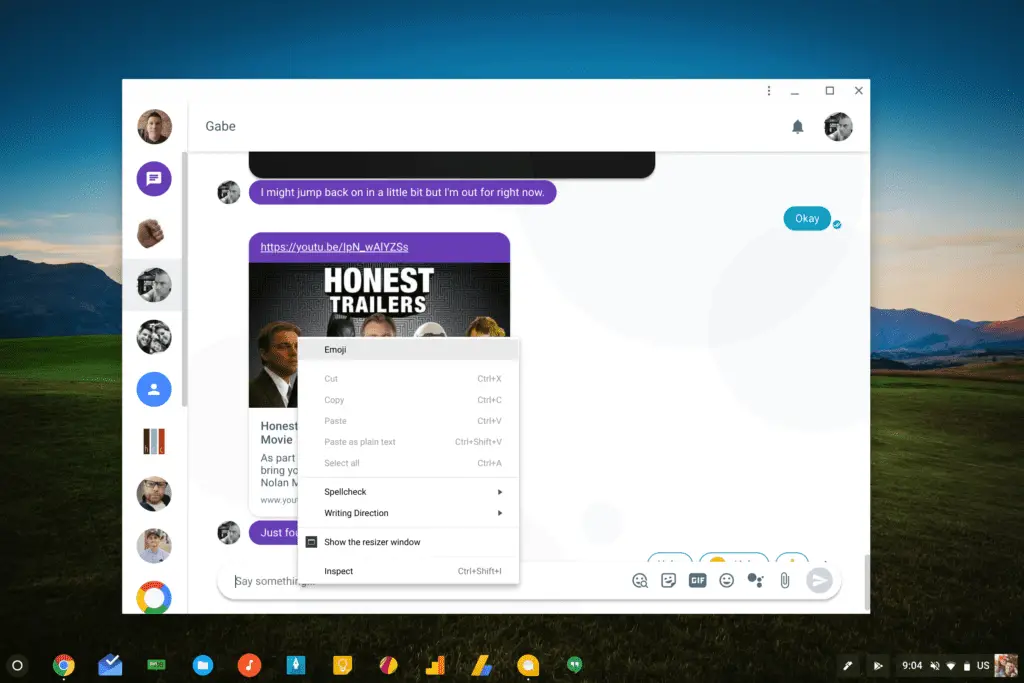 Ah, Emoji: the ubiquitous communication that bridges the digital age with our caveman, wall-etching history. As a form of communication, they have risen to the level of having their own (reportedly terrible) feature film and are used in a variety of ways by a variety of people on a variety of devices.
Well, except Chromebooks.
Since the inception of Chrome OS, Emojis just haven’t been a very important mark on the development timeline. From a productivity standpoint, I’m unsure how many people actually are concerned with their absence thus far. As Android is finding its roots in the OS, however, Emoji are simply part of the overall experience users have come to expect.
I get it. I’m not a big Emoji user, but I see the appeal. I honestly end up having to remind myself to use them from time to time just to feel young and cool. My daughter loves them, so that helps.
And it is her use case that really makes me feel like this is a decent win for Chrome OS in general. Younger folks love some Emoji. My daughter uses them in messages to me frequently. Because of this, and because of Android’s place in Chrome OS, Emoji aren’t just a fun addition: they are a necessity.
Go with me, here. Where are Chromebooks most prevalent? You guessed it: schools. And who uses Emojis more than anyone else? School-aged kids.
Second, now that Android is a selling point for Chromebooks, you have to deliver on all the things that users expect in their apps. Emoji use is one of those things they expect, and Chrome OS is finally coming around on it.
How To Get It
For right now this is behind a flag and only in the Developer Channel. Usual caveats apply, here. I’ll put it this way: if you don’t know how to get to the Developer Channel, this is something you should just wait to come to the Stable Channel. If you do make it to the Developer Channel, know that it is buggy and unstable. Also, know that you’ll lose your locally stored data upon your return to the Stable Channel.
Now that we have that out of the way, the process for getting the Emoji context menu up and running is quite simple. Just type this into your omnibar: chrome://flags/#enable-emoji-context-menu and enable it. After a quick restart of Chrome, you can now use Emoji.
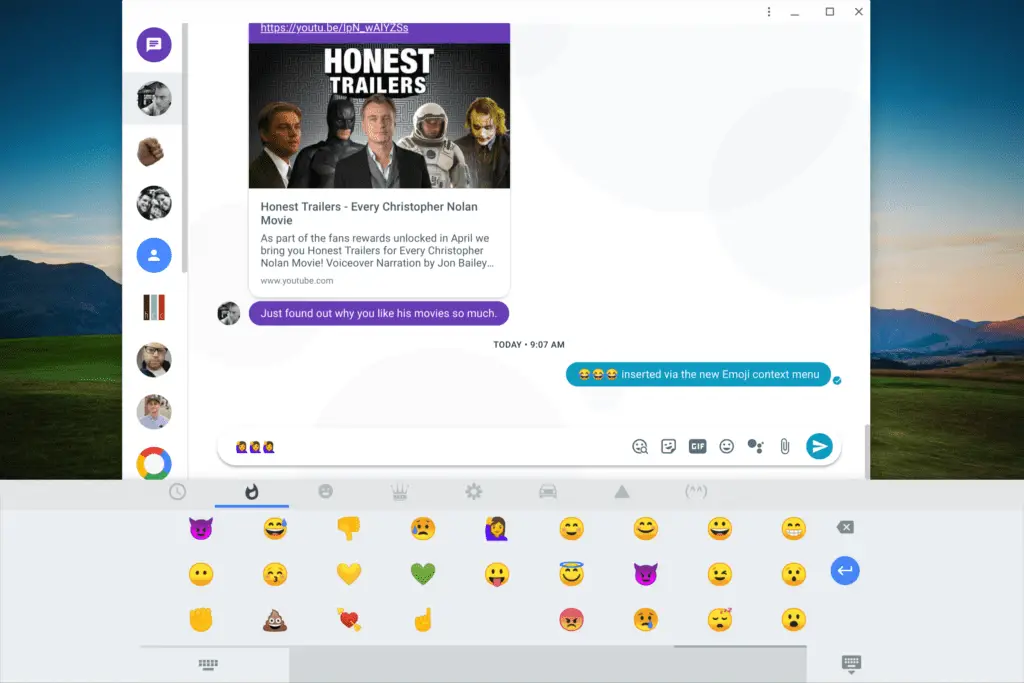
Even though this brings up the virtual keyboard, it does, in fact, work with or without a keyboard attached. I did find that navigating the Emoji menu with the mouse pointer causes some issue here and there. Two-finger scroll doesn’t really work, so you have to click and drag. After you drag the Emoji, the pointer gets stuck until you click outside of the Emoji list.
Using the touch screen works way better and I’d assume they’ll iron this stuff out before we see it in the Stable Channel. For those of you living life on the edge in the Developer channel, welcome to your new Emoji!
SOURCE: François Beaufort

