

Support our independent tech coverage. Chrome Unboxed is written by real people, for real people—not search algorithms. Join Chrome Unboxed Plus for just $2 a month to get an ad-free experience, access to our private Discord, and more. Learn more about membership here.
START FREE TRIAL (MONTHLY)START FREE TRIAL (ANNUAL)
 One of the best-kept secrets in the Chrome world has long-been Chrome Remote Desktop. I’ve personally used it for years and it was a vital tool that helped me make the transition to Chrome OS back before it was ready for me as a daily driver.
The best part of Chrome Remote Desktop was always the ease of setup. Basically, you install the extension and a small app on the host device (Windows, Mac, Linux) and that device becomes one of your remote devices listed in your account.
Open the Chrome Remote Desktop app on Chrome OS or Android, select your host device, and your session is up and running. There was little to no setup involved, and Google is removing even more of that process moving forward.
Remote Desktop Progressive Web App
As Google continues the march to end Chrome Apps in favor of Progressive Web Apps (PWA), it looks like they are not just pushing developers, they are following their own encouragements.
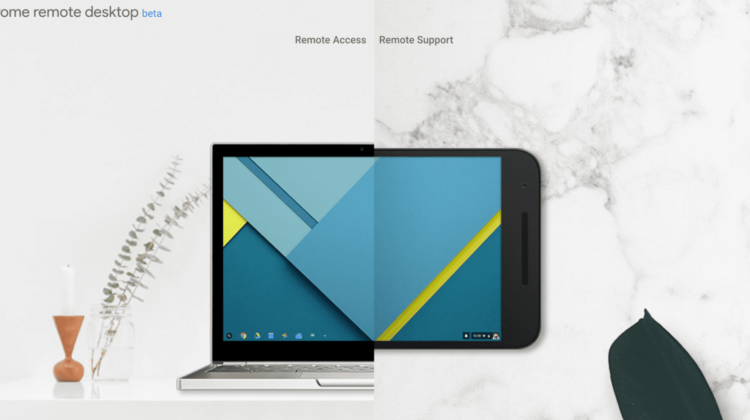
Sure, the host-side of the Remote Desktop setup is still basically the same as its been for years, needing a small bit of download and setup. The client side is now much simpler, however, with the introduction of remotedesktop.google.com.
Pointed out to us by a reader on Twitter this week, we took the new web service for a quick test drive and came away very pleased: mainly because it further simplifies the entire process and makes setting up a remote session about as frictionless as possible. The new service is still in Beta, so there may be hiccups along the way, but this all looks insanely promising.
If you go to the site and simply click the GET STARTED button, you’ll be off and running in just a few minutes, and that is the most promising part of all this. Quick setup and remote access to your desktop from basically anywhere with a web browser. When using the site to access your device, no extensions are required at all, at least in Chrome. We weren’t able to actually attempt a remote session from any other device other than a Chromebook, so some further testing will be needed, but it seems like any modern browser will be able to take advantage of this.
Additional Benefits
One thing I’ve wanted for some time is the ability to quickly remote into a family member’s Chromebook to quickly fix something. Remoting to a Chromebook on a regular basis makes little sense as your desktop and setup all follow you on any Chrome device, but I’d like to be able to remote in for a quick session if someone needs assistance.
With this new setup, Google has managed this with just an extension.
Once you go to the new Remote Desktop site, you can choose Remote Support and then choose whether you are wanting support or wanting to provide it. If you want help, click Generate Code and you’ll be prompted to install the Remote Desktop Extension and then you’ll be given a one-time access code.
The other user simply goes to the Remote Desktop site, Remote Support, and enters the code in the Give Support section. Within seconds the remote session begins and you are up and running.
And it all works surprisingly well on Chromebooks!
In any of the above-mentioned scenarios, it is worth mentioning the host computer definitely needs to have Chrome running in order to get the remote session working. It seems that the client will be free to use any browser to access the computer, however, as long as they are signed in with the same Google account as the host.
All in all, it is quick, functional, and impressive for an application running in a web browser. From basic support to easing Chromebook adoption, as this service continues growing, it will be highly useful across the board. Well done, Google.

