

• Skip to main content
  • Skip to primary sidebar
  • Deals
  • Features
  • Guides
  • Chromebooks
  • Videos
  • Podcast
  • More +
    • Reviews
    • Unboxing
    • Upcoming Devices
    • Chromebook Plus
    • Chrome
    • ChromeOS
    • Chrome OS Flex
  • Search
  • Sign Up
  • Log In
Chrome Unboxed – The Latest Chrome OS News

Chrome Unboxed - The Latest Chrome OS News

A Space for All Things Chrome, Google, and More!

  • Deals
  • Features
  • Guides
  • Chromebooks
  • Videos
  • Podcast
  • More +
    • Reviews
    • Unboxing
    • Upcoming Devices
    • Chromebook Plus
    • Chrome
    • ChromeOS
    • Chrome OS Flex
  • Search
  • Sign Up
  • Log In

New keyboard brightness controls on the way to Chromebooks

April 10, 2024 By Robby Payne View Comments

Support our independent tech coverage. Chrome Unboxed is written by real people, for real people—not search algorithms. Join Chrome Unboxed Plus for just $2 a month to get an ad-free experience, access to our private Discord, and more. Learn more about membership here.
START FREE TRIAL (MONTHLY)START FREE TRIAL (ANNUAL)

Thanks to a pretty cool find by @cajl_jbmm over on X (formerly Twitter), we’ve been made aware of a small-but-important new feature on the way for Chromebooks. While adding keyboard backlight controls in the main settings app doesn’t sound super important, it makes a lot of sense from a standard UI viewpoint.

At the moment, if you want to adjust your keyboard backlight, there are actually no toggles or sliders to do this unless you are aware of the keyboard shortcut or your Chromebook has keyboard backlight buttons included on the keyboard. Since quite a few folks might not know the shortcut (it is ALT + Screen Brightness Up/Down) off the top of their heads and likely don’t have a handy keyboard backlight key on their Chromebook keyboard, adjusting your keyboard’s brightness is considerably less straightforward than it should be.

Xremove ads

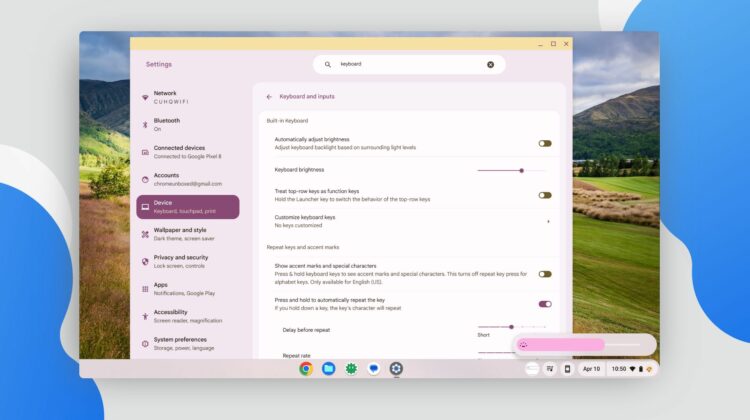
But a new addition is coming to the Settings app in ChromeOS that will soon introduce a simple slider for keyboard brightness in – you guessed it – the keyboard settings. Once you enable the flag (#enable-keyboard-backlight-control-in-settings currently in the Developer Channel), you’ll have a new spot in your keyboard settings to simply adjust your keyboard’s backlight level. Simple, right?

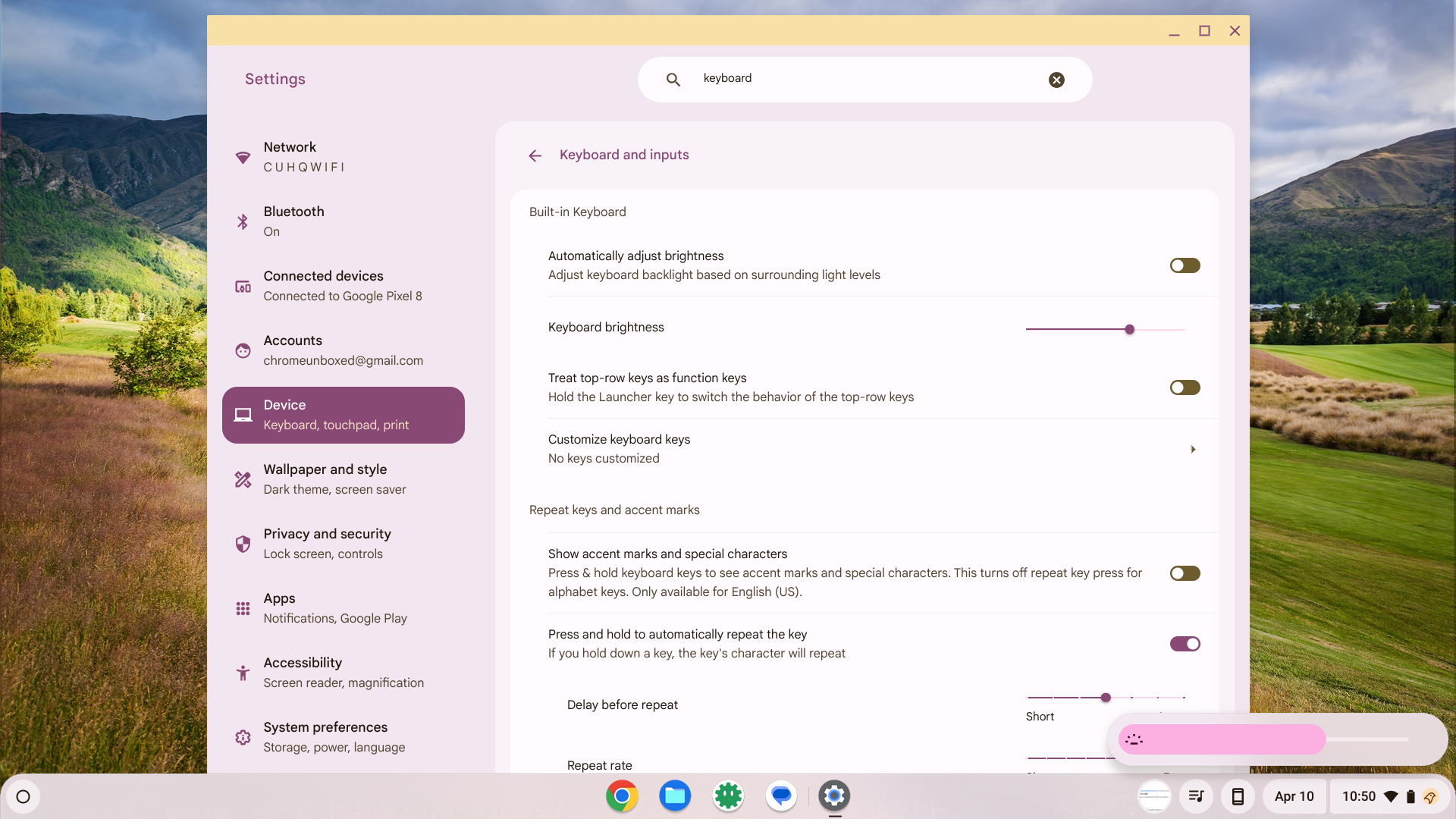
It’s a setting that realistically should have been here all along, but was overlooked for years simply because no one complained too much about it. I suppose it would be a bit like hiding the screen brightness behind a keyboard shortcut and not surfacing the ability to adjust it anywhere else. That would be a bit strange, and after considering it, this omission is as well.

Featured Videos

Xremove ads

I’m glad to see the ChromeOS team taking care of small creature comforts like this, and though it seems like a small thing to seasoned Chromebook vets, I think about all the people who will pick up a Chromebook for the first time in 2024 and am glad little issues like this are getting resolved as we get new updates to the OS on a 4-week basis.

SUBSCRIBE TO UPSTREAM

Get Chrome Unboxed delivered straight to your inbox

Upstream is our flagship, curated newsletter with the top stories, most click-worthy deals, giveaways, and trending articles from Chrome Unboxed sent directly to your inbox a few times a week. Join 31,000+ subscribers.

SUBSCRIBE HERE!

Filed Under: ChromeOS, New & Upcoming Features

About Robby Payne

As the founder of Chrome Unboxed, Robby has been reviewing Chromebooks for over a decade. His passion for ChromeOS and the devices it runs on drives his relentless pursuit to find the best Chromebooks, best services, and best tips for those looking to adopt ChromeOS and those who've already made the switch.

Primary Sidebar

Googlebook

Adobe just released a Premiere beta for Android, but Googlebook will need much more

By Joseph Humphrey
September 1, 2026

Lenovo’s ‘Pen Pro for Googlebook’ hits Bluetooth SIG with wireless charging and gestures

By Robby Payne
September 1, 2026

Googlebook 101: Get caught up before Google’s September 15 press event

By Robby Payne
September 1, 2026

How will Googlebook updates work? Here’s why a decoupled schedule makes total sense

By Robby Payne
August 31, 2026

Why the upcoming Lenovo Googlebook Duet m is the tablet I’ve been waiting on for years

By Robby Payne
August 30, 2026

More Googlebook

Xremove ads

Deals

The best Chromebook deals today

By Robby Payne
August 27, 2026

The best Chromebook ever made is $350 off at Best Buy right now

By Robby Payne
August 21, 2026

The excellent, powerful Acer Chromebook Plus Spin 514 is $150 off right now

By Robby Payne
August 12, 2026

Acer’s new Chromebook 315 is wildly affordable and points to the real future of Chromebooks

By Robby Payne
August 11, 2026

You can score the massively upgraded ASUS CX54 Chromebook Plus for just $599 right now

By Joseph Humphrey
July 28, 2026

More Deals

Xremove ads

Reviews

Acer Chromebook Plus Spin 514 Review: the best convertible you can buy [VIDEO]

By Robby Payne
July 1, 2026

Lenovo Chromebook Plus 2-in-1 Review: pretty great in a vacuum

By Robby Payne
April 23, 2026

My review after 6 weeks with the Lenovo Chromebook Plus 14 [VIDEO]

By Robby Payne
August 11, 2025

One week with the best small Android tablet you can buy, and I’m sold

By Robby Payne
May 9, 2025

Best Chromebooks of 2024 [VIDEO]

By Robby Payne
November 28, 2024

More Reviews

Xremove ads

TWITTER · FACEBOOK · INSTAGRAM · YOUTUBE · EMAIL · ABOUT

Copyright © 2026 · Chrome Unboxed · Chrome is a registered trademark of Google Inc.
We are participants in various affiliate advertising programs designed to provide a means for us to earn fees by linking to affiliated sites.

PRIVACY POLICY