

Support our independent tech coverage. Chrome Unboxed is written by real people, for real people—not search algorithms. Join Chrome Unboxed Plus for just $2 a month to get an ad-free experience, access to our private Discord, and more. Learn more about membership here.
START FREE TRIAL (MONTHLY)START FREE TRIAL (ANNUAL)
While our focus around here tends to gravitate towards Chromebooks, sometimes a piece of hardware arrives that demands attention regardless of the operating system. That’s precisely the case with the Lenovo Legion Tab Gen 3, an Android tablet that recently landed in the office. Announced back at CES, this device piqued my interest for a few key reasons, primarily its blend of a compact form factor with seriously powerful internals – a combination that feels increasingly rare in today’s market.
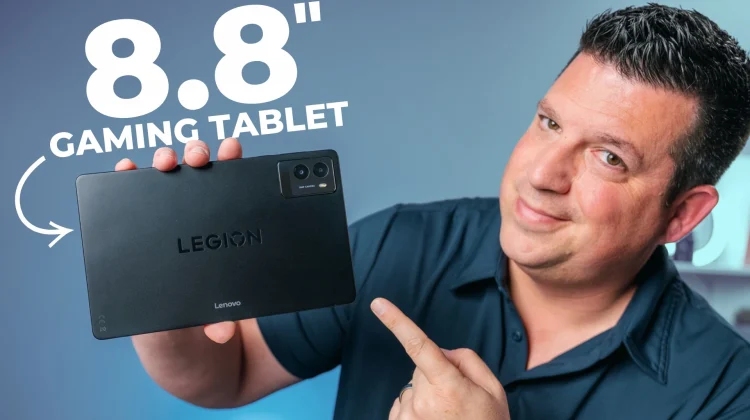
The Android tablet space has largely settled into two camps: large, productivity-focused screens or smaller, often budget-constrained devices. I really have missed the good old days when we had tablets like the Nexus 7 that were supremely portable, excellent for content consumption, yet didn’t feel redundant next to increasingly large smartphones. The Legion Tab, with its 8.8-inch display, aims squarely at that neglected middle ground. It’s large enough to offer a tangible upgrade over a phone screen for media and gaming, but compact enough to remain easily manageable.
What truly sets the Legion Tab apart, however, is Lenovo’s refusal to compromise on specs despite the smaller size. This isn’t just another budget media tablet; it’s positioned as a portable gaming powerhouse. And so far, I’m buying the hype.
Inside the sweet looking box, Lenovo includes more than just the basics. Alongside the tablet itself and the expected paperwork, you’ll find a hefty 68W USB-C charger capable of rapid top-ups. More surprisingly, Lenovo bundles in a screen protector kit (complete with microfiber cloth and dust removers) and a rather nice magnetic folio case that has a gamer-esque aesthetic on the back panel and a detachable magnetic front cover that folds into a triangle stand – a thoughtful inclusion that gives you some extra functionality and security.
Hardware and First Impressions
Picking up the Legion Tab Gen 3, the build quality feels immediately solid and consistent with Lenovo’s reputation. The all-metal chassis sports a sleek, blacked-out finish with subtle Legion branding. While undeniably premium, be prepared for fingerprints – this finish attracts them readily, making the included case even more appreciated.
One standout design choice is the inclusion of two USB-C ports: one on the bottom edge (in portrait orientation) and another on the side. According to Lenovo, both support DisplayPort 1.4 output, and the side port allows for power bypass. This means you can power the tablet directly during intense gaming sessions, reducing heat buildup by not constantly charging the large 6550mAh battery.
Under the hood is where the Legion Tab truly differentiates itself. It’s powered by the capable Snapdragon 8+ Gen 3 processor, paired with a generous 12GB of LPDDR5X RAM and 256GB of fast UFS 3.1 storage. This configuration should handle demanding games and multitasking without breaking a sweat.
The display is equally impressive on paper: an 8.8-inch QHD+ (2560 x 1600) IPS panel with a 165Hz refresh rate. It boasts 500 nits of typical brightness, 98% DCI-P3 color gamut coverage, and support for both HDR10 and Dolby Vision®. In initial use, the screen lives up to the specs – it’s incredibly sharp, colors are vibrant, viewing angles are excellent, and the high refresh rate makes everything feel exceptionally smooth.
Lenovo hasn’t neglected audio, either. The dual speakers, optimized with Dolby Atmos®, produce surprisingly loud and full sound for a device this size, offering a notable amount of bass that puts many larger devices to shame. Complementing the audio are what Lenovo calls “Dual X-axis haptics,” which deliver surprisingly intense feedback during all sorts of interactions. Here’s the full spec breakdown:
- Processor: Qualcomm® Snapdragon® 8+ Gen 1 Mobile Platform
- Operating System: Android™ 14
- Display:
- Size: 8.8 inches
- Resolution: QHD+ (2560 x 1600)
- Type: IPS LCD
- Refresh Rate: 165Hz
- Brightness: 500 nits (typical) – 900 nits HBM
- Color Gamut: 98% DCI-P3
- Features: HDR10, Dolby Vision®, TÜV Rheinland® Certified Low Blue Light
- Memory: 12GB LPDDR5X RAM
- Storage: 256GB UFS 4.0
- Battery: 6550mAh w/68W charger
- Audio: Dual speakers optimized with Dolby Atmos®
- Cameras:
- Rear: 13MP Auto-Focus + 2MP Fixed-Focus Macro
- Front: 8MP Fixed-Focus
- Ports:
- 1 x USB-C 3.2 Gen 2 (supports DisplayPort™ 1.4, charging, data transfer)
- 1 x USB-C 2.0 (charging, data transfer)
- MicroSD card slot (expandable up to 1TB)
- Connectivity:
- WiFi: WiFi 7 (802.11a/b/g/n/ac/ax/be) 2.4GHz/5GHz/6GHz
- Bluetooth: Bluetooth® 5.4
- Dimensions (H x W x D): 7.79mm x 208.54mm x 129.46mm (0.31″ x 8.21″ x 5.10″)
- Weight: Starting at 350g (0.77lbs)
Filling a Niche
Running Android 14 out of the box, the software experience feels relatively clean, incorporating Android’s native tablet optimizations like the taskbar for easier app switching. Having never extensively used Lenovo’s Android skin, I’ll need to actually spend some time with it to see how it really operates; but so far, initial navigation feels responsive.
In an era of massive phones, the utility of a small tablet can seem questionable. However, pairing a device like the Legion Tab with a more reasonably sized phone (like the Pixel 9a I’m testing right now) creates a compelling duo. You get enhanced media consumption, a more immersive gaming experience, and a better reading platform on the tablet without carrying two overly similar large screens. Its 16:10 aspect ratio lends itself well to both portrait tasks like reading and landscape activities like video and gaming.
It’s refreshing to see a manufacturer invest in a high-spec tablet in this sub-10-inch category. The Legion Tab Gen 3 feels like a modern successor to the Nexus 7, supercharged for basically anything you’d want to do on a 8.8-inch tablet. I’m very excited to put it through the paces, testing gaming performance, battery life, and how well it integrates as a daily companion device. Stay tuned!
SUBSCRIBE TO UPSTREAM
Get Chrome Unboxed delivered straight to your inbox
Upstream is our flagship, curated newsletter with the top stories, most click-worthy deals, giveaways, and trending articles from Chrome Unboxed sent directly to your inbox a few times a week. Join 31,000+ subscribers.

