

Support our independent tech coverage. Chrome Unboxed is written by real people, for real people—not search algorithms. Join Chrome Unboxed Plus for just $2 a month to get an ad-free experience, access to our private Discord, and more. Learn more about membership here.
START FREE TRIAL (MONTHLY)START FREE TRIAL (ANNUAL)
While today’s video calls are functional, they lack that true sense of presence. Well, HP and Google are taking a massive swing at solving that problem with the new HP Dimension with Google Beam, and it looks every bit as incredible as the early tech demos promised.
This is the first commercial product built on the technology formerly known as “Project Starline,” which you may have seen in MKBHD’s YouTube deep-dive. Now, this mind-bending tech is moving out of Google’s labs and into the enterprise world.
So, what’s it actually like?
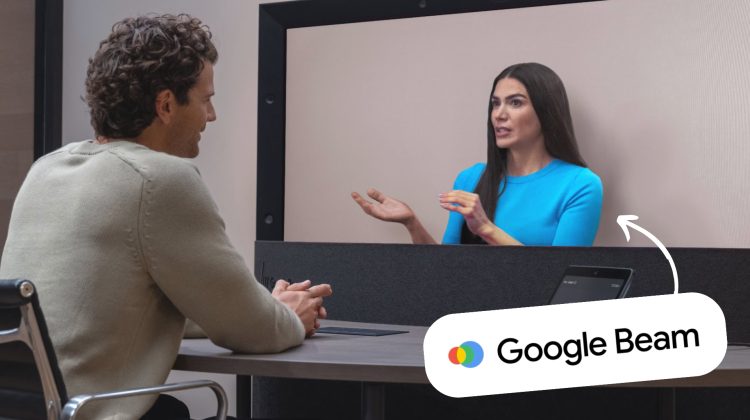
Based on the early demos of the underlying tech, using this system is unlike any video call you’ve ever had. It’s not a hologram, and it’s not just a 3D video. The system uses a special 65-inch light field display that shows a slightly different image to each of your eyes, creating a true sense of depth that your brain interprets as a real, 3D person sitting across from you.

Thanks to seamless head and body tracking, you can move around, and the perspective shifts perfectly, allowing you to “look around” the other person or inspect an object they’re holding as if you were in the same room. It even nails one-to-one eye contact and uses spatial audio, making conversations feel remarkably natural and authentic.
How the “magic” works
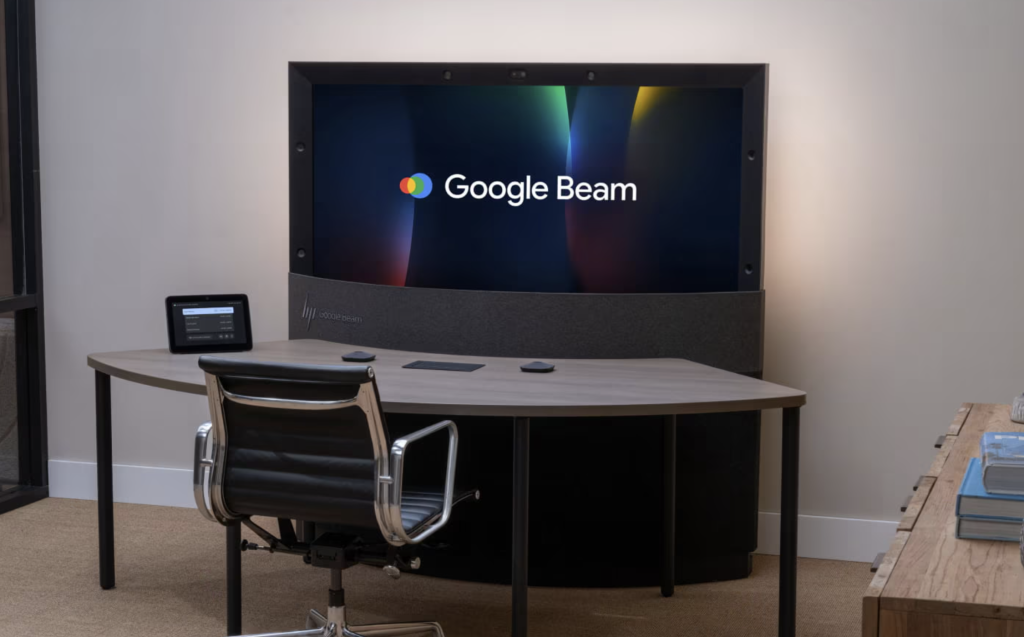
The HP Dimension accomplishes this with an array of six color cameras and advanced AI. It ditches the complex mess of sensors from early prototypes and instead uses AI to generate a detailed, real-time 3D model of the person on the other end, complete with accurate lighting and textures. HP’s testing showed that this realism has a measurable impact, with users reporting a 28% increase in memory recall and displaying up to 39% more non-verbal behaviors compared to traditional video calls.
This isn’t just a cool gimmick; it’s designed to make virtual collaboration more effective. For businesses, it’s built to play nice with the tools they already use, offering a native Zoom Rooms or Google Meet experience and interoperability with services like Teams and Webex.
The future is here… for a price
Now, before you get ready to replace your webcam, let’s talk about the elephant in the room: the price. The HP Dimension with Google Beam will be available to select enterprise customers starting in late 2025 for $24,999, with the Google Beam software license sold separately. So no, this isn’t a consumer device by any means. This is a high-end, enterprise-grade solution aimed at organizations looking to bridge the communication gap for their distributed workforces.
While the price tag puts it out of reach for most of us for now, the HP Dimension with Google Beam is a hugely exciting step forward. It’s the first real commercial product built on a technology that could fundamentally change how we connect when we’re miles apart. This is the future of virtual communication made real, and we can’t wait to see where it goes from here.
SUBSCRIBE TO UPSTREAM
Get Chrome Unboxed delivered straight to your inbox
Upstream is our flagship, curated newsletter with the top stories, most click-worthy deals, giveaways, and trending articles from Chrome Unboxed sent directly to your inbox a few times a week. Join 31,000+ subscribers.

