

Support our independent tech coverage. Chrome Unboxed is written by real people, for real people—not search algorithms. Join Chrome Unboxed Plus for just $2 a month to get an ad-free experience, access to our private Discord, and more. Learn more about membership here.
START FREE TRIAL (MONTHLY)START FREE TRIAL (ANNUAL)
Last week at the latest Google Chromebook showcase event in New York City, there were a ton of new software features announced alongside the undeniable star of the show: the new Lenovo Chromebook Plus 14. Despite its simple name, this Chromebook is absolutely packed with incredible hardware, and it’s clear that Google and Lenovo have positioned this to be the new go-to recommendation for anyone seeking a high-end Chromebook Plus experience.
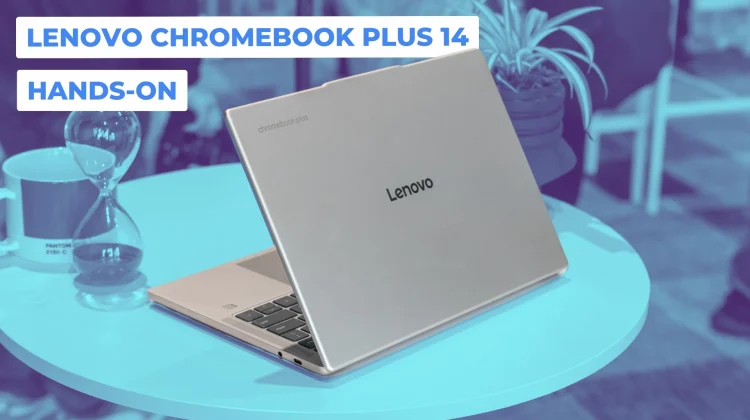
And after getting my hands on it, I can tell you that in many ways, they have absolutely nailed it. In fact, it’s giving me some serious Pixelbook Go vibes. But don’t be fooled by its somewhat commonplace, understated aluminum exterior. The rounded corners and the feel in the hand are immediately reminiscent of the Pixelbook Go, but the clincher is on the bottom: the ridged, grippy base from Google’s beloved 2019 Chromebook makes a fantastic return. It’s clear this was a close collaboration between Google and Lenovo, and that DNA is unmistakable.
At just 2.5 pounds, it feels great to hold, and the build quality is very firm. It’s the kind of subtle, premium hardware that doesn’t scream for attention but feels exceptional to actually use.
A fully-packed spec sheet
Under the hood is where things get really exciting. This is the first Chromebook to ship with the all-new MediaTek Kompanio Ultra, a processor we’ve been tracking for a long time. Let me be clear: this is the most powerful processor, period, that has ever been in any Chromebook. And since it’s an ARM chip, it’s completely fanless.
But that power doesn’t come at the expense of battery life. Lenovo is claiming up to 17 hours, which, if true, would be staggering for a device this powerful and fanless. It also boasts a gorgeous 14-inch, 16:10 OLED display (1920×1200) that is super-bright with those beautiful inky blacks we love. And for the first time on any Chromebook, this device ships with a quad-speaker setup enhanced with Dolby Atmos. The spec sheet is rounded out with a 5MP camera, a great-feeling glass trackpad, a backlit keyboard, and up to 16GB of RAM (12GB in the base model).
A quick look at the new on-device AI
The power of the Kompanio Ultra is being put to good use with some new on-device AI features right out of the gate. During the demo, I saw the new auto tab grouping in action, where the OS suggested organizing a handful of space-related tabs into a new, dedicated desk.
You can also now use the new Quick Insert key to generate AI images directly inside an application. While in a Google Doc, I was able to simply ask it to create an image of a hamburger, and a few seconds later, a high-quality AI-generated image was ready to be dropped into my document. It’s a seamless and powerful way to integrate AI into your workflow.
Configurations and price
The Lenovo Chromebook Plus 14 will be available starting at a very aggressive $649. That base model will feature a non-touch version of the OLED display, 12GB of RAM, and likely 128GB of storage (that part was unclear).
However, the model we had our hands on, which bumps up to a touchscreen, 16GB of RAM, and 256GB of storage, will be priced at just $749. For just $100 more, you get a touchscreen, more RAM, and double the storage, which feels like an incredible value. This device should be hitting stores like Best Buy and Lenovo.com today.
I walked away from my time with this device incredibly excited. I can’t wait to see how the Kompanio Ultra performs in day-to-day use, how it handles intensive Android apps, and if that 17-hour battery life holds up. Its unassuming exterior hides what might just be the new hero of the Chromebook world and a bit of a spiritual successor to the Pixelbook Go. We can’t wait to get one in the office for a full review.
SUBSCRIBE TO UPSTREAM
Get Chrome Unboxed delivered straight to your inbox
Upstream is our flagship, curated newsletter with the top stories, most click-worthy deals, giveaways, and trending articles from Chrome Unboxed sent directly to your inbox a few times a week. Join 31,000+ subscribers.

