

Support our independent tech coverage. Chrome Unboxed is written by real people, for real people—not search algorithms. Join Chrome Unboxed Plus for just $2 a month to get an ad-free experience, access to our private Discord, and more. Learn more about membership here.
START FREE TRIAL (MONTHLY)START FREE TRIAL (ANNUAL)
Google is expanding the creative capabilities of its Gemini app once again, moving beyond text and images into the realm of custom audio. Powered by Google DeepMind’s latest Lyria 3 model, users can now generate 30-second musical tracks directly within the Gemini interface. This update represents a significant step in making generative music accessible to the general public, shifting from professional-grade sandbox experiments to a fun, social-first tool for daily expression.
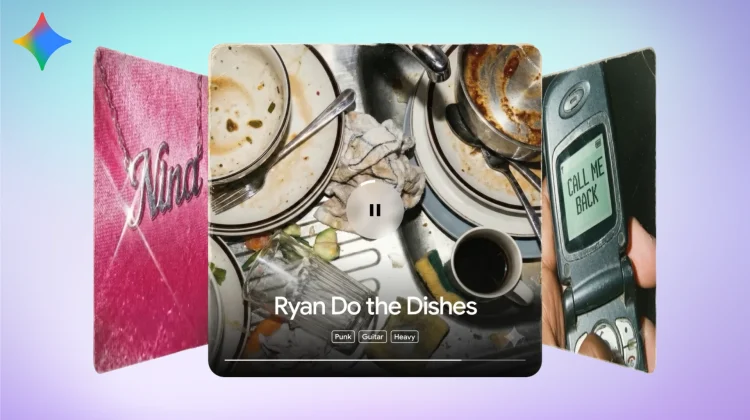
Currently in beta, the integration allows for high-quality audio creation using either text prompts or visual uploads. Whether you are looking to create a specific backing track for a social post or just want to hear what a “comical R&B slow jam about a lost sock” sounds like, Lyria 3 handles everything from the melody and tempo to the vocal performance and lyrics.
Creative control and multimodal inputs
The standout feature of this release is how it leverages Gemini’s multimodal nature. While text-to-music isn’t entirely new, the ability to upload a photo or video as a creative seed is a powerful addition. By analyzing the visual content of an image Gemini can compose a track with lyrics and a mood that perfectly match the scene.
Lyria 3 improves upon its predecessors by offering more granular creative control over elements like style and vocals. It also removes the friction of songwriting by automatically generating lyrics based on your prompt context. These tracks come complete with custom cover art generated by Google’s Nano Banana model, making the final 30-second clip ready for instant sharing via download or a direct link.
Responsible AI and verification
As with its image and video generation tools, Google is leaning heavily into responsible deployment. Every track generated by Lyria 3 is embedded with SynthID and Google is also expanding its verification tools within the Gemini app. Users can now upload an audio file and ask Gemini to verify if it was created using Google’s AI tools, providing a necessary layer of transparency in the age of deepfakes.
Google has also implemented strict filters to prevent the mimicry of existing artists. If you attempt to prompt for a track in the style of a specific famous musician, Gemini is designed to treat that name as a broad stylistic suggestion rather than a command to replicate their unique voice or copyrighted works.
Availability and rollout
Music generation with Lyria 3 is rolling out today on the web for users 18 and older. It supports a wide range of languages, including English, German, Spanish, French, Hindi, Japanese, Korean, and Portuguese. Mobile users on Android and iOS should see the feature appear in their Gemini apps over the next several days. As expected with Google’s current subscription model, while the tool is available to all users, those on Google AI Plus, Pro, and Ultra tiers will benefit from higher generation limits.
SUBSCRIBE TO UPSTREAM
Get Chrome Unboxed delivered straight to your inbox
Upstream is our flagship, curated newsletter with the top stories, most click-worthy deals, giveaways, and trending articles from Chrome Unboxed sent directly to your inbox a few times a week. Join 31,000+ subscribers.

