


Support our independent tech coverage. Chrome Unboxed is written by real people, for real people—not search algorithms. Join Chrome Unboxed Plus for just $2 a month to get an ad-free experience, access to our private Discord, and more. Learn more about membership here.
START FREE TRIAL (MONTHLY)START FREE TRIAL (ANNUAL)
When Google Vids first launched, it promised to be the “Docs, Sheets, and Slides” of video creation—a collaborative, easy-to-use tool that lived right in your browser. But for a while, the coolest magic tricks—specifically the powerful Gemini AI features—were locked behind paid Workspace subscriptions. That is all changing now.
Google announced that it is officially expanding access to Gemini in Google Vids to anyone with a personal Gmail account. This means the powerful AI tools that help you build, polish, and edit videos are no longer exclusive to enterprise users.
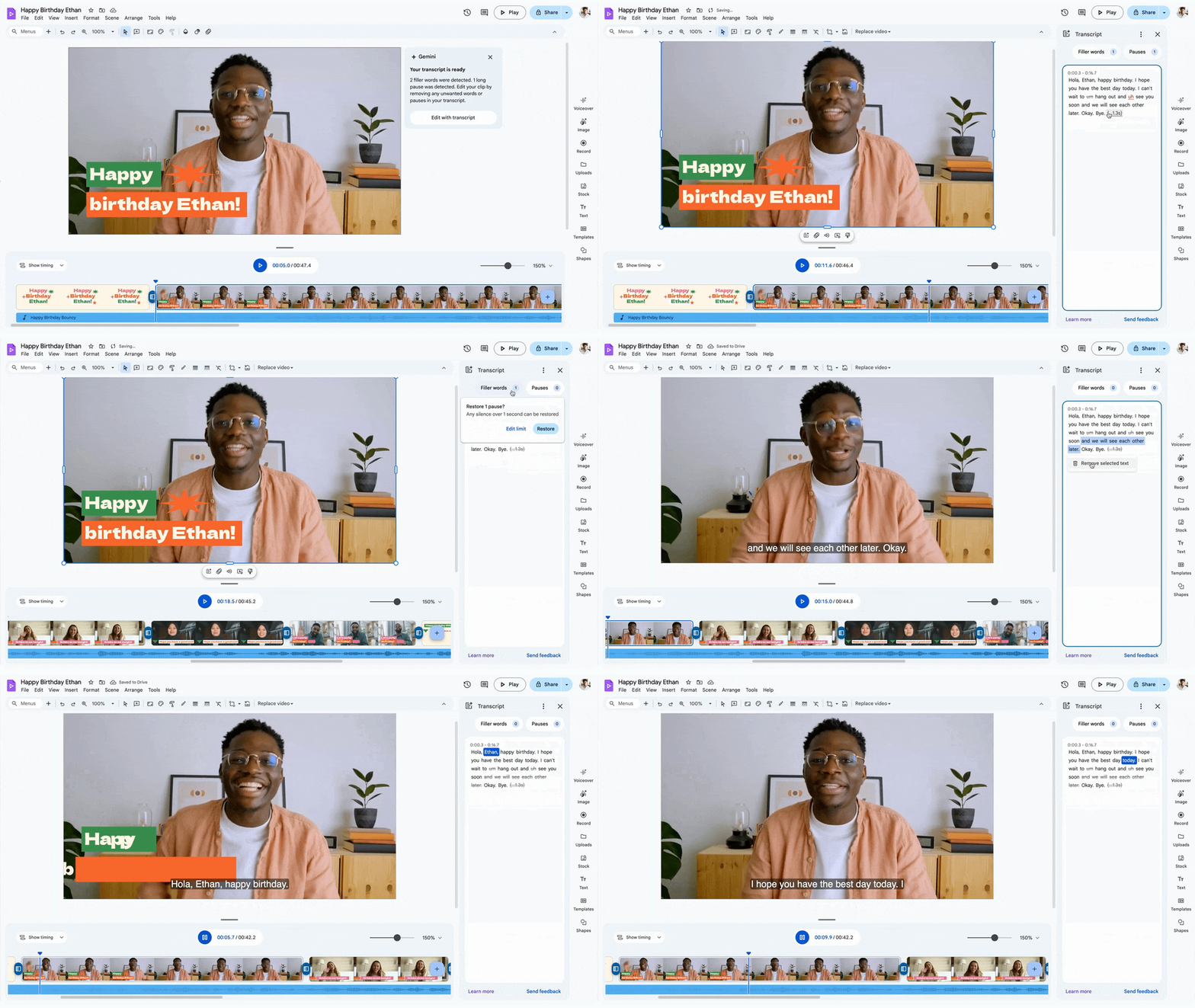
According to the announcement, free users now get access to a suite of features that honestly make video editing feel like cheating:
- “Help me create”: You can use Gemini to turn a simple prompt or idea into a full video outline or storyboard.
- AI Voiceovers: If you hate recording your own voice, you can choose from preset professional AI voices to narrate your video.
- Transcript Trimming: Instead of scrubbing through a timeline to cut out silence or “ums” and “ahs,” you just edit the text transcript, and Vids edits the video for you.
- AI Image Generation: Need a specific visual to make a slide pop? You can generate images directly within the editor.
Who it’s for
Google frames this as a tool for everything from “vacation highlight reels” to “promotional shorts for your side hustle.” And that’s the beauty of it. Video editing has traditionally had a massive learning curve. By bringing these features to personal accounts, Google is trying to make video creation as ubiquitous and simple as making a slide deck.
Is there a catch?
While the features are free, it’s worth noting that Google typically uses a “credit” system for these generative AI tools on personal accounts. While the blog post didn’t explicitly detail the cap, personal accounts usually get a set monthly allowance of 100 credits for these high-demand AI tasks. So, while it’s free, you’ll still want to use your credits wisely.
To help new users hit the ground running, Google has also launched a “Vids on Vids” instructional series on YouTube. If you’ve been waiting to try this out, head over to Google Vids and sign in with your personal account. The playground is wide open.
SUBSCRIBE TO UPSTREAM
Get Chrome Unboxed delivered straight to your inbox
Upstream is our flagship, curated newsletter with the top stories, most click-worthy deals, giveaways, and trending articles from Chrome Unboxed sent directly to your inbox a few times a week. Join 31,000+ subscribers.

