

Support our independent tech coverage. Chrome Unboxed is written by real people, for real people—not search algorithms. Join Chrome Unboxed Plus for just $2 a month to get an ad-free experience, access to our private Discord, and more. Learn more about membership here.
START FREE TRIAL (MONTHLY)START FREE TRIAL (ANNUAL)
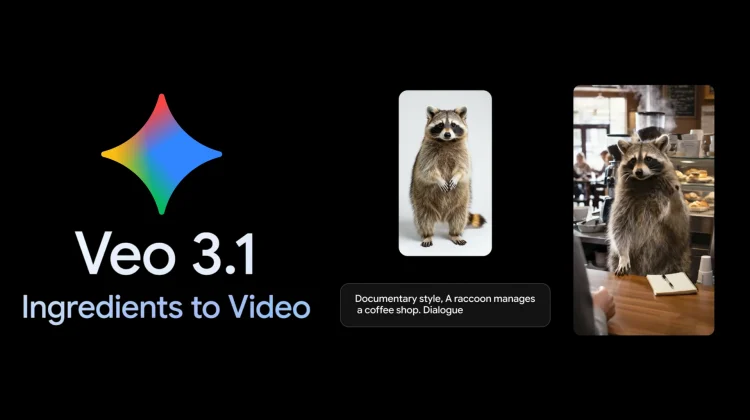
Google’s relentless improvements in generative AI continue today with a significant update to Veo 3.1 that introduces a suite of features designed to move AI-generated content beyond experimental clips and into the realm of professional-grade, high-fidelity production. The update focuses on three core pillars: “Ingredients to Video” consistency, native vertical support for mobile-first content, and high-resolution upscaling.
Perhaps the most impressive technical leap in this version is the refinement of character and environment consistency. One of the primary hurdles in AI video has always been maintaining the “identity” of a character or a setting across multiple scenes. With Veo 3.1, users can provide “ingredient” images to anchor the AI, ensuring that a character’s appearance or a specific background remains stable even as the camera moves or the narrative shifts. This level of control is essential for storytellers who want to move past single-shot wonders and create cohesive, multi-scene narratives.
Mobile-first creation and professional fidelity
Recognizing the dominance of short-form video, Google is introducing native vertical output (9:16 aspect ratio) for its “Ingredients to Video” workflow. Previously, creators often had to crop horizontal AI video, leading to quality loss and awkward framing. This native support allows for full-screen storytelling specifically tailored for platforms like YouTube Shorts and YouTube Create, highlighting Google’s intent to put professional-level tools directly into the hands of mobile creators.
For those working on larger screens, Veo 3.1 now includes state-of-the-art upscaling to 1080p and 4K resolutions. These higher fidelity options are rolling out to professional and enterprise environments like the Gemini API, Vertex AI, and Google Vids. By offering broadcast-ready clarity and rich textures, Google is positioning Veo as a viable tool for high-end production workflows rather than just a novelty for social media.
Integration across the Google ecosystem
Google is making these new capabilities accessible across its entire product stack. Consumers can start experimenting with the enhanced Veo 3.1 features within the Gemini app and YouTube starting today. On the professional side, the expanded API support and 4K options provide developers with the power to integrate high-quality video generation directly into their own applications.
As with its image generation tools, Google is maintaining a focus on transparency and safety. All videos generated through these tools are embedded with SynthID, an imperceptible digital watermark. Furthermore, the Gemini app has been updated to allow users to verify video content; you can simply upload a clip and ask Gemini if it was generated by Google’s AI. This commitment to a transparent ecosystem is a necessary foundation as these tools become more capable of creating lifelike content.
SUBSCRIBE TO UPSTREAM
Get Chrome Unboxed delivered straight to your inbox
Upstream is our flagship, curated newsletter with the top stories, most click-worthy deals, giveaways, and trending articles from Chrome Unboxed sent directly to your inbox a few times a week. Join 31,000+ subscribers.

