

Support our independent tech coverage. Chrome Unboxed is written by real people, for real people—not search algorithms. Join Chrome Unboxed Plus for just $2 a month to get an ad-free experience, access to our private Discord, and more. Learn more about membership here.
START FREE TRIAL (MONTHLY)START FREE TRIAL (ANNUAL)
The great YouTube Music migration, promised many months ago, is finally beginning. Users left and right are starting to see the pop-up dialog in the YouTube Music app that begins the process of moving your songs, albums, playlists, purchases, uploads, personalized tastes, recommendations, and your liked and disliked songs over to the service from the soon-to-expire Google Play Music.
We’ll save commentary on whether or not this entire move by Google is the right direction or not until YouTube Music fully takes the place of Google Play Music. Whether we all like it or hate it, Google is moving forward with this transition and there’s nothing stopping it. I think YouTube Music deserves a legitimate trial, but for me, I can’t even really do that until all my preferences and music is moved over. I thought about manually doing this, but I honestly don’t have the time to spend digging through my current library, moving a ton of things around that I won’t have to move eventually.
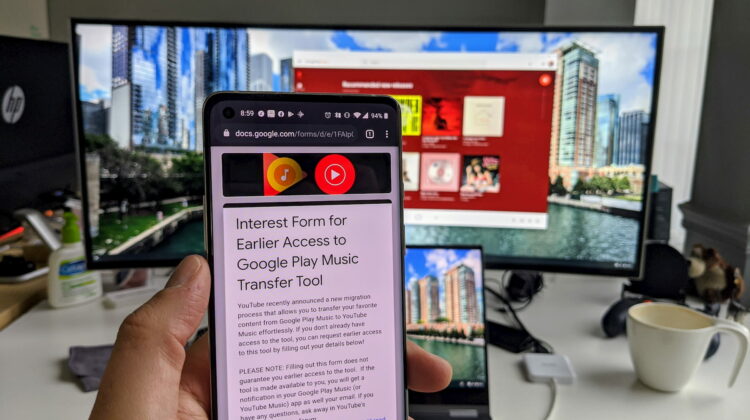
Like many of you, however, I’m still waiting on my turn to begin this promised migration. As a matter of fact, no one in my social circles has had the prompt to move just yet, so I have no first-hand experience with it to even know how well it all works. It’s been a bit of a bummer, really, because I want to fully evaluate YouTube Music without caveat to see if I will stick with it or finally make the move over to Spotify after all these years. If you find yourself in the same boat, it turns out there is a form Google has set up that may help speed along your migration process. However, it is worth noting that Google is making it clear that:
Filling out this form does not guarantee you earlier access to the tool. If the tool is made available to you, you will get a notification in your Google Play Music (or YouTube Music) app as well your email.
As long as this part is understood, everyone is eligible to fill out the form and cross your fingers that you get included sooner rather than later. Ultimately, everyone will get their chance to migrate with or without this form. If you’re keen on getting some real use time in YouTube Music, however, this form may help you get to that point a bit quicker than you previously would have. Based on early thoughts and reviews of the service, that may simply mean more of us finally move on from Google as our streaming music provider, but I’d encourage a solid trial before making any judgement. I do love that ad-free YouTube Premium after all, so I have to decide if keeping that and paying for yet another monthly service is really worth it or if YouTube Music is a workable solution for me.
SOURCE: 9to5 Google
Shop All The Latest Chromebook Deals
SUBSCRIBE TO UPSTREAM
Get Chrome Unboxed delivered straight to your inbox
Upstream is our flagship, curated newsletter with the top stories, most click-worthy deals, giveaways, and trending articles from Chrome Unboxed sent directly to your inbox a few times a week. Join 31,000+ subscribers.

