

Support our independent tech coverage. Chrome Unboxed is written by real people, for real people—not search algorithms. Join Chrome Unboxed Plus for just $2 a month to get an ad-free experience, access to our private Discord, and more. Learn more about membership here.
START FREE TRIAL (MONTHLY)START FREE TRIAL (ANNUAL)
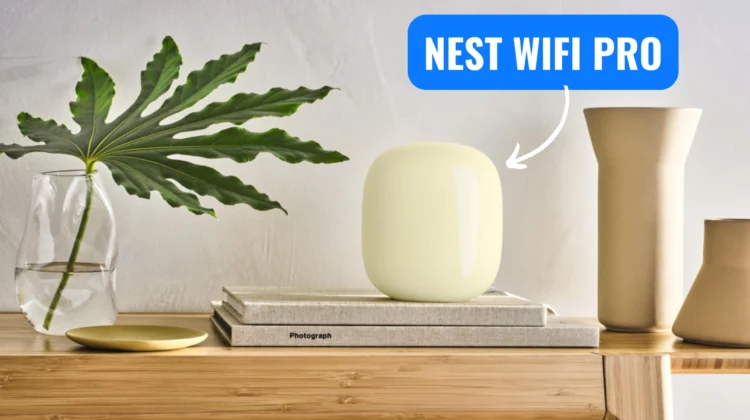
Google’s Nest Wifi Pro, despite being a couple of years old now, just received a fresh software update aimed at improving the mesh networking experience. This follows a previous firmware update back in August that was aimed at addressing connection issues, and both updates show that Google is still actively supporting and refining their flagship router. Software version 3.74.442328, rolling out as of December 18th, brings some notable enhancements:
- Improved Wi-Fi Mesh connection stability: This suggests Google has addressed underlying issues that may have caused intermittent connectivity or weaker-than-expected mesh performance.
- Enhanced roaming experience: Switching between the main router and mesh points should now be faster and smoother, which is crucial for seamless connectivity as you move around your home.
- Faster switching speeds: This builds on the improved roaming, specifically targeting the speed at which your devices transition between different mesh nodes. This should eliminate those moments of lag or dropped connections when moving from room to room.
In addition to these core improvements, the update also includes the usual “stability and security vulnerability fixes,” ensuring your network remains reliable and protected.
This update is primarily focused on optimizing the mesh capabilities of the Nest Wifi Pro, especially for those utilizing multiple access points. It’s encouraging to see Google continuing to invest in improving the performance of their routers over time instead of shipping new models and forgetting about the old ones.
As always, these Nest Wifi Pro updates happen automatically overnight, so you shouldn’t have to lift a finger. However, if you’re eager to confirm, you can check your software version through the Google Home app. Just navigate to your Nest Wifi Pro in the app, tap the settings gear icon, and look for “Software version” under Device settings.
VIA: 9to5 Google
SUBSCRIBE TO UPSTREAM
Get Chrome Unboxed delivered straight to your inbox
Upstream is our flagship, curated newsletter with the top stories, most click-worthy deals, giveaways, and trending articles from Chrome Unboxed sent directly to your inbox a few times a week. Join 31,000+ subscribers.

