


Support our independent tech coverage. Chrome Unboxed is written by real people, for real people—not search algorithms. Join Chrome Unboxed Plus for just $2 a month to get an ad-free experience, access to our private Discord, and more. Learn more about membership here.
START FREE TRIAL (MONTHLY)START FREE TRIAL (ANNUAL)
Announced just a few days ago, Google looks to finally be bringing 1080p video streams to Google Meet for many of its paying users. We’ll talk about who’s in and who’s out shortly, but this change is a big deal as it gets Meet on the same level as rivals like Zoom and Microsoft Teams that have had options for 1080p calls for some time now.
The move likely comes as an option now that life has largely returned to normal in our post-pandemic reality. Think about it: back in 2020 and 2021, more people were working from home than ever before, and nearly all of them were participating in online video chats for a large portion of the day. Considering the load that much live streaming put on Google, Microsoft, and Zoom servers, it only made sense to keep things at 720p to make sure connections remained smooth.
Fast forward to today, and not only are there less people in video chats every day, but Google Meet is also more limited for non-paying customers. This combination is precisely why we can finally get higher-quality calls for paying users versus non-paid ones and why – if you are in video calls much of the time – you might want to consider becoming a paid Googler at this point.
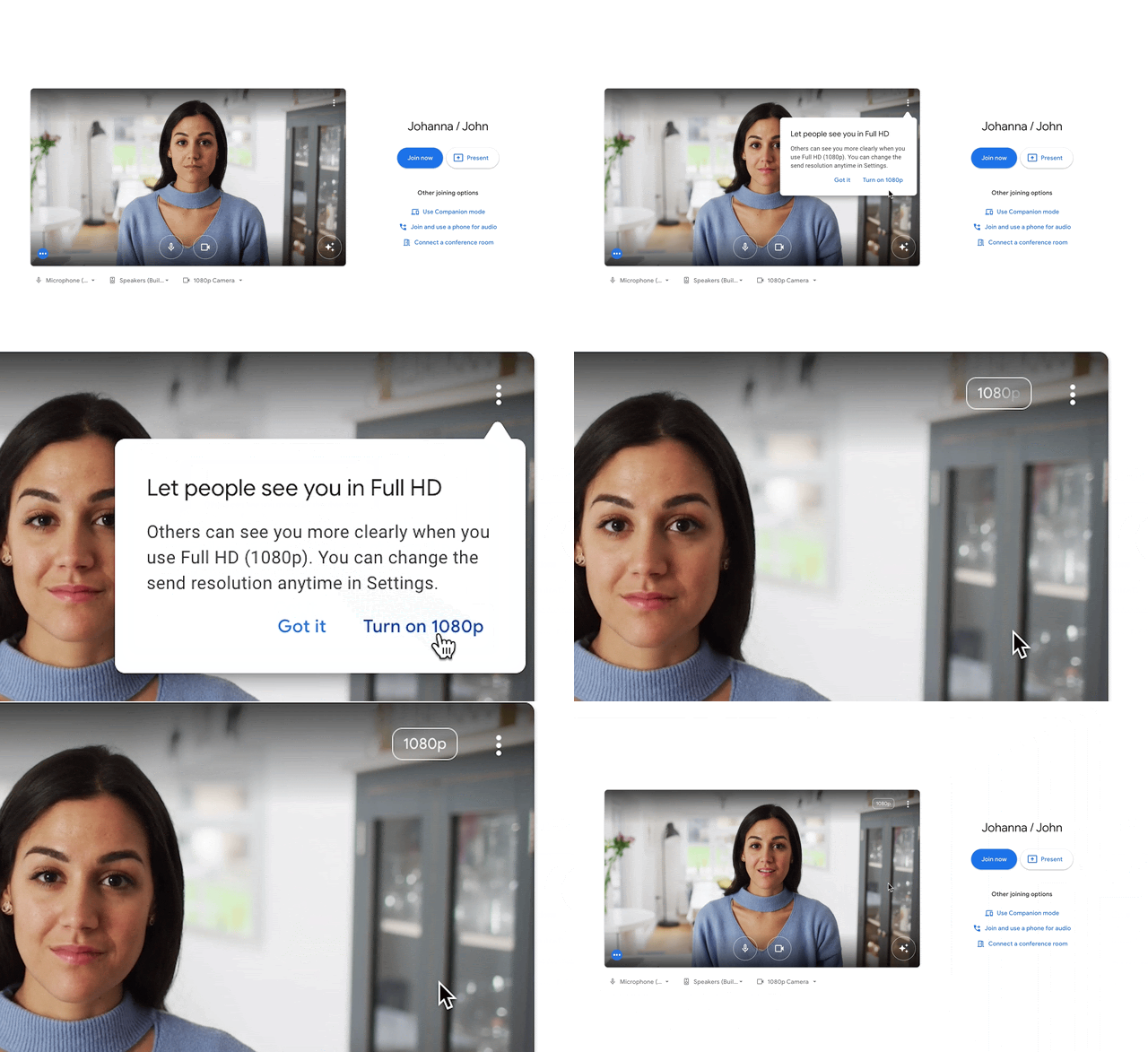
Who has 1080p on the way?
According to the info directly from Google, many paid Google account types – both Workspace and Google One – are in line to get this updated ability. When it does hit your account, you should see the notification before hopping into your next meeting as shown above. Here are those account types getting the update for now and those not eligible for the time being:
- Google Workspace
- Business Standard
- Business Plus
- Enterprise Starter
- Enterprise Standard
- Enterprise Plus
- Teaching and Learning Upgrade
- Education Plus
- Enterprise Essentials
- Frontline customers
- Google One
- Subscribers with 2TB or more storage space with eligible devices.
- Currently not getting 1080p
- Google Workspace Essentials
- Business Starter
- Education Fundamentals
- Education Standard
- Nonprofits
- G Suite Basic and Business
- Personal Google Accounts
Again, if your account is on the unsupported list and you find yourself using Google Meet for hours on end, it might be time to consider an upgrade. On the flip side, Google has been known to roll this stuff out to paid users first and trickle things down to the lower/free tiers over time. It might be worth waiting out that update if you aren’t desperate for more visual fidelity right away.
Be patient – 1080p is on the way to your account
If you are like me, you’ve already loaded up Google Meet and tried to set things to 1080p. You’ll likely need to exercise a bit of patience, however, as Google is saying this roll out will take up to 15 days for some accounts. As it was announced less than 48 hours ago, I’d say to be prepared to wait a bit. While I can’t wait to see Google Meet calls in 1080p, there’s not much I can do at this point to force it to happen, and the same goes for you, too. When it does arrive, however, it is going to make video calls feel far more personal in Google Meet and, if you ask me, that’s an upgrade worth a bit of an upgrade cost.
SUBSCRIBE TO UPSTREAM
Get Chrome Unboxed delivered straight to your inbox
Upstream is our flagship, curated newsletter with the top stories, most click-worthy deals, giveaways, and trending articles from Chrome Unboxed sent directly to your inbox a few times a week. Join 31,000+ subscribers.

