

Support our independent tech coverage. Chrome Unboxed is written by real people, for real people—not search algorithms. Join Chrome Unboxed Plus for just $2 a month to get an ad-free experience, access to our private Discord, and more. Learn more about membership here.
START FREE TRIAL (MONTHLY)START FREE TRIAL (ANNUAL)
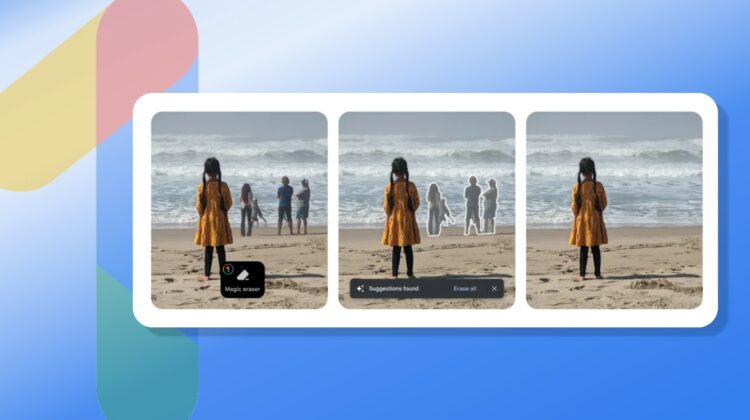
Each year when Google brings out a new Pixel phone, there are usually a few Pixel-only features attached to it. With Pixel 6 and Pixel 6 Pro, one of the primary examples of this was Magic Eraser and its ability to easily detect and remove unwanted extras from the overall composition of your photos. While this ability is something other photo software is capable of, Google’s version did it very well and placed it directly in the built-in Photos app with very little friction for the end user.
Thanks to some updates for Google One users, this previously Pixel-only feature is now coming to Android and iOS phones both. If you are subscribed to Google One with any of the existing plans, you’ll soon have access to a few new abilities in the Google Photos app, including the very-useful Magic Eraser.

In addition to this, Google One users will also be getting access to the HDR video tool, allowing them to better balance existing videos with enhanced brightness and contrast, un-crushing the shadows in existing videos and calming down the oft-blown-out highlights. Just like the other quick-fixes we have in Google Photos for still pictures, this quick touch-up will have your videos looking far better with the press of a button.

Google is also bringing an updated collage editor to Google Photos for Google One users, too, and prints will now be shipping for free to Google One members in the US, Canada, EU, and UK. While printing stacks of photos isn’t as much of a thing as it once was, photo books, canvases and larger prints are still awesome in your home and as gifts, so this is a nice perk for sure.
Google is sharing the wealth
Across the board, I love seeing features like this that entice users to try Google’s extended software services rather than pushing them to buy a particular phone. For the time being, Google still has a long, long way to go before they can really battle Apple and Samsung for a large chunk of smartphone hardware market share; so when cool software features are stuck behind a Pixel-only wall, lots of users miss out.
I have yet to get the update, but I’m hoping these new features will work on my Chromebook with Google Photos as well. Having access to tools like Magic Eraser and HDR video effects will be handy on the desktop when needed, for sure. And as time goes on, hopefully these moves continue to be the norm for Google. With a built-in VPN, file storage, Android backup, 10% off at the Google Store and more, Google One is a solid offering that is worth the cost if you operate in Google’s software ecosystem. Using it to continue to add features and value is a smart play by Google, and it’s a net win for users, too.
SUBSCRIBE TO UPSTREAM
Get Chrome Unboxed delivered straight to your inbox
Upstream is our flagship, curated newsletter with the top stories, most click-worthy deals, giveaways, and trending articles from Chrome Unboxed sent directly to your inbox a few times a week. Join 31,000+ subscribers.

