


Support our independent tech coverage. Chrome Unboxed is written by real people, for real people—not search algorithms. Join Chrome Unboxed Plus for just $2 a month to get an ad-free experience, access to our private Discord, and more. Learn more about membership here.
START FREE TRIAL (MONTHLY)START FREE TRIAL (ANNUAL)
Quick Share has rapidly become a go-to tool for Android and ChromeOS users, bridging the gap for easy, nearby file transfers in a way that feels seamless and simple. While the current interface gets the job done effectively, it appears Google is preparing to give this essential feature a significant visual and functional refresh.
Evidence uncovered in the latest Google Play Services beta (version 25.15.31) points to a substantial UI redesign for Quick Share. The folks over at Android Authority managed to activate this new interface, giving us an early glimpse at what might be coming down the pipeline – complete with a video walk-through of it all in action.
The most immediate change is a simplified landing page. Instead of the current layout, users will be met with two prominent buttons: ‘Receive’ and ‘Send’. This streamlines the initial interaction, guiding users directly to their intended action.
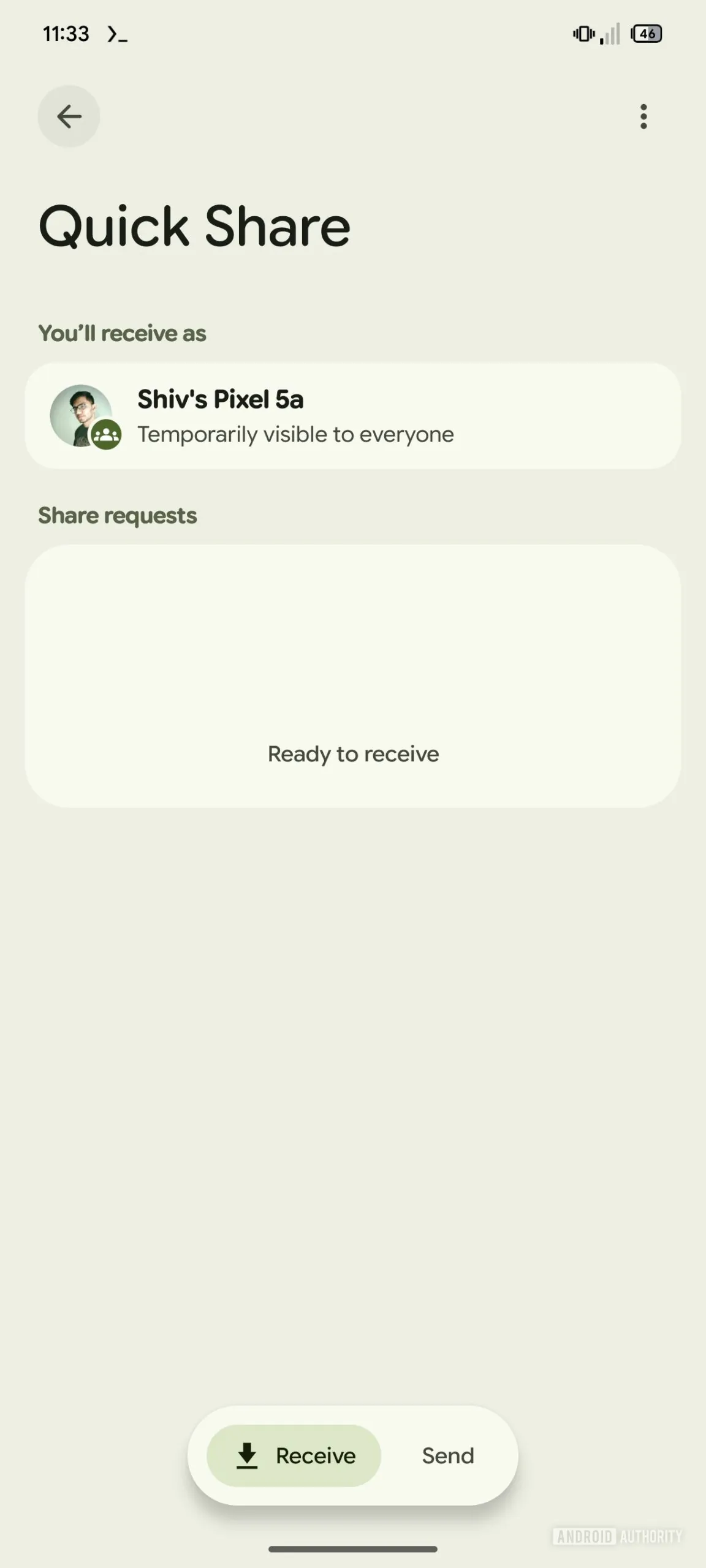
Functionality sees some tweaks as well. Tapping the ‘Receive’ button puts your device into receiving mode, but interestingly, it will also temporarily make your device visible to everyone nearby while the Receive screen is open. This aims to simplify the receiving process, removing the extra step of adjusting visibility settings when you’re actively trying to accept a file. I love this. Additionally, Google has added a thoughtful touch: while your device name becomes temporarily public, your profile picture will remain visible only to your contacts.
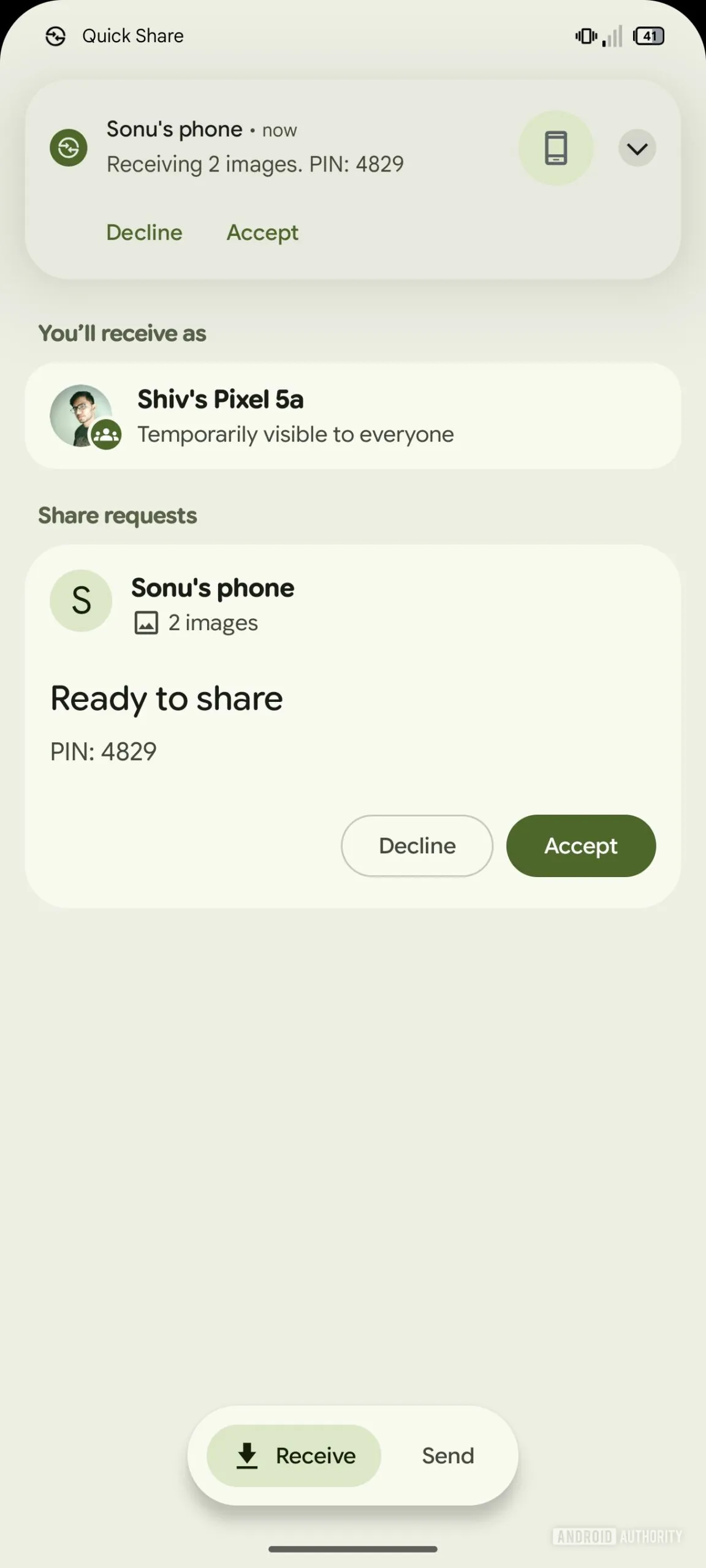
The behavior of the Quick Share tile in the Quick Settings panel is also set to change. Tapping the tile will now directly open the ‘Receiving’ screen, making you instantly ready to accept incoming files. This mirrors behavior spotted in leaked builds of Samsung’s upcoming One UI 8, suggesting a potentially coordinated rollout or at least a shared direction.
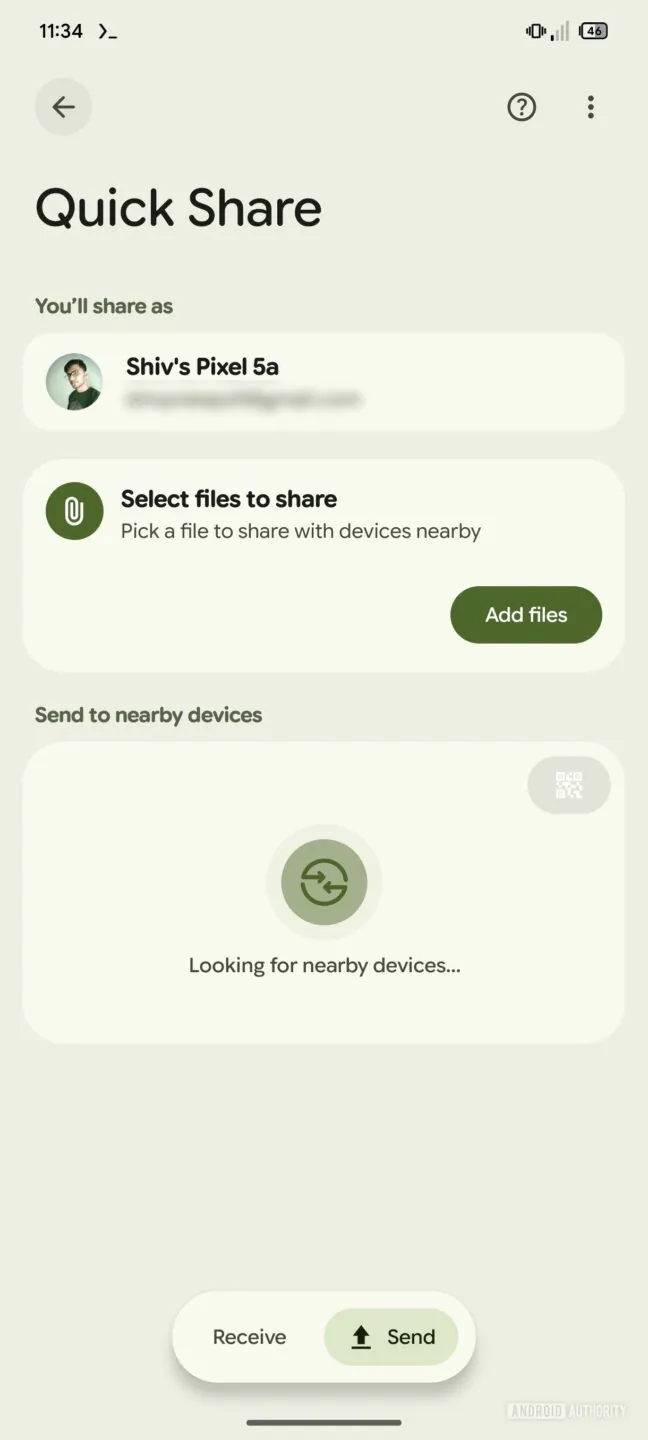
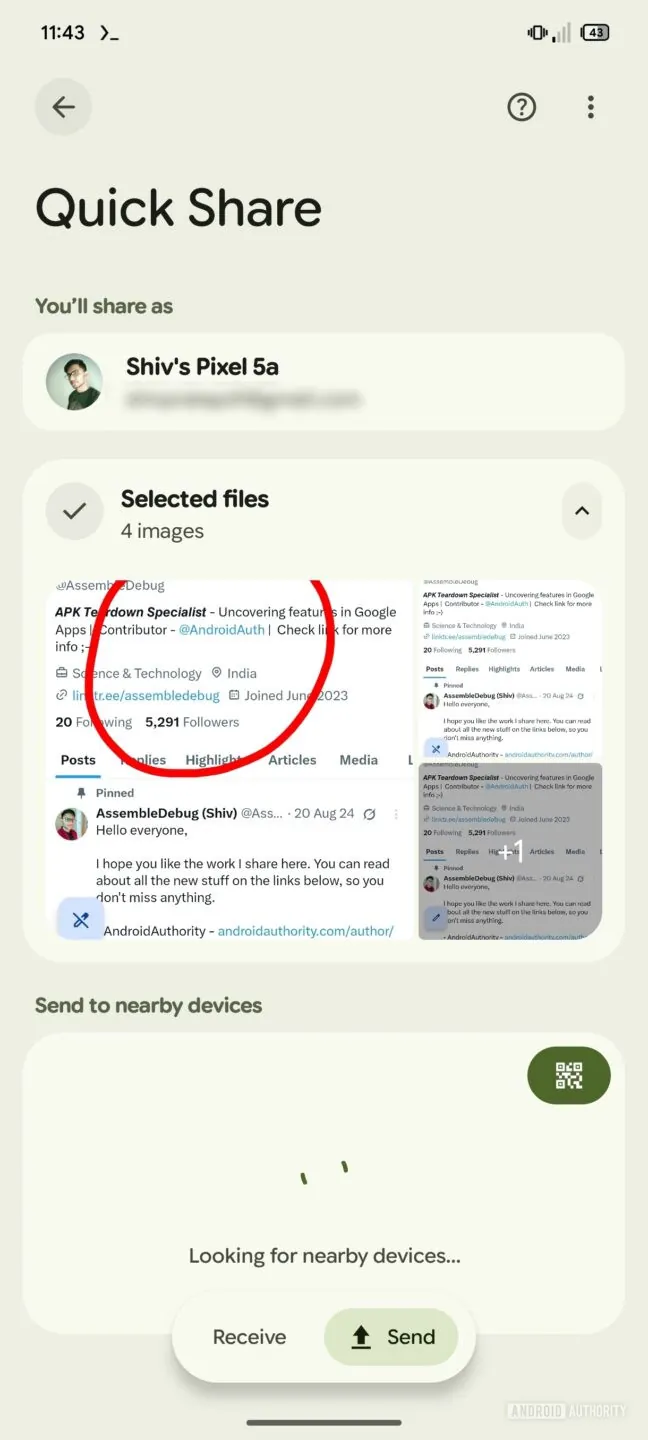
The ‘Send’ flow also gets a makeover. Hitting the ‘Send’ button reveals a revamped UI featuring a ‘Select files to share’ option. This launches the standard file picker. Once you’ve chosen your files, you’ll see previews for images, text, and URLs, or just the file names for documents, before initiating the transfer. Even the Settings menu, accessed via the three-dot icon, has been redesigned for a cleaner look.
Upon the potential launch of this redesign, users will reportedly see an introductory screen explaining the functional changes, particularly the temporary visibility aspect when receiving files. As with any feature uncovered in beta code via an APK teardown, there’s no guarantee this Quick Share redesign will make it to a public release exactly as seen, or even at all. However, the relatively polished state suggests Google has invested significant effort, making a future roll-out seem quite plausible. We’ll definitely be keeping a close eye on this one and will update you as soon as more information becomes available.
SUBSCRIBE TO UPSTREAM
Get Chrome Unboxed delivered straight to your inbox
Upstream is our flagship, curated newsletter with the top stories, most click-worthy deals, giveaways, and trending articles from Chrome Unboxed sent directly to your inbox a few times a week. Join 31,000+ subscribers.

