

Support our independent tech coverage. Chrome Unboxed is written by real people, for real people—not search algorithms. Join Chrome Unboxed Plus for just $2 a month to get an ad-free experience, access to our private Discord, and more. Learn more about membership here.
START FREE TRIAL (MONTHLY)START FREE TRIAL (ANNUAL)
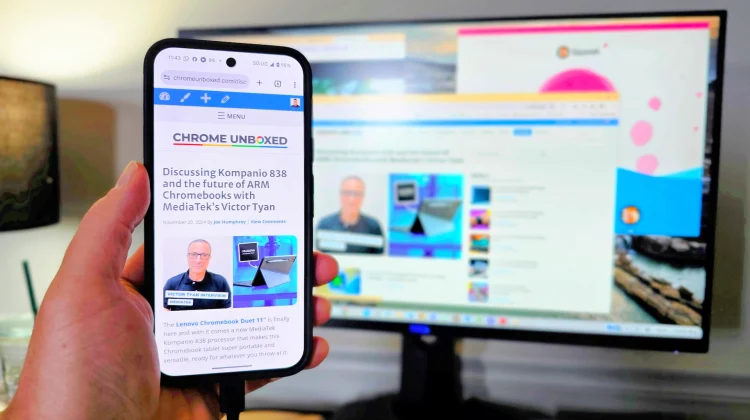
Google is officially bringing desktop mode to Pixel phones as part of the new March Pixel Drop. For those with a Pixel 8 or newer, the device can now be plugged directly into an external monitor via USB-C to deliver a PC-like, multi-window experience right out of the box.
We actually tested an iteration of this feature back during the early Android 16 beta days. Getting it working back then was a chore, requiring users to opt into the beta program, dig through developer options to toggle experimental freeform window settings, and deal with screen flickering just to see a very raw, unfinished UI.
Thankfully, this official rollout means those days are over. You can now just plug the phone in, connect a mouse and keyboard, and get to work. It is even rolling out to the Pixel 9 Pro Fold and Pixel 10 Pro Fold, while the Pixel Tablet is officially getting a similar feature to easily arrange and resize overlapping apps.
We are in the process of testing this official build to see how much Google has polished the experience since that initial beta. If they have fixed the blurry text scaling issues on QHD monitors and smoothed out the UI, this is going to be a fantastic tool for getting work done in a pinch. But what are your thoughts? Is this new official Pixel desktop mode enough to replace your laptop? Let us know your thoughts down in the comments!
SUBSCRIBE TO UPSTREAM
Get Chrome Unboxed delivered straight to your inbox
Upstream is our flagship, curated newsletter with the top stories, most click-worthy deals, giveaways, and trending articles from Chrome Unboxed sent directly to your inbox a few times a week. Join 31,000+ subscribers.

