

Support our independent tech coverage. Chrome Unboxed is written by real people, for real people—not search algorithms. Join Chrome Unboxed Plus for just $2 a month to get an ad-free experience, access to our private Discord, and more. Learn more about membership here.
START FREE TRIAL (MONTHLY)START FREE TRIAL (ANNUAL)
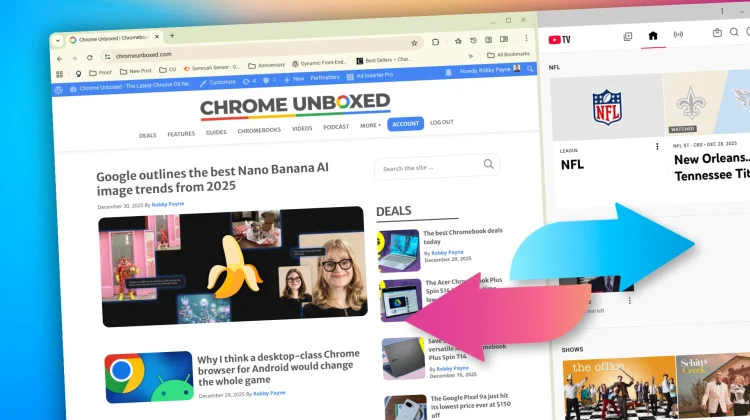
When Chrome 145 introduced built-in split view functionality, it was a highly requested addition that made multitasking a breeze. But if you’ve used Chrome recently, you’ve likely experienced the downside: accidentally splitting your browser in half when you were just trying to open a new window or move a tab around.
After a wave of complaints across community forums and Reddit, Google has finally confirmed they are rolling out fixes to stop these accidental activations in their tracks.
Breaking the muscle memory
The biggest culprit for accidental split views has been the right-click menu. When the feature launched, Google slotted the “Split View” option near the very top of the context menu.
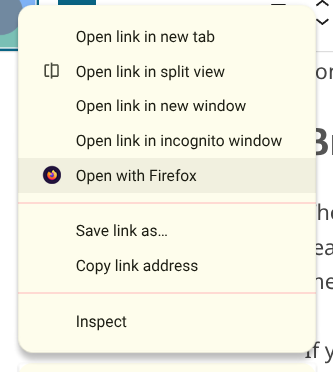
If you’ve spent years developing the muscle memory to quickly right-click a link and select “Open link in new window,” you almost certainly found yourself selecting split view by mistake. To fix this, the Chrome team is officially moving the split view option below “Open link in new window” to keep it safely out of the way of your established habits.
Less sensitive drag-and-drop
The second frustration came from simply trying to organize your workspace. Split view can be triggered by dragging a tab to the edge of your window, but the sensitivity was dialed up a bit too high, causing the screen to split when users were just trying to reorder their tab strip.
To combat this, Google is adjusting the drag-and-drop thresholds. You’ll still be able to snap tabs to the edge to initiate a split view, but it will require a much more intentional drag to the far edge of the screen.
No off switch for now
If you were hoping for a simple toggle in the settings to disable the feature entirely, you’re out of luck. In their response on the Chromium Issue Tracker, Google explicitly stated they are not introducing a global switch at this time. Their goal is to refine the tool so it provides value to power users “without it being intrusive for those who don’t.”
By tweaking the context menu placement and refining the drag sensitivity, Google should be able to strike that balance, making Chrome’s multitasking feel like a helpful tool rather than a constant, accidental annoyance.
VIA: Android Authority
SUBSCRIBE TO UPSTREAM
Get Chrome Unboxed delivered straight to your inbox
Upstream is our flagship, curated newsletter with the top stories, most click-worthy deals, giveaways, and trending articles from Chrome Unboxed sent directly to your inbox a few times a week. Join 31,000+ subscribers.

