

Support our independent tech coverage. Chrome Unboxed is written by real people, for real people—not search algorithms. Join Chrome Unboxed Plus for just $2 a month to get an ad-free experience, access to our private Discord, and more. Learn more about membership here.
START FREE TRIAL (MONTHLY)START FREE TRIAL (ANNUAL)
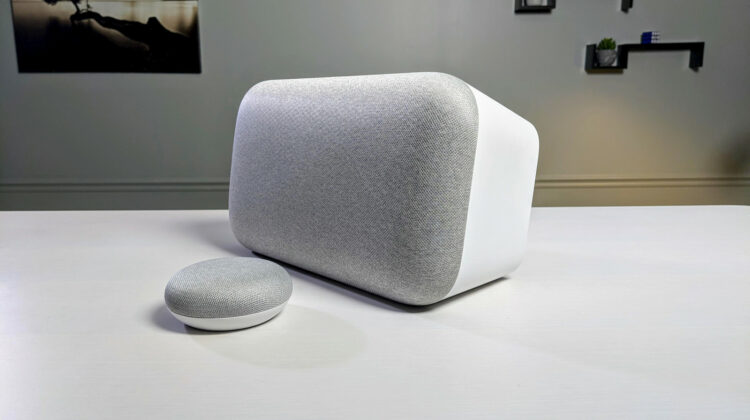
It’s hard to believe but it has been nearly four years since Mario Queiroz took the stage at I/O and announced the first Google Home speaker. That speaker put down the foundation for what is now a growing expanse of Nest and third-party devices all powered by the Google Assistant. Over time, Google Assistant smart speakers have gained numerous, useful functions and have even spawned smart displays that take home control to an entirely new level.
One such feature released back in November of 2017 struck me as one of the most practical uses for Google’s smart speakers. “Broadcast” gave Google Home the ability to send announcements throughout your home to all of your connected devices. This feature comes in really handy when you want to alert the kids that dinner’s ready or even send a message to let the wife know you’re on your way home from work. Whatever the application, I thought it ingenious but unfortunately, the Broadcast feature has one fatal flaw in my opinion.
We eat, sleep and breathe Google here at Chrome Unboxed. So, it just made sense to adopt Google Home and Assistant-enabled devices around the house and here in the office. At this point, I’ve lost track of how many smart speakers and displays we have floating around but at the house alone, I have at least seven such devices. The problem I have with the broadcast feature is that we also have devices here at the office and they’re connected to my Google account. When I want to tell my daughter it’s time to get ready for bed, every speaker in my house makes the announcement and anyone who happens to be working in or around the CU headquarters hears the news as well.
That’s a massive fail if you ask me. I should be able to select an individual speaker to broadcast to and even broadcast to groups I have set up in my home or office. It honestly confounded me as to why this ability was absent from Google Home speakers. Even more mind-boggling was the fact that no one at Google seemed to have given this lack any thought whatsoever. I even went so far as to chat with Nest (Google Home at that point) support to ask why you couldn’t broadcast to an individual device. The friendly support specialist agreed with me that it was kind of a no-brainer that this option should be available and he ended our chat as dumbfounded about it as I was. Anyway, he vowed to pass it on to the Google Home engineers but I never heard another word about it and that was almost two years ago.
Shop Google Assistant at Best Buy
Whatever the reason was for this sad omission, it now appears that Google may be answering my prayers. According to Android Police, multiple users have taken to Reddit to report that their Google Home devices are now letting them select specific speakers when broadcasting. The first report landed about a week ago but there hasn’t been any official statement from Google at this point. Some users are reporting that they have devices that are on different firmware versions but that doesn’t seem to be the determining factor as to whether or not you can use the new feature. Likely, it is a server-side switch or account-level permission that Google is rolling out incrementally as they often do. One to ten percent of users will often see a new feature before it goes live across all Google accounts.
I, for one, am ecstatic to see this addition to Assistant speakers and will be checking frequently for the update. We will share more when it looks like the new feature has rolled out for all users. Have you seen this update? Users on Reddit report that Google will prompt you to use the device-specific broadcast feature if it’s available. Drop a comment below if you can now broadcast to a specific device.
SUBSCRIBE TO UPSTREAM
Get Chrome Unboxed delivered straight to your inbox
Upstream is our flagship, curated newsletter with the top stories, most click-worthy deals, giveaways, and trending articles from Chrome Unboxed sent directly to your inbox a few times a week. Join 31,000+ subscribers.
Source: Reddit via Android Police

