

Support our independent tech coverage. Chrome Unboxed is written by real people, for real people—not search algorithms. Join Chrome Unboxed Plus for just $2 a month to get an ad-free experience, access to our private Discord, and more. Learn more about membership here.
START FREE TRIAL (MONTHLY)START FREE TRIAL (ANNUAL)
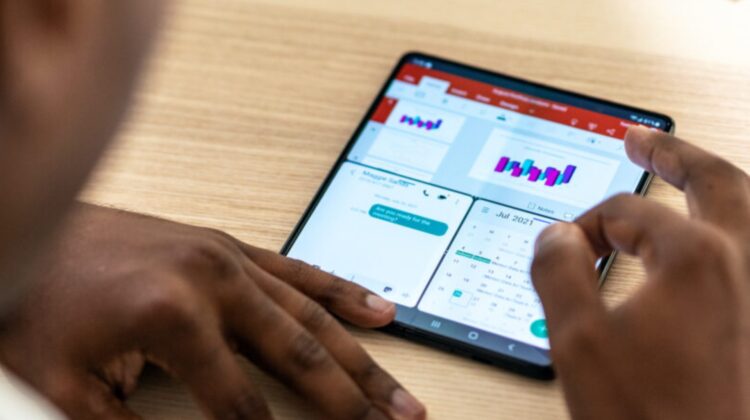
A few months back, I tested the foldable phone waters a bit more extensively by spending some time with the Samsung Galaxy Fold 3. I’d considered it quite a few times over the years, testing the original Galaxy Fold and the original Surface Duo for only a few days each before deciding both of those phones weren’t for me. The Samsung Galaxy Fold’s outer screen was too small and the Surface Duo’s lack of any outside screen made it a no-go for daily use for me.
But the Galaxy Fold 3 offered a better overall version of the foldable phone that really caught my eye. With nearly everything updated over the original Fold I’d tried prior, I was very hopeful that the Galaxy Fold 3 would finally give me the workable folding phone experience I’ve always hoped for. The idea of having a phone for some things and a tablet for others – all in my pocket – has always been a wildly intriguing concept for me. And, for many things, the Galaxy Fold 3 delivered.
Pain points along the way
There were a few pain points that ultimately saw me returning the Fold 3, and they always came back to this expensive device being pretty bad at the general, standard stuff that a normal smartphone is really good at. One example would be the outer display. The Galaxy Fold 3’s physical size made using the phone when closed a bit of a pain. It is narrow and tall, making simple tasks like typing a text response something I hated doing. Yet, I was always tempted to continue using the phone in a closed state out of basic convenience because opening it up every time I needed to type a reply felt ridiculous.
And when I did choose to open it up, I was met with a keyboard conundrum, and that brings up one of my biggest pain points: the big-screen keyboard options. While Samsung’s built-in keyboard is set up to work well on a larger screen, it is missing one big thing: it isn’t Gboard. Over the years, Gboard has become the standard I measure all virtual keyboards by, and Samsung’s version isn’t great. The main shortcoming, however, is the fact that other keyboards can’t come close to offering the saved logins, passwords, and shortcuts I’ve accumulated in Gboard (via my Google account) that make getting around the web and apps so simple.
The easy answer would have been to just install and use Gboard on the Fold 3, right? Well, that’s exactly what I did, and everything worked just fine, save one feature: Gboard didn’t have a split screen setup meant for larger screen devices, so that meant the keys were spaced out all the way across the large, inner display. This made typing on the Galaxy Fold 3 a bit of a chore when open, and I sorely missed the split keyboard. A fix for this was announced back in March, but it’s not been available just yet. It looks like it is getting close to rolling out, though.
Thanks to a report from 9to5 Google, it looks like the Gboard beta app now has a Split layout to include duplicated keys toggle in the settings. Though this setting does nothing currently, one reader apparently got things working and they sent over some images of the keyboard working with a split layout that is far better for devices with larger screens. Whether or not we see this show up for tablets is up in the air as it seems the setting is for foldable phones for now, but could see Google extending this to other device over time.
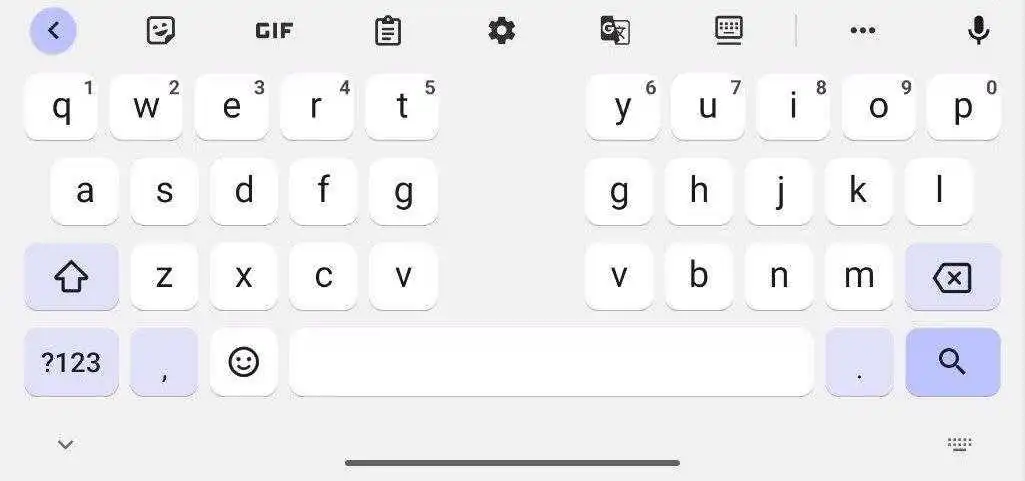
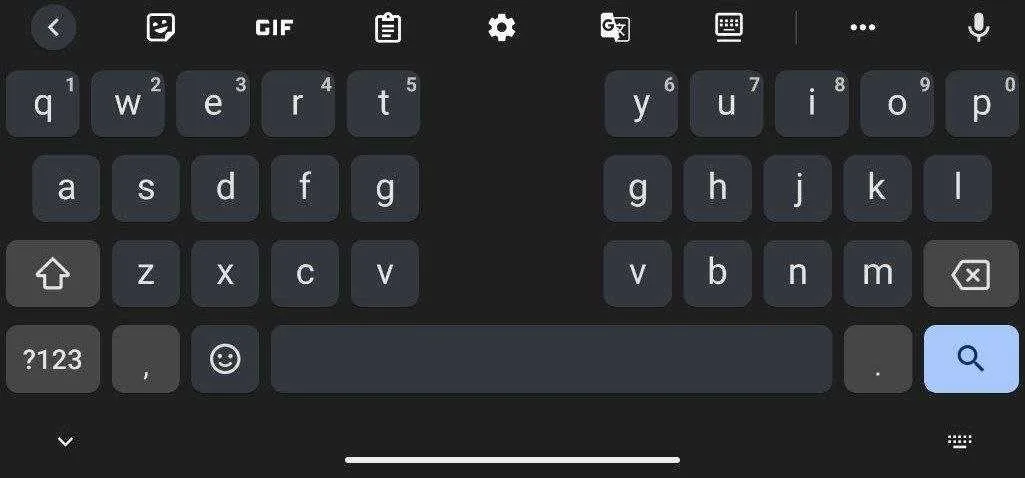
Clearly, this would be a great fit for Google’s long-rumored foldable phone – the Pixel Notepad – if that phone wasn’t getting postponed for the time being. Regardless of that device’s status, however, Google is interested in the momentum of Android on larger screens, and getting Gboard to work in a better way for foldable and tablet users needs to be front and center if that is the case. This needed modification is a good step in that direction, and it should help the adoption of more of these types of devices moving forward.
SUBSCRIBE TO UPSTREAM
Get Chrome Unboxed delivered straight to your inbox
Upstream is our flagship, curated newsletter with the top stories, most click-worthy deals, giveaways, and trending articles from Chrome Unboxed sent directly to your inbox a few times a week. Join 31,000+ subscribers.

