
• Skip to main content
  • Skip to primary sidebar
  • Deals
  • Features
  • Guides
  • Chromebooks
  • Videos
  • Podcast
  • More +
    • Reviews
    • Unboxing
    • Upcoming Devices
    • Chromebook Plus
    • Chrome
    • ChromeOS
    • Chrome OS Flex
  • Search
  • Sign Up
  • Log In
Chrome Unboxed – The Latest Chrome OS News

Chrome Unboxed - The Latest Chrome OS News

A Space for All Things Chrome, Google, and More!

  • Deals
  • Features
  • Guides
  • Chromebooks
  • Videos
  • Podcast
  • More +
    • Reviews
    • Unboxing
    • Upcoming Devices
    • Chromebook Plus
    • Chrome
    • ChromeOS
    • Chrome OS Flex
  • Search
  • Sign Up
  • Log In

Google Cloud Print Shutting Down Epson Printers

December 7, 2016 By Gabriel Brangers View Comments

Support our independent tech coverage. Chrome Unboxed is written by real people, for real people—not search algorithms. Join Chrome Unboxed Plus for just $2 a month to get an ad-free experience, access to our private Discord, and more. Learn more about membership here.
START FREE TRIAL (MONTHLY)START FREE TRIAL (ANNUAL)
epsoncloud

Printing from Chromebooks and Chrome OS devices has been a hot-button issues since the inception of Google Cloud Print in the spring of 2010. For the most part, Google’s cloud-based printing protocol has worked almost seamlessly for users with the proper printing hardware.

Xremove ads

Alas, nothing works perfectly all the time.


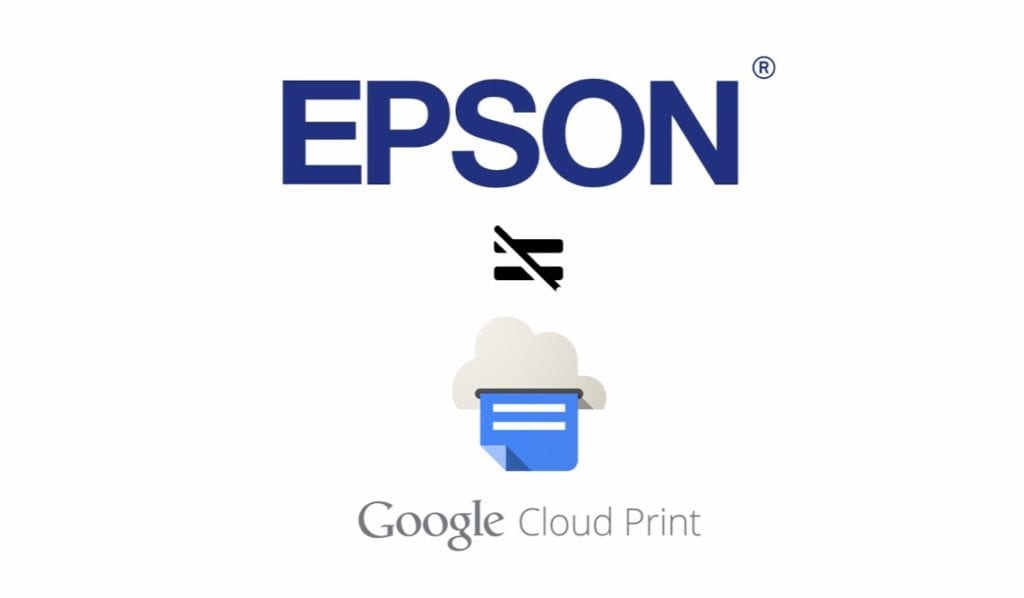
Reports have been rolling in through the Chromebook Central help forum that Epson printers have suddenly begun shutting themselves down when connected to Google Cloud Print. We have just recently received confirmation that the problem exists within a firmware issue on Epson’s end.

Featured Videos

Xremove ads

One user in particular reached out to Epson support and was offered the following “solution.”

I just had a chat session with Epson. This is what they told me to do. I am in the process of trying it.

  1. Power OFF the printer
  2. Power OFF the router
  3. Power ON the printer
  4. The printer should now start up normally to the home screen. From the control panel reset the printer to default settings
  5. Power ON the router
  6. Reconnect the printer to the network
  7. Do not connect your printer to google cloud services for now.

GM Enterprises via Chromebook Help Forum

Epson’s support offers no real resolution for the issue. However, another post from a Google employee states that Google and Epson are aware of the issue and are working together to resolve the problem.

We are working with Epson and internal Google teams to root cause this issue.  We will update as we know more.

Brian Blietz via Chromebook Help Forum

Printers currently confirmed with this bug include the Epson WF-4630, XP-215, XP-415, XP-610, WF-545, WF-845, and WF-7610. Presumably, the problem is affecting most, if not all Epson printers.

Xremove ads


Whatever the issue may be, I would presume the developers will be quick to resolve the problem. As Chromebooks begin to saturate the consumer market the need for stable printing options will become more and more a priority. New options for “traditional” printing are in the works and will offer more options for users when issues like this arise.

As the Epson bug is being resolved we will keep you updated with the latest progress from developers.

Source: Chromebook Central Help Forum

Xremove ads

Filed Under: All Stories, Chromebooks, ChromeOS, News

About Gabriel Brangers

Lover of all things coffee. Foodie for life. Passionate drummer, hobby guitar player, Web designer and proud Army Veteran. I have come to drink coffee and tell the world of all things Chrome. "Whatever you do, Carpe the heck out of that Diem" - Roman poet, Horace. Slightly paraphrased.

Primary Sidebar

Xremove ads

Deals

You can score $40 off Google’s battery-powered Nest Doorbell right now

By Joseph Humphrey
March 20, 2026

The touchscreen Lenovo Chromebook Slim 3 is a steal at under $200

By Robby Payne
March 16, 2026

Google TV Streamer and Remote held in front of a wall-mounted TV

The premium Google TV Streamer 4K is back down to $80

By Joseph Humphrey
March 16, 2026

The best Chromebook deals today

By Robby Payne
March 16, 2026

Pixel Buds Pro 2 running

I still love the Pixel Buds Pro 2 and they are $60 off right now

By Joseph Humphrey
March 13, 2026

More Deals

Xremove ads

Reviews

Acer Chromebook Plus Spin 514 Review: Kompanio Ultra power in a convertible

By Robby Payne
December 24, 2025

My review after 6 weeks with the Lenovo Chromebook Plus 14 [VIDEO]

By Robby Payne
August 11, 2025

One week with the best small Android tablet you can buy, and I’m sold

By Robby Payne
May 9, 2025

Best Chromebooks of 2024 [VIDEO]

By Robby Payne
November 28, 2024

Samsung Galaxy Chromebook Plus Review: Samsung is back! [VIDEO]

By Robby Payne
October 28, 2024

More Reviews

Xremove ads

Guides

This Chromebook trackpad shortcut is definitely not new, but is blowing my mind

By Robby Payne
March 11, 2024

How to reduce broadcast delay on YouTube TV to stop live spoilers

By Robby Payne
December 8, 2023

Windows PC keyboard and Chromebook

How to use a Windows keyboard with a Chromebook

By Joseph Humphrey
December 8, 2023

How reset and revert your Chromebook to the previous version of Chrome OS

By Robby Payne
November 29, 2023

My Chromebook Plus features disappeared: here’s how I fixed it

By Robby Payne
November 24, 2023

More Guides

TWITTER · FACEBOOK · INSTAGRAM · YOUTUBE · EMAIL · ABOUT

Copyright © 2026 · Chrome Unboxed · Chrome is a registered trademark of Google Inc.
We are participants in various affiliate advertising programs designed to provide a means for us to earn fees by linking to affiliated sites.

PRIVACY POLICY