

Support our independent tech coverage. Chrome Unboxed is written by real people, for real people—not search algorithms. Join Chrome Unboxed Plus for just $2 a month to get an ad-free experience, access to our private Discord, and more. Learn more about membership here.
START FREE TRIAL (MONTHLY)START FREE TRIAL (ANNUAL)
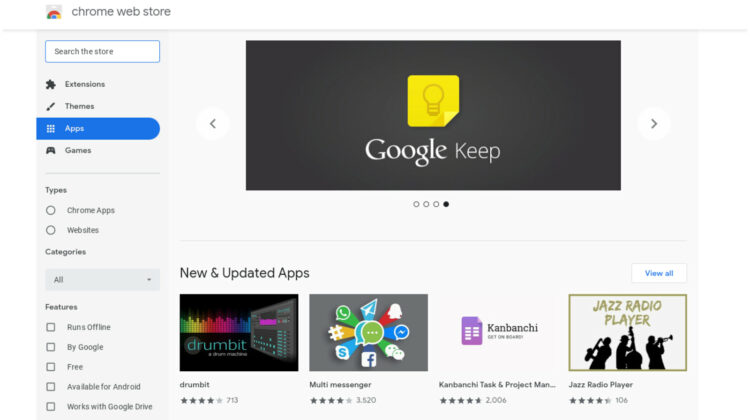
In late 2016, Google began the two-year process of sunsetting Chrome Apps on all platforms with the exception of Chrome OS. By early 2018, navigating to the Chrome Web Store on Windows, Mac or Linux would present users with only extensions to pick from as the “App” section had been completely removed. While we knew the day would arrive at some point, we now have a definitive roadmap for the final demise of Chrome Apps that are still a part of the Chrome OS ecosystem.
Now, if you’re an avid Chrome App user, this is not the time to panic. Google’s timeline for Chrome Apps “end of life” spans more than two years. The first phase will begin in March of this year when the Web Store will stop accepting new Chrome Apps from developers. From there, support for existing Apps on Windows, Mac and Linux will come to an end. Then, in June of 2022, Chrome Apps on Chrome OS will be no more.
- March 2020: Chrome Web Store will stop accepting new Chrome Apps. Developers will be able to update existing Chrome Apps through June 2022.
- June 2020: End support for Chrome Apps on Windows, Mac, and Linux. Customers who have Chrome Enterprise and Chrome Education Upgrade will have access to a policy to extend support through December 2020.
- December 2020: End support for Chrome Apps on Windows, Mac, and Linux.
- June 2021: End support for NaCl, PNaCl, and PPAPI APIs.
- June 2021: End support for Chrome Apps on Chrome OS. Customers who have Chrome Enterprise and Chrome Education Upgrade will have access to a policy to extend support through June 2022.
- June 2022: End support for Chrome Apps on Chrome OS for all customers.
What’s Next?
Honestly, for most Chromebook users, this is a non-issue. If you’ve spent any amount of time in the ecosystem as of late, you’re probably familiar with Progressive Web Apps and how to make a webpage act as if it’s an application. Since Chrome Apps exist as either a “packaged” application or a “hosted” app that’s simply a link to a website, moving to one of the methods above is relatively seamless. The delivery is the same. It’s simply the method in which you arrive that may differ.
On the flip side, I know that there are a number of users who rely heavily on “apps’ installed from the Web Store and that’s why this 2+ year roadmap is important. Many popular applications from the Chrome Web Store have already implemented a PWA (progressive web app) for their product and you can simply install that in place of the soon-to-be-dead Web Store app. For example, Kami is a very popular PDF markup app that is used by countless users at home, school and even enterprise. They integrate with Google Drive, Classroom, Canvas and more. They also have a Progressive Web App for their product. When you head to kamihq.com, on the far right of your URL bar you will see a little plus sign with a circle around it. Clicking that will install the PWA and you’re all set. The result will be an “App” that you didn’t have to get from the Web Store. You simply install it directly from the site.
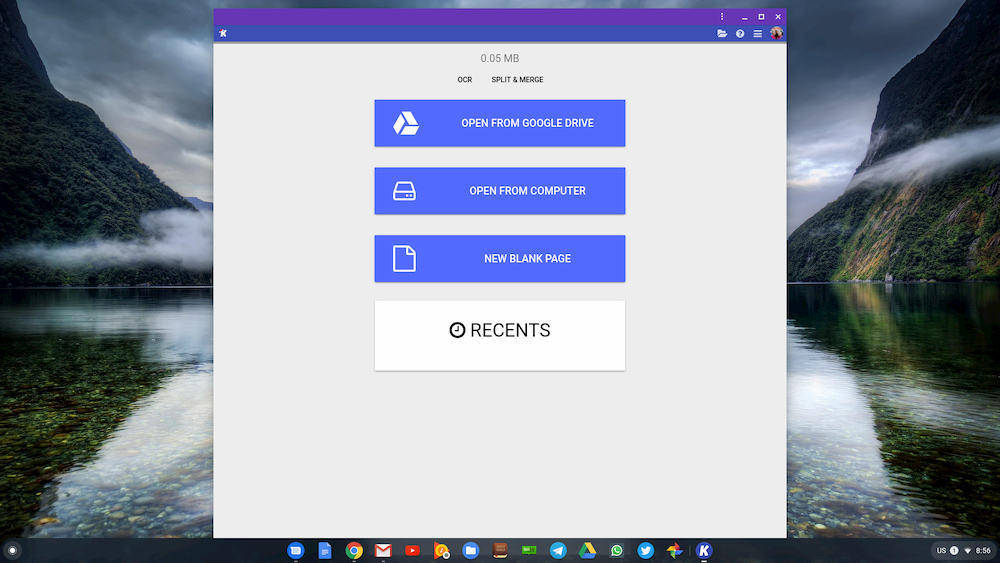
So, what if the app you use doesn’t hop on the PWA bandwagon? That’s why this buffer period of more than two years is important. One, it gives app developers time to package their product as a PWA. Two, they also have the option to submit their PWA to the Google Play Store. Yes, you heard me correctly. You can find and install PWAs from in the Google Play Store. Some examples include Google Maps Go and Twitter Lite. These apps will run in Chrome as a window so you won’t have tabs or bookmarks or anything else that make it look like a browser. Chances are good that many of the Apps you’re using right now already have a PWA available from their website and you can expect to see more Progressive Web Apps hit the Play Store in the near future.
That said, there is little reason for alarm from a user standpoint but that doesn’t mean this move is without casualty. I have received multiple emails from app developers expressing their frustration not with the removal of Web Apps but with Google’s haphazard lack of clear-cut directions on moving a PWA to the Play Store. Here’s is one such developer’s justifiable expression of exasperation:
As a developer, my biggest issue with this is, it’s fine saying to web developers “move to PWAs”, but the primary value of the Web store was for discovery, ranking and reviewing – just having a PWA in no way replaces that. Google have [sic] left us in the dark in terms of not saying outright “Move to Play store”
Shop The Best Chromebooks of 2019 at Chrome Shop
Now, most developers are savvy enough to hunt down the manner in which you can get you PWA into the Play Store but as this individual pointed out, Google hasn’t given them explicit instructions on how or even that they should consider submitting to the Play Store. Granted, you can find a number of articles on the web that will walk you through the steps of getting a PWA into the Play Store. Here is one of the better examples from Dev.to that explains the process. It does require Android Studio and you do have to pay the requisite $25 fee to be an Android Developer.
At the end of the day, the removal of Chrome Apps is just a stepping stone in the continual forward motion that is the web. Developers may have to stomach some mild irritations as they move to PWAs but users should see little to no side effects from this transition. To read the full announcement, head over to the Chromium Developer’s Blog.
SUBSCRIBE TO UPSTREAM
Get Chrome Unboxed delivered straight to your inbox
Upstream is our flagship, curated newsletter with the top stories, most click-worthy deals, giveaways, and trending articles from Chrome Unboxed sent directly to your inbox a few times a week. Join 31,000+ subscribers.

