


Support our independent tech coverage. Chrome Unboxed is written by real people, for real people—not search algorithms. Join Chrome Unboxed Plus for just $2 a month to get an ad-free experience, access to our private Discord, and more. Learn more about membership here.
START FREE TRIAL (MONTHLY)START FREE TRIAL (ANNUAL)
It is no secret that I love web-based tools. Being a Chromebook user for years has the tendency to do that to people. Honestly, getting to do cool, intensive tasks right in the browser is what drew me to Chrome OS in the first place. Back in the early days, there wasn’t a ton of real functionality on the web and I had to find very creative ways to get many of my daily tasks done on a Chromebook.
These days, however, that is less and less true. At this point, a combination of my leaning towards web-based solutions and the web simply getting much more capable has led me to a web-only workflow most days. I design and edit vector graphics in a web interface. I play music in a web interface. I read my news in a web interface. I edit photos in a web interface. I interact on social media in a web interface. I designed, built, and maintain the Chrome Unboxed website strictly from a web-based set of tools. Put simply, there’s little I cannot do on the web at this point.
That doesn’t mean there aren’t times where holes are present, though. Here and there, I still have to rely on an app to do something I would simply rather do in the browser. One of those things has been the ability to quickly and easily create a GIF from whatever media I want. Sometimes I see something on my screen and think, “That would make a great GIF!” Other times, I want to find a GIF from a certain video and no one has ever made it before, but the task of finding the clip in a form where I can feed it to a GIF making app is enough to make me decide against it.
Enter gifcap
Last night, thanks to a quick read over at TNW, I discovered a new web gem that allows for the most flexible GIF creation I’ve ever used on the web. The concept is simple and the execution is wonderful: go to gifcap.dev, click record, choose the desktop, tab, or app you want to capture, and begin recording. And you can record whatever is on your screen. Got a GIF you want to make from a Netflix special, YouTube video, or just some standard TV? Go for it.
Once captured, the tool then allows you to crop and trim your clip and quickly export as an animated GIF. The final step of wrangling that file down to a useful size (assuming you need to get the size down) needs to be handled elsewhere, however, but there’s a web tool for that too. Just head over to ezgif.com, upload your newly-created GIF, and you can optimize, resize, and add text to your heart’s delight. Within about 90 seconds, I’d created the following GIF pulled from Jo Koy’s latest Netflix special:
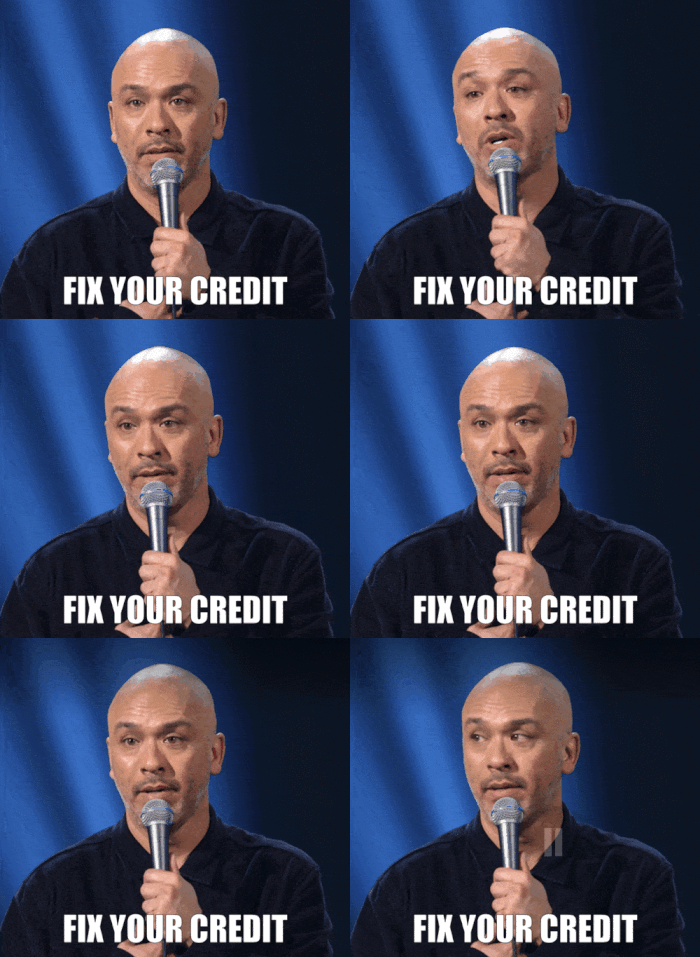
If you’ve seen this stand up, you get it. But that’s not the point, here. This ability to quickly, simply grab any moving content from your screen on any desktop device running Chrome or Firefox is useful, fun, and a brilliant display of what web apps are capable of these days. I don’t know about you, but I’ll be leveraging this on a very regular basis for messages in WhatsApp.
Shop All The Latest Chromebook Deals
SUBSCRIBE TO UPSTREAM
Get Chrome Unboxed delivered straight to your inbox
Upstream is our flagship, curated newsletter with the top stories, most click-worthy deals, giveaways, and trending articles from Chrome Unboxed sent directly to your inbox a few times a week. Join 31,000+ subscribers.

