

Support our independent tech coverage. Chrome Unboxed is written by real people, for real people—not search algorithms. Join Chrome Unboxed Plus for just $2 a month to get an ad-free experience, access to our private Discord, and more. Learn more about membership here.
START FREE TRIAL (MONTHLY)START FREE TRIAL (ANNUAL)
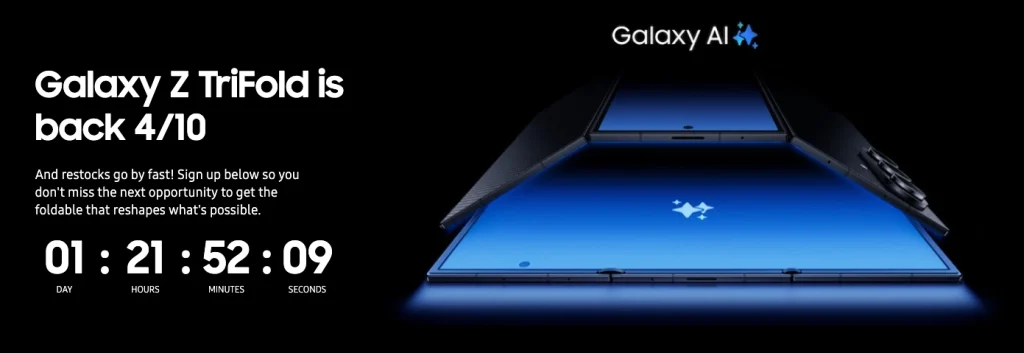
Samsung has officially announced that the Galaxy Z TriFold is getting a restock later this week. On Friday, April 10 at 10 a.m. ET, the $2,899 triple-folding device will be back in stock and available for purchase directly through the official Samsung website.
The last time we saw a restock for this specific device was back in late February, and it sold out in a matter of minutes. If you missed out on that window and are hoping to grab the 10-inch foldable this time around, you will need to be ready exactly when the listing goes live. We can only assume that inventory will be just as limited, if not more so, than it was during the last run.
It is unclear if Samsung will offer the same bundle discounts with the optional Smart Keyboard and Galaxy Buds this time around. Even if those deals are available, you might want to skip the accessories to ensure you can check out before the phone disappears from your cart.
A true pocketable workstation
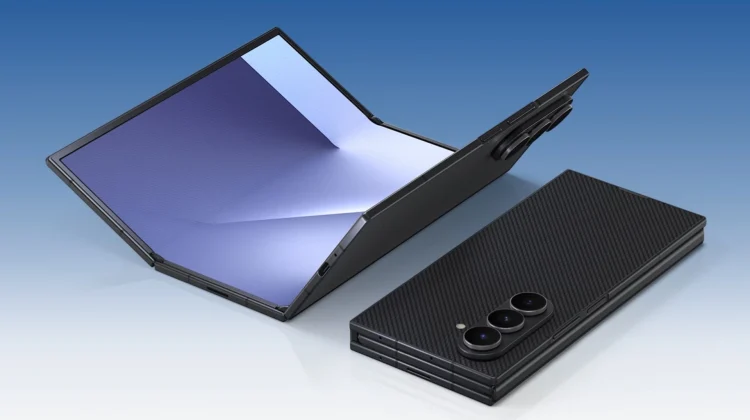
In case you need a refresher on why this device is so highly anticipated, it all comes down to how Samsung engineered the unique folding canvas. The chassis uses a combination of titanium and Advanced Armor Aluminum, relying on a custom dual-rail hinge system to keep the three display panels perfectly aligned and virtually gapless when closed.
Driving that spacious 10-inch screen is a specialized Snapdragon 8 Elite processor, which provides plenty of overhead for heavy workloads. It also houses a split 5,600 mAh battery capable of 45W charging to keep things running, along with a highly capable camera array that includes a 200MP main sensor, a 12MP ultrawide, and a 10MP telephoto lens.
The real magic happens when you start utilizing the screen real estate. The software easily handles three portrait apps side-by-side, and it relies heavily on Gemini and Galaxy AI to interact with whatever is currently on your display.
But the standout feature by far is the addition of on-device Samsung DeX. You can actually pull up a full desktop interface right on the inner screen, allowing you to juggle up to four different workspaces without ever needing an external monitor. It essentially turns the phone into a complete workstation when paired with a Bluetooth keyboard and mouse.
How to prepare for the drop
During the initial launch of the TriFold, the add-to-cart button actually appeared a bit ahead of the scheduled time. While the chances are slim, it might be worth refreshing the store page a few minutes early on Friday morning just in case it happens again.
There is also an email sign-up on the Samsung website where you can get direct updates about the Galaxy Z TriFold. If you are seriously interested in picking up this device, it is a very good idea to join that list so you don’t miss this restock or any future announcements.
The Galaxy Z TriFold restock goes live on Friday, April 10 at 10 a.m. ET exclusively on Samsung’s online storefront.
Spotted by Tim Schofield on X
SUBSCRIBE TO UPSTREAM
Get Chrome Unboxed delivered straight to your inbox
Upstream is our flagship, curated newsletter with the top stories, most click-worthy deals, giveaways, and trending articles from Chrome Unboxed sent directly to your inbox a few times a week. Join 31,000+ subscribers.

