

Support our independent tech coverage. Chrome Unboxed is written by real people, for real people—not search algorithms. Join Chrome Unboxed Plus for just $2 a month to get an ad-free experience, access to our private Discord, and more. Learn more about membership here.
START FREE TRIAL (MONTHLY)START FREE TRIAL (ANNUAL)
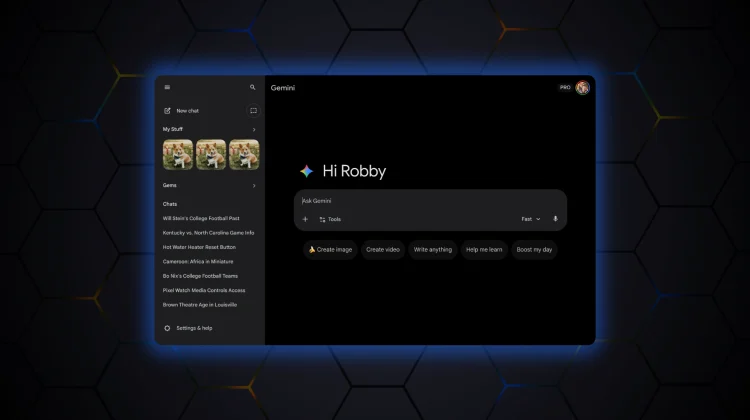
If you log into Gemini on the web today, you might notice things look a little cleaner. Following a similar makeover on Android and iOS last month, Google is now rolling out a fresh redesign (first spotted by 9to5 Google)for the Gemini web client – gemini.google.com – that aims for a more modern, polished aesthetic. The changes are subtle but effective, refining the interface to match the “sparkle” of Google’s AI era.
A friendlier greeting and a darker dark mode
The first thing you’ll likely notice is the new greeting. Gone is the standard “Hello,” replaced by a more casual “Hi” accompanied by the signature Gemini spark icon to the left. It’s a small touch, but it adds a bit of personality right from the start.
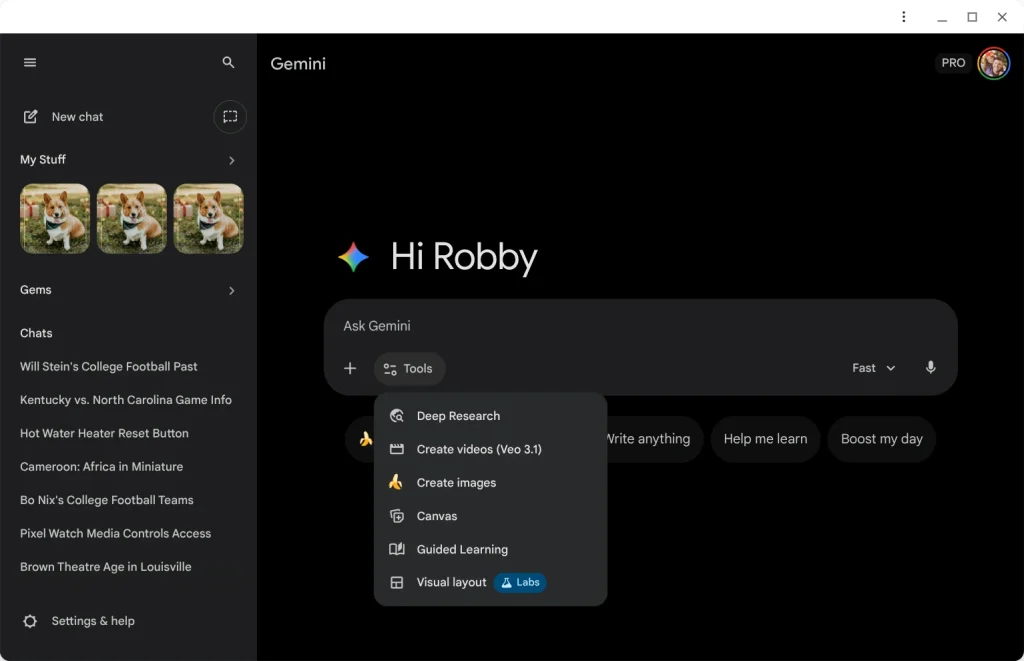
For fans of dark mode, there’s a significant tweak. On the homepage, the background has shifted from a dark gray to a true black, giving it a higher-contrast, OLED-friendly look. Interestingly, the prompt box and navigation rail keep their original grey tones, creating a nice layered effect.
The prompt box itself has also been tidied up, losing its faint outline container and centering the suggestion “pills” underneath for a cleaner look.
‘My Stuff’ gets a dedicated home
Beyond the visuals, there’s a handy new organizational feature. In the navigation drawer, you will now find a “My Stuff” section. This is a dedicated hub for all your creative output—images, videos, and Canvas creations—giving you a quick way to find that one image you generated last week without scrolling through endless chat logs.

Better chat management
Managing your individual conversations is also getting easier. You can now click the chat name at the top of a conversation to reveal a new dropdown menu. This gives you quick access to essential actions like Share, Pin, Rename, and Delete, saving you a trip to the sidebar.
Direct Google Photos access
While not part of this specific visual refresh, it’s worth noting another recent addition: the “plus” menu in the prompt box now includes a direct Google Photos picker. This is a massive time-saver, letting you pull photos directly from your library for analysis without having to download and re-upload them manually.
This redesign has been slowly trickling out, but it appears to be seeing wide availability starting today. It’s a solid update that makes the web tool feel just as premium as the mobile app.
SUBSCRIBE TO UPSTREAM
Get Chrome Unboxed delivered straight to your inbox
Upstream is our flagship, curated newsletter with the top stories, most click-worthy deals, giveaways, and trending articles from Chrome Unboxed sent directly to your inbox a few times a week. Join 31,000+ subscribers.

