

Support our independent tech coverage. Chrome Unboxed is written by real people, for real people—not search algorithms. Join Chrome Unboxed Plus for just $2 a month to get an ad-free experience, access to our private Discord, and more. Learn more about membership here.
START FREE TRIAL (MONTHLY)START FREE TRIAL (ANNUAL)
 Since the dawn of time (or at least 2011) there has been the oft asked query, “can I run Windows apps on my Chromebook?”
While I’m sure there are those that would love to see this become reality, I just can’t bring myself to get on-board with the idea.
One of the things that makes Chrome OS so great is security. The inability to install executable files is, in part, what makes it so secure. Not to mention the fact that the lack of installed programs keeps my machine happy and running fast.
Now that you know where I stand let’s get on with it.
Earlier this year CodeWeavers emulator CrossOver was shown running Windows programs via their Android app on Intel-based Chromebooks.
It was neat.
But, I said it then and I will say it now, what’s the point? If your personal use-case demands Windows based software, get a PC.
Now, the developers at Eltechs have announced their own version of an application for emulating Windows on a Chrome OS device.
Exagear
The app, which is available from Google Play is not new. But now Eltechs.com is pushing the fact that it will bring Windows to your Chromebook.
Before you get excited I will tell you, there are more than just a few minor catches.
Devices
When we first caught wind of Exagear a couple months back we did not know that it is currently only compatible with ARM-based devices.
That’s right, ARM only. Oh yeah, your device also has to have the Play Store enabled as this isn’t a Chrome Web app. It’s an Android application.
According to their site only the ASUS Flip is officially supported at the moment. Presumably the Acer Chromebook R13 would work with its MediaTek ARM processor, but who knows.
Applications
You can see in the video below a couple basic gaming programs working via Exagear along with some Microsoft Office applications.
At this point we really don’t know what programs will work and which ones will not. To me that makes this an even more questionable option.
If you’re a Chrome OS user you most likely take advantage of Google’s alternatives to Office. If your device has Android Apps you can even make use of Microsoft’s mobile apps.
Unless Exagear is capable of running powerful editing software or high-end, graphics heavy games I’m still at a loss for the real use-case here.
This leads me to the final strike against this emulator.
Price
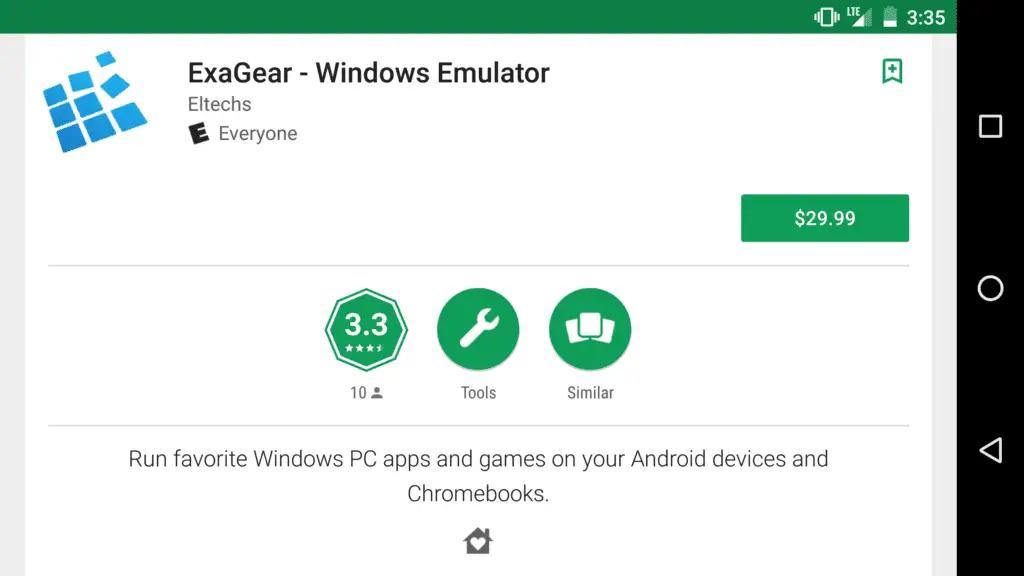
You’re reading that right. $29.99 for a Play Store application that may or may not run the application you want to emulate. That’s a pretty penny to pay to do something that was never intended to be.
Again, I am not a proponent of Windows on a Chromebook. If you have a real need to do this and don’t mind dropping $30, then you have my blessing.
As for me, Chrome OS has never failed me and I’m more than confident it will continue to deliver.

