


Support our independent tech coverage. Chrome Unboxed is written by real people, for real people—not search algorithms. Join Chrome Unboxed Plus for just $2 a month to get an ad-free experience, access to our private Discord, and more. Learn more about membership here.
START FREE TRIAL (MONTHLY)START FREE TRIAL (ANNUAL)
Back in February, NVIDIA felt it was finally time to take the GeForce Now streaming game service out of Beta and launch the platform for Windows, macOS, Shield and Android devices. Since that time, we have seen an on/off relationship with Chrome OS and the GeForce Now Android app. For a brief period, the streaming portal was available and quite usable on a Chromebook but it appeared that it was simply an oversight as the GFN app was soon incompatible with Chrome OS devices. It wasn’t too much of a surprise with Google pushing Stadia, the company’s in-house streaming game service.
Still, GeForce Now feels as if it was hand-crafted for Chromebooks and the bring your own game nature doesn’t really conflict with Stadia or its struggling user base. On the bright side, NVIDIA did say that a webRTC client was in the works and that would allow GeForce Now to work on Chromebooks along with other operating systems via the supported browser of your choice. Today, NVIDIA may have just teased that very feature in a cryptic, colorful and Google-y tweet.
Tomorrow. One simple word but you know what they say about a picture. It’s worth, well, you know. The four little hearts all in a row look very similar to another group of colors with which we are all too familiar. They colors aren’t identical to Google’s but they are close and they are in the precise order that you find them in the Assistant’s icon layout as you can see below.
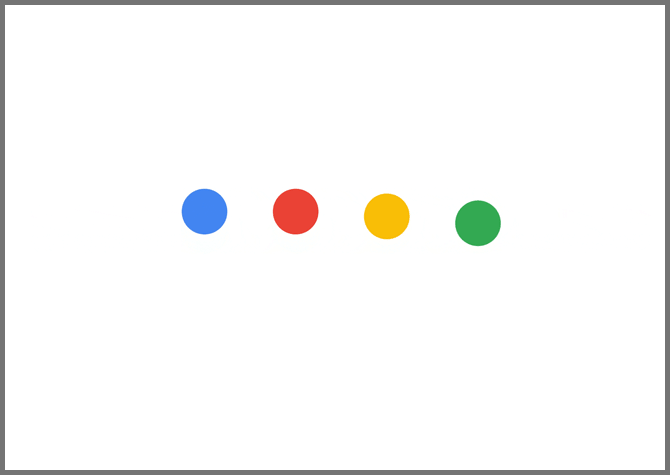
As many are pointing out in the comments, this could be foreshadowing the release of a web-based client for GeForce Now that’s specifically coming to the Chrome browser. Others suggest that this could actually be related to Microsoft as the company does have similar colors but I find that highly unlikely given the layout and order of the Google-fied hearts in the tweet. Mentions of Android TV are in there as well but the official logo for that platform is made up of exclusively Android green. So, I don’t think that’s the case. The comments are all over the place and some users suspect that this is simply game-related but I really think there’s much more to it than that.
While a web client makes sense and is very likely, we know that the GeForce Now Android application can run on Chrome OS. Could this teaser point to an official roll out of Chrome OS support via the Play Store. Perhaps. Personally, I think it would be a smart move on NVIDIA’s part. Chromebooks are designed with the web at their core. Giving gamers an option that will allow them to bring their own games to Chrome OS would continue to bolster the growth of the Chromebook platform while adding numbers to GeForce Now’s user base. It’s a win/win for everyone. Well, everyone except Stadia I suppose. Whatever NVIDIA is up to, we only have a few hours of waiting before we find out. We’ll be watching the GeForce Now Twitter very closely to see what all the fuss is about. Stay tuned.
SUBSCRIBE TO UPSTREAM
Get Chrome Unboxed delivered straight to your inbox
Upstream is our flagship, curated newsletter with the top stories, most click-worthy deals, giveaways, and trending articles from Chrome Unboxed sent directly to your inbox a few times a week. Join 31,000+ subscribers.

