

Support our independent tech coverage. Chrome Unboxed is written by real people, for real people—not search algorithms. Join Chrome Unboxed Plus for just $2 a month to get an ad-free experience, access to our private Discord, and more. Learn more about membership here.
START FREE TRIAL (MONTHLY)START FREE TRIAL (ANNUAL)
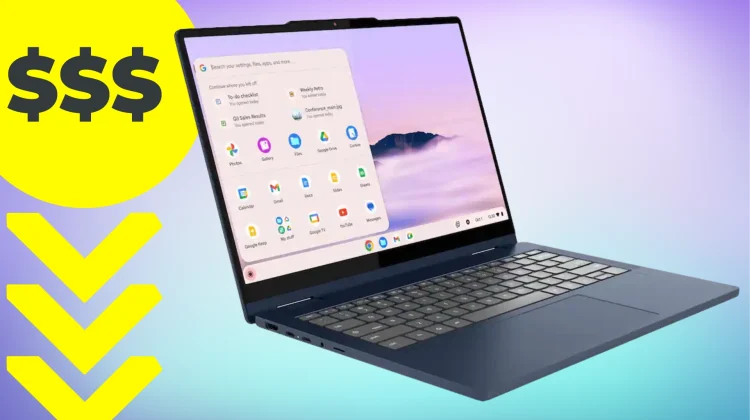
After months of a deal drought on the new Lenovo Chromebook Plus 2-in-1, this solid device has returned to it’s $429 discounted price. We actually have this device in-hand right now, and our full unboxing and first impressions video will be hitting the channel very soon. But even before that goes live, I can tell you this: the build quality on this machine is surprisingly good.
It borrows heavily from the design language of the more expensive clamshell Lenovo Chromebook Plus 14, featuring a rigid aluminum lid and a sturdy chassis that feels far more premium than a sub-$450 laptop has any right to.
At its regular $579 price, this device sits in a bit of a no-man’s land. In that sort of price range, it’s often more tempting to wait for the OLED clamshell model to go on sale or look at higher-end Acer options. But at $429, the math completely changes. For that price, you are getting a incredibly well-rounded package:
- The Screen: A 14-inch 16:10 WUXGA (1920×1200) IPS touch display that is bright and punchy.
- The Hinge: A smooth 360-degree convertible form factor that feels solid in tent, stand, or tablet mode.
- The Inputs: Lenovo’s legendary keyboard and a smooth, responsive trackpad that makes long typing sessions a breeze.
- The Performance: Powered by the Intel Core 3-N355 with 8GB of RAM and 128GB of storage, it handles the standard Chromebook Plus AI features and heavy multitasking without a hitch.
Expansive I/O
One of my favorite things about this chassis is the port selection. Lenovo didn’t skimp here; you get two USB-C ports, two USB-A ports, a dedicated HDMI port, and even a microSD card reader. It’s an expansive selection of ports that basically frees you up completely from needing to carry around any sort of dongle.
If you’ve been looking for a versatile machine that can transition from a work laptop to a tablet for media consumption and you don’t want to break the $500 barrier, this is one of the easiest recommendation I could make right now.
SUBSCRIBE TO UPSTREAM
Get Chrome Unboxed delivered straight to your inbox
Upstream is our flagship, curated newsletter with the top stories, most click-worthy deals, giveaways, and trending articles from Chrome Unboxed sent directly to your inbox a few times a week. Join 31,000+ subscribers.

