

Support our independent tech coverage. Chrome Unboxed is written by real people, for real people—not search algorithms. Join Chrome Unboxed Plus for just $2 a month to get an ad-free experience, access to our private Discord, and more. Learn more about membership here.
START FREE TRIAL (MONTHLY)START FREE TRIAL (ANNUAL)
Welcome to the Workspace Sessions. Workspace Sessions brings you the latest from Google Workspace, the Google Admin Console, and all things related to Enterprise and Education from the world of Google.
For millions, the new normal is now a mix of hybrid learning, remote working, and an all-out shift to a cloud-centric lifestyle. As those spaces evolve, so do the platforms used by the many that find themselves working remotely as a way of life. One such platform has been specializing in the virtualization of apps and services since long before the pandemic ever came into existence. Citrix Systems is considered by some, the Gold standard of remote application virtualization and enterprise collaboration. The company’s Citrix Workspace App, formerly Citrix Receiver, allows employees to access a company’s full suite of applications and services no matter where they may find themselves.
In recent years, Citrix has rolled out a web app for Chromebooks that brings most of the robust features of the Workspace app to Chrome OS. Remote workers can enjoy the portability and security of Chrome OS while still leveraging company infrastructures and legacy applications. This includes products like Windows desktops and the bevy of tools offered by Microsoft Teams. One of the coolest parts about products like Citrix is that they bring together multiple ecosystems. With Microsoft offering up so many of its services in the cloud or some form of cloud-based virtualization, Chromebook users can now enjoy the best of both worlds without compromising on much-needed applications.
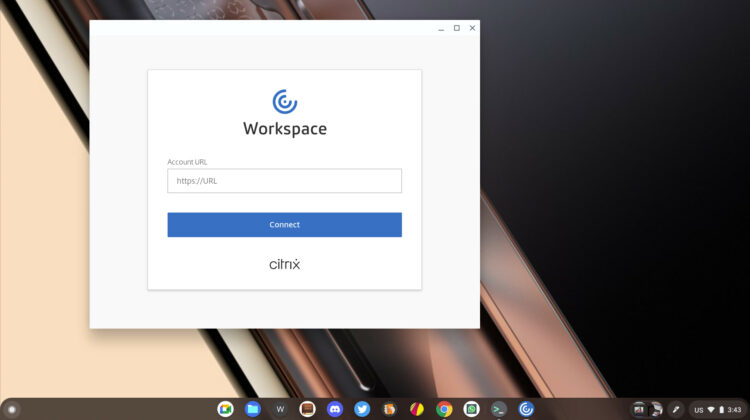
The latest update to Citrix Workspace for Chrome OS further blurs the lines between operating systems with optimizations specifically for Microsoft’s Teams collaboration platform. According to a Citrix blog post, the update is now available in the latest version of Citrix for Chrome OS.
As remote work remains prevalent, Microsoft Teams usage continues to grow. To support our users, Citrix is continuously working toward improving their experience. With that in mind, we are proud to announce that Microsoft Teams Optimization in Citrix Workspace app for Chrome OS 2105.5 and later is now available!
Citrix Blog
Here’s an overview of what Citrix Workspace for Chrome OS brings to the table for remote workers using a Chromebook as their primary device.
- Audio call support: Citrix Workspace app for Chrome OS now offers complete support to 1-on-1 calls and conference calls in single monitor and multi-monitor scenarios.
- Video call support: We support 1-on-1 video calls, and, for group calls, we support the gallery view, large gallery view, and the together mode. The call will start off in gallery mode initially where a maximum of four participant videos can be seen. But once there are more participants, users can switch to the large gallery or together mode to view all the participant videos. Currently video calling support is limited to a single monitor only. In a multi-monitor scenario, Microsoft Teams can be used only within the built-in monitor. If the Microsoft Teams window is moved to the second monitor, video will not be available. However, the audio call will continue to be in progress.
- Screen sharing support: In the current implementation, screen sharing via Microsoft Teams would also allow sharing of the local device contents. Currently, screen sharing is disabled by default to prevent unintended data exposure.

As the hybrid workspace continues to evolve, company’s are finally understanding that an open ecosystem is the most beneficial path to productivity. Giving users tools at their fingertips that open doors instead of closing them is a win-win for everyone. I, for one, am very happy to see more options for Chrome OS users as well as those living inside other houses. The cloud is where it’s at and I think Citrix understands that. Learn more about the update here.
This installment of Workspace Sessions is sponsored in part by CTL. CTL is an industry leader in the deployment and management of Chrome and Chrome OS hardware. Headquartered in the USA, CTL designs and purpose builds Chrome devices specifically to meet the needs of its customers. Find out more about CTL here.
SUBSCRIBE TO UPSTREAM
Get Chrome Unboxed delivered straight to your inbox
Upstream is our flagship, curated newsletter with the top stories, most click-worthy deals, giveaways, and trending articles from Chrome Unboxed sent directly to your inbox a few times a week. Join 31,000+ subscribers.

