

Support our independent tech coverage. Chrome Unboxed is written by real people, for real people—not search algorithms. Join Chrome Unboxed Plus for just $2 a month to get an ad-free experience, access to our private Discord, and more. Learn more about membership here.
START FREE TRIAL (MONTHLY)START FREE TRIAL (ANNUAL)
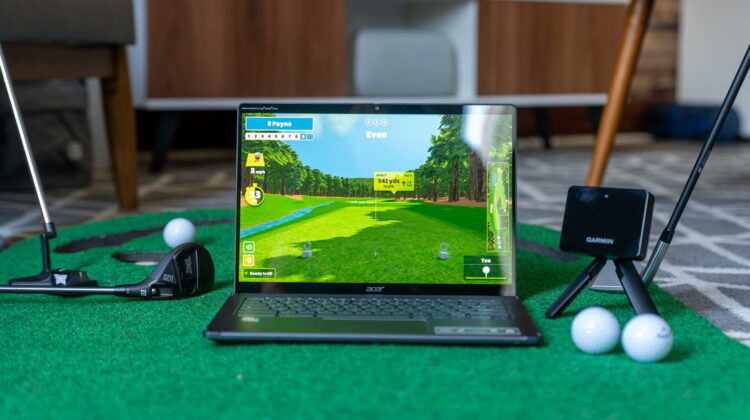
Sometimes, it only takes a bit of awareness. Not long ago, we made a whole video about a really fantastic golf simulator software that is simply called Awesome Golf Simulator. Yes, we all play golf and yes, we all love it; but that wasn’t enough reason to make an entire video about this particular software. Instead, that reasoning came from the fact that Awesome Golf actually runs quite well on Chromebooks and we wanted to highlight that fact for everyone to see; showcasing the fact that the laptops once known as “just a browser” are capable of far more than you may think.
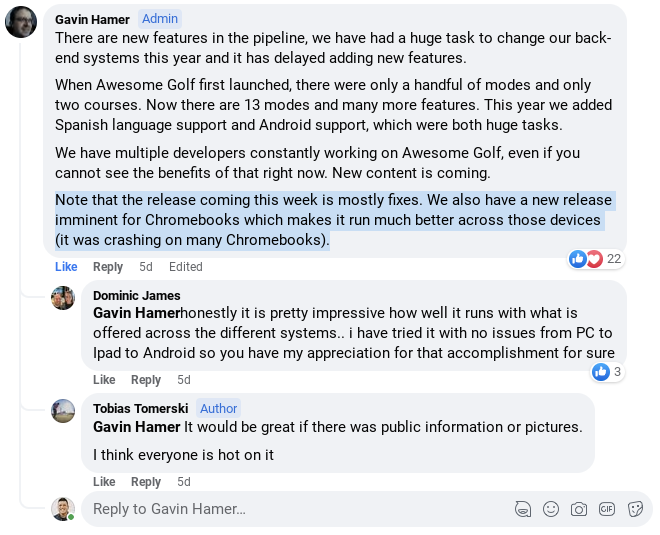
Making that video and writing that post was a very fun process, and in doing so it looks like some attention has been paid to the Awesome Golf app on the Play Store, specifically for Chromebooks! If you read the changelog for the latest update and peep this reply from the Awesome Golf crew in their Facebook community, you’ll see specific reference to bug fixes for Chromebooks, and that’s a big deal.

Android developers targeting Chromebooks
It doesn’t happen often, but this is a great example of what a bit of exposure can do for an Android app, specifically when it comes to Chromebooks. As you may know already, Chromebooks and Android apps that run on them tend to get the back-burner treatment. This is for a variety of reasons, but it is still frustrating as a Chromebook user. Most development teams only have so many hours to give to an application, so that work has to go to where it does the most good. Sadly, that means Chromebook-focused adjustments and fixes get left out in these updates many times.
But this isn’t one of those times, and that is an exciting thing! While Awesome Golf Simulator isn’t the most-downloaded app in the Play Store, its smaller footprint means there’s a smaller team behind it. And if that smaller team can take the time needed to clean things up on Chromebooks, that means other developers should be able to as well.
Not every Android app is a good fit for Chromebooks, but Awesome Golf Simulator is one of those that makes complete sense on the larger screen, and I can’t explain how excited I am that they are taking the steps necessary to get things working well on ChromeOS. I’m not advocating that every app developer should be looking at ChromeOS, but a lot of them should be. There’s a large, growing market of users that are installing and running Android apps every single day, and their experiences are likely all over the place.
Those developers that choose to pay attention to this expanding audience could find a die-hard fan base hiding just around the corner. That’s exactly what has happened with me and Awesome Golf Simulator. Knowing that this group is committed to letting me power my golf simulator setup with just a Chromebook makes me want to use their software. It’s no different than buying accessories I know are made to work well with my Chromebooks: I do so because it makes the whole process of using the thing that much easier for me.
My hope is more developers decide to take this path in the future. For games, productivity tools, and even golf simulator software, Chromebooks are very capable machines that – when used properly – can do far more than their price tags would indicate. It has taken far longer than I expected it would, but apps like Awesome Golf Simulator and LumaFusion has rekindled my hope that great Android apps – targeted towards Chromebooks – are still lingering in our future. And that’s an exciting prospect.
SUBSCRIBE TO UPSTREAM
Get Chrome Unboxed delivered straight to your inbox
Upstream is our flagship, curated newsletter with the top stories, most click-worthy deals, giveaways, and trending articles from Chrome Unboxed sent directly to your inbox a few times a week. Join 31,000+ subscribers.

